Comparing Different HDMI Standards
HDMI cable standards differ: High Speed is rated 10.2 Gbps, Premium High Speed 18 Gbps for 4K60, and Ultra High Speed 48 Gbps for 8K60 and 4K120.



Often referred to as "HDMI," high-definition multimedia interface is the standard connection for televisions and a number of other electronic devices. It's an important component of any entertainment setup as it combines both video and audio into a single digital interface. It supports standard, enhanced, or high-definition video, in addition to standard to multi-channel surround-sound audio. Just like with any technology, sometimes there may be issues with your connection. Below you will find helpful steps for troubleshooting your HDMI connection.
One of the common causes of HDMI issues revolves around the "HDMI handshake." HDMI is intended to make it simple for you to connect all of your devices with one cable. For this to occur, the connected devices need to be licensed to communicate with each other through a standard referred to as HDCP ("high-bandwidth digital content protection). This is a coding scheme developed to protect audio and video signals from being copied and illegally intercepted.
The HDMI handshake refers to the ability of the devices to recognize and communicate with one another. If the handshake doesn't work, it means that the HDCP encryption embedded in the HDMI signal is not recognized by one (or more) of the connected devices. To address the issue, consider the tips on how to troubleshoot your HDMI connection.
Issues with your HDMI connection may occur so it's important to understand how to troubleshoot the problem. Consider the following steps if you need to assess issues with your HDMI connection.
No matter what your AV needs are, the team at KanexPro can get you on the right track. They are the top AV systems providers and have helped clients large and small address and solve their issues. One of the most effective HDMI solutions for large companies is the HDMI matrix. It can cross-switch eight HDMI sources to eight 4K displays. This is a great option for those in the fields of medicine, government, or the military. Contact the team at KanexPro today for support!
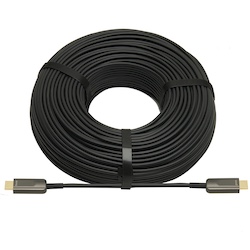
HDMI cable standards differ: High Speed is rated 10.2 Gbps, Premium High Speed 18 Gbps for 4K60, and Ultra High Speed 48 Gbps for 8K60 and 4K120.
HDMI cables have become the standard in many homes and offices over the last decade. They are helpful cables that transmit audio and video from…
HDMI cables are a necessary part of any tech setup at home or at work. They provide the clear and effective transmission of both audio and video…
KanexPro sells direct to dealers, resellers, installers and integrators, and through distribution. Whichever way you buy, the same engineers answer the phone.
The trade store: your own account, live stock, reordering, and a first look at new products.
Go to the trade store →Distribution and authorised resellers across the US and beyond.
See where to buy →Design help on extenders, matrix and AV over IP before you spec it.
Ask an engineer →