Comparing Different HDMI Standards
HDMI cable standards differ: High Speed is rated 10.2 Gbps, Premium High Speed 18 Gbps for 4K60, and Ultra High Speed 48 Gbps for 8K60 and 4K120.



HDMI cables are the often-overlooked bread and butter of modern AV technology. While they can sometimes be hidden, they transmit signals between different audio and video components to give you a crisp sensory experience, making them one of the most essential components of any kind of setup.
It’s no secret that one faulty piece of equipment can make the whole system stop working. Today, your trusted Kanex Pro AV systems masters will list the top 4 signs of a bad HDMI connector so you know exactly how to diagnose your AV issues and seek proper solutions ASAP.
HDMI connectors are supposed to transmit clear-cut images to your screen, no matter where its original source is. If you just can’t get your images to look right and you are dealing with a lot of fuzziness, it may be a sign that your HDMI cable is on the fritz. The best way to fix this problem is to double-check that the HDMI cable is securely plugged in on both ends, as a loose connection can cause images to be noisy. If nothing seems to be wrong, you may have an internal issue that requires the wires to be replaced.
HDMI cables are designed to transmit any and all types of data, including that which is protected or encrypted. This is typically called “handshake” data, and it is an action that can be performed by most types of HDMI cords. However, an outdated HDMI cable may not interact well with newer types of copyrighted material protected by the High Bandwidth Digital Content Protection. Modern cables are built to rely on this type of technology to keep all forms of media as secure as possible. It might be time to update your setup if you are having constant handshake issues.
Before HDMI cables, Digital Visual Interface Cables were king. These cords are still often seen connecting computer monitors and other large pieces of AV equipment. While HDMI cables are certainly the way of the future, you will likely still run into plenty of occasions where compatibility between HDMI and DVI is a must. If you are dealing with outdated DVI cables and can’t get your systems to seamlessly connect, you may need to pick up a converter.
While HDMI cords have trouble connecting to DVI because they are so old, the opposite problem is present with HDR connectors. Short for High Dynamic Range, HDR cords help any kind of image exceed 4K technology by way of colors, lights, and clear details. This rising technology is very exciting, but that doesn’t mean everyone is on board. Some systems may not yet use HDR components and so you should adjust your HDMI cables to reflect that. Make sure you have the right settings selected on your AV devices to make sure every part of your system is compatible with older - and newer- types of connections.
Navigating the world of HDMI connectors can be overwhelming when you are just setting up an audio/visual system for the first time. We make setup easy with our all-in-one devices that automatically take your sounds and convert them for you. For example, our VGA to HDMI audio converter is a great option for anyone struggling with HDMI compatibility. If you need additional assistance troubleshooting your faulty HDMI cables or you don’t know what products will best work with your system, you’ve come to the right place. Get in touch with our Kanex Pro experts today!
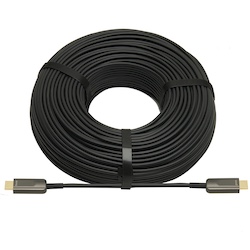
HDMI cable standards differ: High Speed is rated 10.2 Gbps, Premium High Speed 18 Gbps for 4K60, and Ultra High Speed 48 Gbps for 8K60 and 4K120.
HDMI cables have become the standard in many homes and offices over the last decade. They are helpful cables that transmit audio and video from…
HDMI cables are a necessary part of any tech setup at home or at work. They provide the clear and effective transmission of both audio and video…
KanexPro sells direct to dealers, resellers, installers and integrators, and through distribution. Whichever way you buy, the same engineers answer the phone.
The trade store: your own account, live stock, reordering, and a first look at new products.
Go to the trade store →Distribution and authorised resellers across the US and beyond.
See where to buy →Design help on extenders, matrix and AV over IP before you spec it.
Ask an engineer →