Why Do VGA Cords Have Screws?
If you have ever tried to connect an older display port to your computer, you have likely dealt with a VGA cord. These pieces are often seen hanging…



Microphones are an essential tool to capture sound. From musical concerts to motivational speeches, they are a necessary part of events both large and small. They can even be used to record podcasts. Despite their necessity and value in many cases, they can have issues. No volume, low volume, background noise, and distortion are common. However, most of the common issues are fairly simple to solve. Below you will find how to fix common microphone problems.
Microphone issues can be troubling. However, there are common issues that can be easily solved. Most often, the issue is not major. Consider the following solutions to common microphone problems.
One of the most common issues occurs when there is no sound coming from your microphone. Begging by checking if your microphone is properly connected. If that doesn’t work, be sure to check that your microphone is not on mute. If those solutions don’t work, use your microphone on another device. It may be necessary to replace your microphone if none of these solutions work.
If your microphone sounds weak or has really low volume, clean it. Debris can get into your microphone and cause a number of issues, including sound. As simple as it sounds, you can also adjust the volume in the device’s settings. An external audio amplifier with mic mixer can also be used to boost the signal.
A common microphone issue is an intermittent connection. If you notice that your microphone disconnects, check your cables. They may be damaged or dirty. As with the low volume issue, clean the ends of the cables to remove any debris. Try a different cable if the issue persists.
Distortions or background noises can impact the quality of sound. A pop filter can effectively reduce any popping sounds. If you are recording something, use noise reduction software. This can reduce the amount of background noise post-production. If you are recording or even live, maintain a quiet environment. The issue of background noise can be complex so be prepared to troubleshoot the issue.
Getting an echo or unwanted feedback is one of the most annoying microphone issues. This can occur when you are live or recording. Start by adjusting the position of your microphone. Be sure to turn the volume down so you don’t have to deal with too much noise as you troubleshoot the issue. Check the cables, make sure they are clean, and use headphones to prevent audio feedback loops if possible.
Sometimes there can be a lag between the moment you talk into a microphone and when you hear the audio output. This can make things really difficult, especially if you are live. You can solve this issue by adjusting your recording software settings. Set it to low-latency monitoring.
USB microphones can have connectivity issues. Oftentimes this is due to the microphone not being recognized by the computer. There are a few ways to solve this issue. First, try a different USB port if you have multiple. If not, reboot your computer. It’s necessary to also ensure you have the most recent USB drivers installed. If none of these solutions work, the microphone or USB cable itself may be faulty.
The team at Kanex Pro are experts in audio-visual products. No matter what your connectivity needs or issues are, they have effective solutions. They offer products that support any of your digital installation needs. Their goal is to provide top-tier solutions that are not only affordable but highly reliable. Contact Kanex Pro today for more information!

If you have ever tried to connect an older display port to your computer, you have likely dealt with a VGA cord. These pieces are often seen hanging…
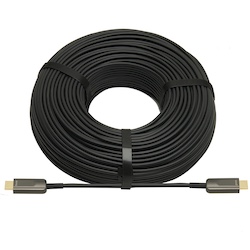
High-definition multimedia interface (“HDMI”) cables are a critical component of most modern homes. They are most commonly used in home entertainment…
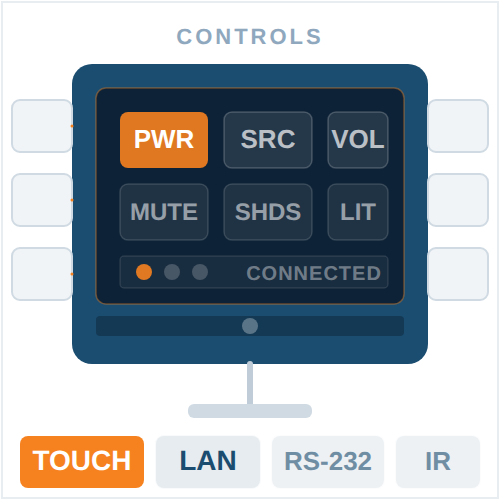
AV control systems are the backbone of modern technology integration, facilitating the seamless coordination of audio, video, digital, and wired…
KanexPro sells direct to dealers, resellers, installers and integrators, and through distribution. Whichever way you buy, the same engineers answer the phone.
The trade store: your own account, live stock, reordering, and a first look at new products.
Go to the trade store →Distribution and authorised resellers across the US and beyond.
See where to buy →Design help on extenders, matrix and AV over IP before you spec it.
Ask an engineer →