What Is Audio Quality? How To Improve It
Poor-quality audio is something nobody wants to experience. Whether it’s in a classroom, work presentation, or even when you are consuming…



Despite the advances we’ve seen in technology over the last decade, there is still a broad range of microphones with an even broader range of specs. While some home AV system setups are already equipped with the most powerful sound-capturing devices that provide crisp, clean sounds, others are still struggling with old or noisy mics.
Today, our Kanex Pros are going to answer the question: Why does my mic sound so bad? You will be amazed at the difference professional-level audio systems can make once attached to your microphone. Keep reading for tips on how to troubleshoot your mic’s sound problems and how to improve the quality of your audio - both input and output.
Before you decide that it’s time for a replacement or a huge upgrade, there are first a few small things you can do to troubleshoot the sound problems coming from your microphone. It is also a good idea to rule out any extraneous factors that may continue causing you problems even after you’ve replaced your mic.
Microphones, like all electronic devices, come with physical hardware that can get dirty over time. Everything collects dust and other forms of debris as the days go on, so it’s important to wipe everything down before troubleshooting your mic further. In some cases, you might have just had some dirt stuck in your microphone port.
Once you’ve ruled out dirt, dust, and general wear and tear, it is time to start looking to make improvements to your home microphone setup. One method, called signal processing, defines the microphone’s ability to filter out sounds and focus on specific sound waves, rather than struggling through competing sources of audio. This is also what makes it possible to connect multiple microphones to the same computer at once.
You can purchase specific multi-mic audio processing devices or microphones that can receive multiple audio signals, in order to enhance your recording experience. Depending on what you are using your microphone for (podcasts, streaming, or live chatting), you might want to implement a system that has additional noise-filtering capabilities.
The microphone itself may not warrant a replacement, but there could be an issue with the way you are filtering audio that is causing the quality to go down the drain. If you are using multiple mics or you are connecting audio via Bluetooth, you might experience a huge dip in quality. This is because your audio signal can only be as strong as your Internet connection. Make sure you are not using an unstable network or relying on a slow connection to process your audio.
Slowly remove components of your setup, such as Bluetooth connections and additional sound processors, so you can isolate the source of the issue. From there, you will be able to tell whether or not you need a new microphone.
Since there are a number of issues that can lead to poor sound quality coming out of your microphone, it is not always apparent what the best solution is. Depending on the type of system you have set up, you might want to check out some of the best ways to amplify audio for a mic. If your problem is with too much noise or interference, you might want to replace your mic with one that has a multi-signal processing component.
No matter what kind of AV system troubles you are having, our Kanex Pro experts are here to help. Get in touch with our tech enthusiasts and we can help you source the perfect solution for improving microphone quality at home.

Poor-quality audio is something nobody wants to experience. Whether it’s in a classroom, work presentation, or even when you are consuming…
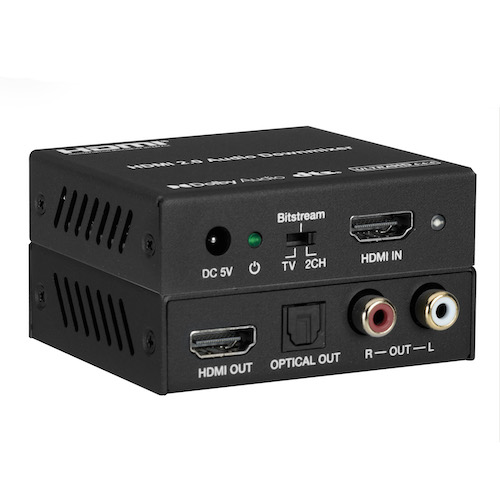
Many people are reconsidering entertainment outside of their home in consideration of improving their own home entertainment system. This can be a…

Technology has continued to evolve significantly, especially over the last few decades. From desktops to laptops and home phones to cell phones, the…
KanexPro sells direct to dealers, resellers, installers and integrators, and through distribution. Whichever way you buy, the same engineers answer the phone.
The trade store: your own account, live stock, reordering, and a first look at new products.
Go to the trade store →Distribution and authorised resellers across the US and beyond.
See where to buy →Design help on extenders, matrix and AV over IP before you spec it.
Ask an engineer →