Feed a soundbar and an amplifier from one eARC adapter, not two
When one TV eARC port has to feed a soundbar and an amplifier, spec one adapter with both HDMI audio outputs instead of chaining two extractors.



Poor-quality audio is something nobody wants to experience. Whether it’s in a classroom, work presentation, or even when you are consuming entertaining content, poor-quality sound can impact the entire experience. Audio quality is really important when producing any type of content. Without quality audio, the message can be easily lost as people will focus on the poor-quality audio instead of the original content. Focusing on the basics when it comes to audio can help you create impactful content. What is audio quality? How to improve it can be found below.
Audio quality refers to the ease of listening and the degree of comprehension. Intelligibility is a key factor in audio quality as it refers to the degree to which speech, language, or sound can be understood by a listener. This can be impacted by a number of factors, including the acoustic environment, the clarity of the speaker, and the recording equipment and settings used.
There are effective ways to improve audio to provide optimal intelligibility to your listeners.
Consider the following methods to ensure top audio quality.
The environment where you record your audio is critical in terms of getting good audio quality. It’s important to create in a space without any unwanted noise. Things like fans, AC units, animals, or children can impact the quality of sound you produce. Creating a sound-proof space involves removing anything that makes unnecessary noise. While there is editing software that can be used in the post-production phase, eliminating the sound before recording can lead to better sound quality and less work on the back end.
Depending on what you are recording, choosing the proper equipment is a large part of producing quality sound. Outside of the environment you record in, the microphone is the most important factor in the quality of your sound. This is because microphones can provide sound clarity, noise reduction, frequency response, sensitivity, directionality, and consistency. There are a vast array of microphones to choose from so it’s important to do your research and choose the one that is best for your specific project needs.
After the audio has been recorded, the sound equipment is also key in providing quality sound. Coordinating the equipment can be complex, but it is possible. The computer, speakers, and screen (if there is also video) all need to work in tandem with one another. If there are any interactive elements, they will also need to be coordinated and included. For example, classrooms often include interactive elements that include the audience. Kanex Pro audio systems offer an excellent audio experience and can be customized to meet your unique project needs.
For audio to be intelligible, proper audio settings during production are necessary. A good rule of thumb involves decibels relative to full scale (“dBFS”) between -24 dBFS and -6 dBFS. The audio should be no lower than -24 dBFS and no higher than -6 dBFS, with a great goal range of -12 dBFS.
Choosing the right software is necessary when you are recording audio. The type of software can impact the production quality and is an integral factor in the process. There are multiple types of software that you can choose from so it’s important to research the type that is right for your unique project. Software that offers optimal control during the production phase can make the post-production process significantly easier and result in higher-quality audio. If you need to extract the audio from the video, an Atmos HDMI audio extractor is highly effective.
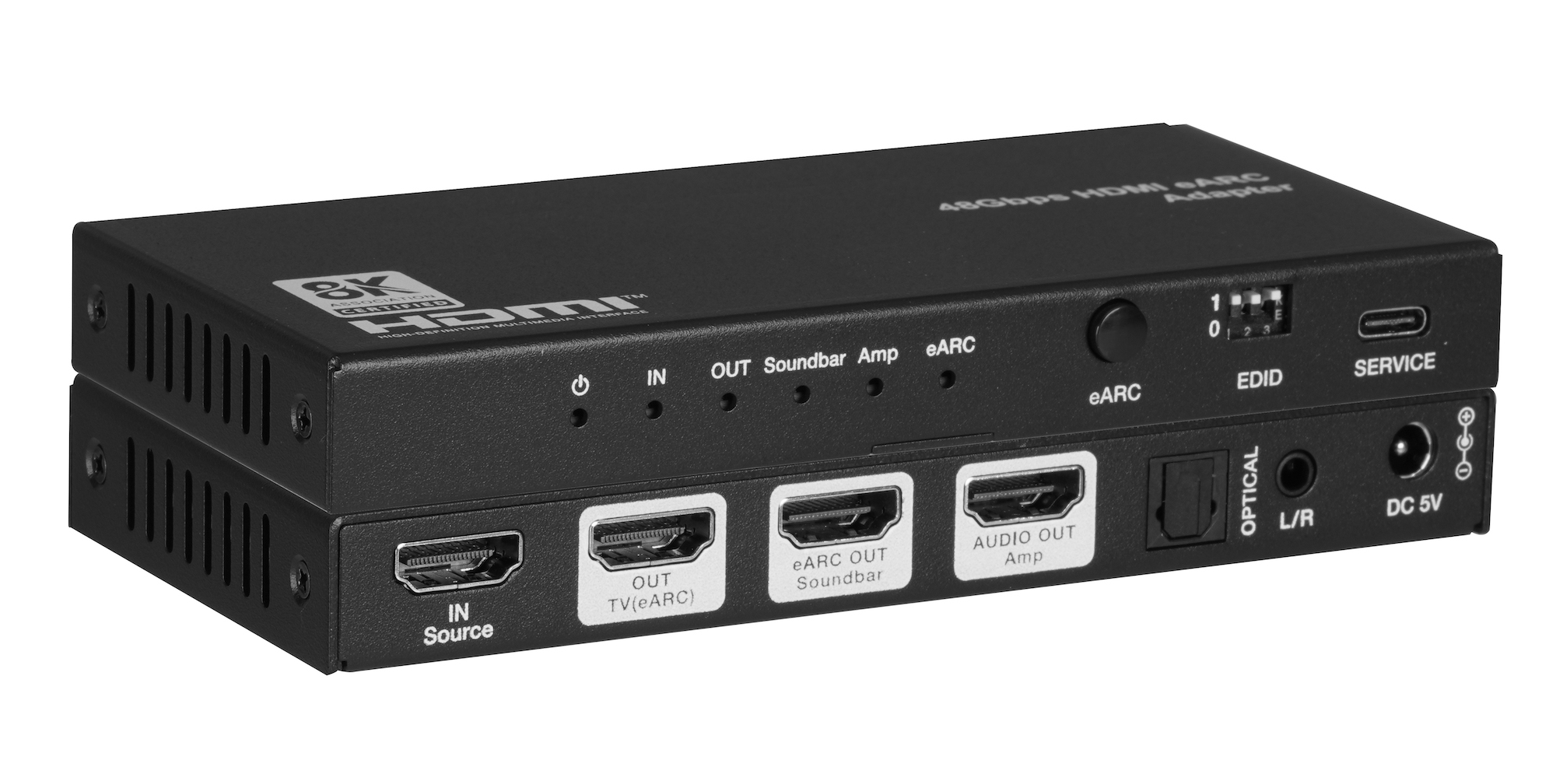
When one TV eARC port has to feed a soundbar and an amplifier, spec one adapter with both HDMI audio outputs instead of chaining two extractors.
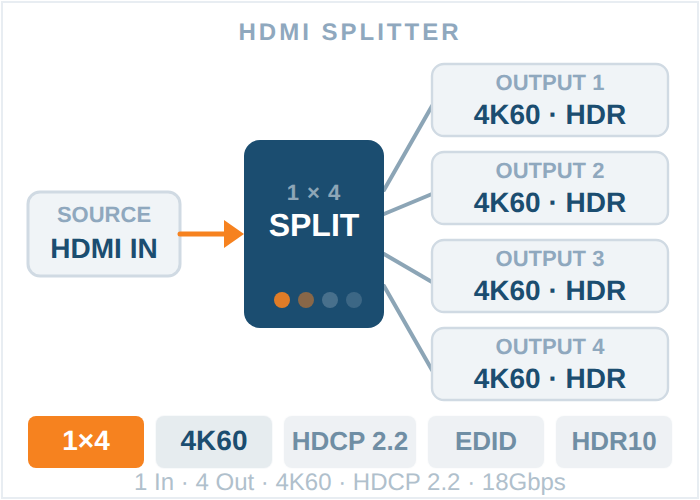
In today's world of high-definition television and audio systems that work in more than one room, it's important to make sure the signal is…
An HDMI distribution amplifier (DA) sends one HDMI input to several displays at once. How it differs from a splitter, and how to choose one.
KanexPro sells direct to dealers, resellers, installers and integrators, and through distribution. Whichever way you buy, the same engineers answer the phone.
The trade store: your own account, live stock, reordering, and a first look at new products.
Go to the trade store →Distribution and authorised resellers across the US and beyond.
See where to buy →Design help on extenders, matrix and AV over IP before you spec it.
Ask an engineer →