Small Meeting Rooms Don't Need a Separate Audio or Control Processor
In a small meeting room, a presentation switcher with a built-in audio matrix and display control can replace the separate DSP and control processor.


The TV has one eARC port, and the client wants two things to play from it. One is a soundbar under the screen. The other is an amplifier or AV receiver driving ceiling speakers, a second zone or a background music system. The habit is to add one audio extractor for the soundbar and a second for the amplifier, then string HDMI between them until both sound right.
Drop that habit. If a job needs a soundbar and an amplifier fed from the same TV or source, specify one adapter that has a soundbar eARC output and a separate HDMI audio output for the amp, both active at once. Two extractors means two HDMI handshakes, two power supplies, two sets of cables and two places for audio to go missing. When the job needs two destinations, spec a box built for two destinations.
Every extra box in an HDMI chain is another device that has to read the display's EDID, negotiate HDCP and pass CEC both ways. With two extractors in series, the second box only sees what the first one chose to pass on. When the soundbar comes up in stereo, or the TV remote stops changing the volume, you have two devices to suspect and no single place to check.
Audio format is the other reason. The soundbar and the amplifier may not want the same thing. One may take Dolby Atmos over eARC. The other may be an older receiver, or a zone fed from optical or analog. A single adapter that handles EDID and audio routing in one place lets you set it up on purpose, instead of working out what two boxes agreed on between them.
Finally, the rack. One unit, one power supply and fewer HDMI runs behind the display is simply less to fit, label and troubleshoot on a return visit.
The AUD-EARC-8K has one HDMI input and five outputs: a TV (eARC) HDMI output, a Soundbar eARC HDMI output, an Amp AUDIO HDMI output, S/PDIF optical and a 3.5mm stereo L/R jack. All of them are active at the same time. The HDMI outputs carry everything up to Dolby Atmos and DTS:X, including LPCM 7.1CH, Dolby TrueHD and DTS-HD Master Audio. So the soundbar and the amplifier can each get the full-format stream.
A front-panel button switches eARC mode, and it decides where the audio comes from. With eARC mode on, the soundbar and amplifier get the audio returned from the TV, such as streaming apps or broadcast. With eARC mode off, they get the audio from the HDMI input source directly. The eARC LED reports the state: solid means eARC and CEC are working, and flashing means eARC is on but CEC is not communicating properly.
EDID is set with a DIP switch, with no software. The factory default copies the sink EDID from the OUT port. Another setting takes the video EDID from the display and the audio EDID from the soundbar, which is the one to use when the soundbar should decide the audio format. Six fixed modes cover FRL12G and FRL10G 8K HDR, each with 2.0CH, 5.1CH or 7.1CH audio.
Video passes through untouched. It is HDMI 2.1 and HDCP 2.3, with 48Gbps FRL and 18Gbps TMDS bandwidth. It supports up to 8K@60Hz 4:2:0 12bit and 4K@120Hz 4:4:4 12bit, with HDR10, HDR10+, Dolby Vision and HLG, plus VRR, ALLM, QMS, QFT and SBTM. CEC lets the TV remote control the source and the volume of any connected eARC sound system.
The stance only holds when there really are two destinations. If the job is a soundbar and nothing else, a soundbar-only adapter is the cleaner choice. KanexPro's AUD-SBAR-8K has one input, a TV output and a Soundbar eARC output. If the only extra destination is a stereo feed to a small zone amplifier, you may not need an HDMI amp output at all.
Two devices also still make sense when the destinations are far apart, in different rooms or racks, and the cable lengths below don't reach both. This is an audio adapter that sits beside the display, not a distribution system.
Be fair about the secondary outputs, too. The AUD-EARC-8K does not decode or downmix. Optical plays PCM 2.0CH and Dolby or DTS 5.1CH. Analog L/R plays PCM 2.0CH only. If a zone fed from L/R has to play while the main system gets multichannel audio, that job needs a different plan.
Yes. The AUD-EARC-8K's Soundbar eARC output and Amp AUDIO HDMI output are both active at once, and optical and L/R output at the same time as well.
That depends on the eARC button. With eARC mode on, the soundbar and amplifier get the audio returned from the TV. With it off, they get the audio from the HDMI input source directly.
Yes, on the Amp AUDIO HDMI output, which carries formats up to Dolby Atmos and DTS:X. It will not reach the amplifier over optical, which supports PCM 2.0CH and Dolby or DTS 5.1CH only.
The L/R output does not downmix or decode. It plays PCM 2.0CH only, so it stays silent when the source sends multichannel LPCM or a Dolby or DTS bitstream. Set the TV's eARC audio output, or the source, to PCM 2.0 (stereo).
eARC mode is on but CEC is not communicating properly. Check the CEC settings on the TV and on the connected devices.
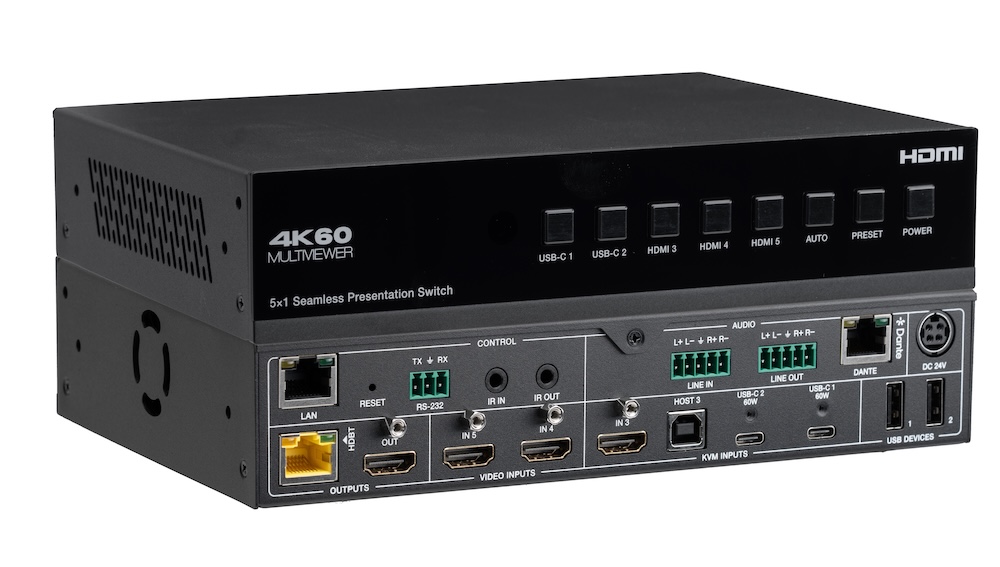
In a small meeting room, a presentation switcher with a built-in audio matrix and display control can replace the separate DSP and control processor.
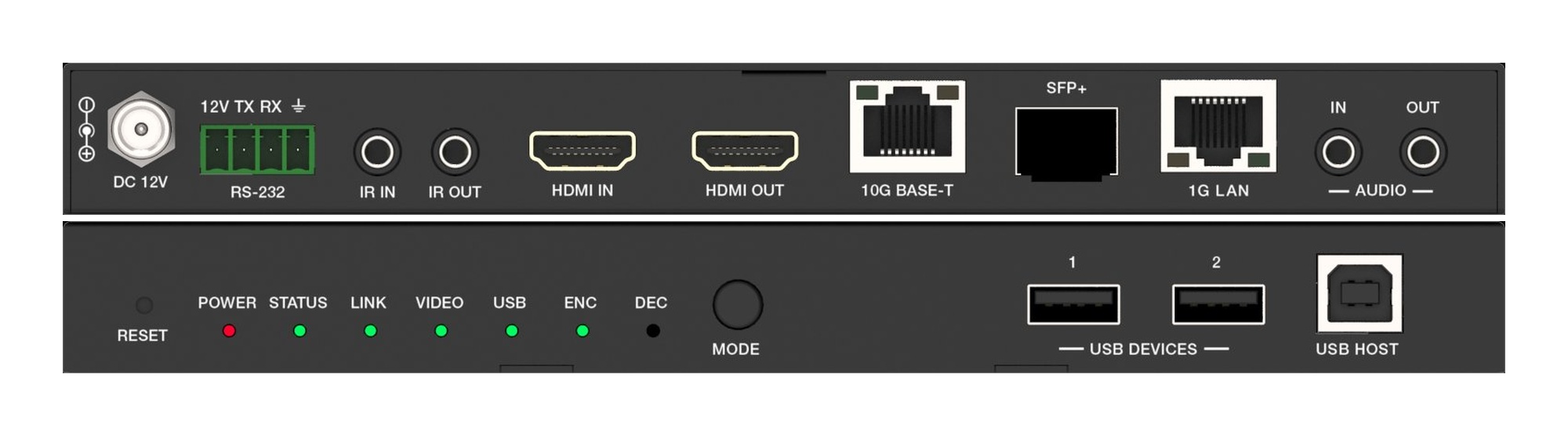
A fixed HDMI matrix switcher locks a job to its port count. Uncompressed 10G AV over IP routes the same way with zero-frame latency and room to grow.
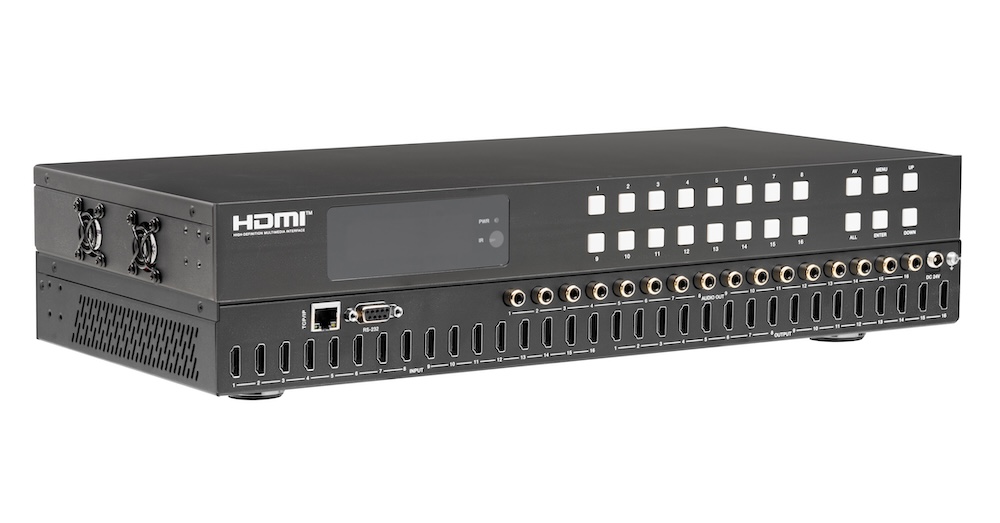
Pull audio for amps and soundbars from the matrix outputs, not from an extractor box behind each screen. Fewer boxes, fewer handshakes to debug.
KanexPro sells direct to dealers, resellers, installers and integrators, and through distribution. Whichever way you buy, the same engineers answer the phone.
The trade store: your own account, live stock, reordering, and a first look at new products.
Go to the trade store →Distribution and authorised resellers across the US and beyond.
See where to buy →Design help on extenders, matrix and AV over IP before you spec it.
Ask an engineer →