Feed a soundbar and an amplifier from one eARC adapter, not two
When one TV eARC port has to feed a soundbar and an amplifier, spec one adapter with both HDMI audio outputs instead of chaining two extractors.


A small meeting room is often specified as three separate systems. A switcher picks the source, an audio processor sets the levels for the amplifier, and a control processor turns the display on, picks its input and holds the presets. Each box needs its own rack space, power, programming and support visit. In a room that has one display, a few laptops and a pair of speakers, that is more equipment than the job calls for.
We think a small room should start with a presentation switcher that handles the audio and the display itself. Add a separate processor only when the room asks for something the switcher cannot do. If the switcher can mix and shape the room's audio, power the display on and off and switch to whichever source is connected, the other two boxes have nothing left to do.
In a small room, the signals already meet at the switcher. Every laptop plugs into it and the display cable runs from it. The program audio goes through it on the way to the amplifier. Putting a processor after it adds another hop for the audio and another set of cables. Putting a control processor beside it means writing commands that make the switcher do things it could have done on its own.
Fewer devices also mean fewer places for a fault to hide. When the audio is quiet or the display stays dark, there is one web page to check, not three. The setup is saved in one unit, so replacing it or copying the room's design to the next room is quicker.
The SW-5X1PS-70M is a 5×1 presentation switcher with an HDBaseT 3.0 receiver. It has two USB-C inputs with DP Alt Mode, two HDMI inputs and one HDMI input with a USB-B host port. The USB-C inputs also carry USB 2.0 and 100M Ethernet, and they charge the laptop at up to 60W. Switching is seamless in single-screen mode, and there are Single, PIP, PBP, Triple and Quad multiview layouts.
Audio. The switch has a built-in 3×3 audio matrix with DSP. You set EQ, volume and delay separately for each path. It has one analog line input and one analog line output, and it can embed and de-embed analog audio. The analog line output has an adjustable sync delay of 0 to 50 ms, at the switch and at the receiver, so you can line up the speakers with the picture. Audio is LPCM 2.0 at 48kHz. In the standard setup, a microphone mixer feeds LINE IN and the receiver's balanced LINE OUT feeds the amplifier.
Display and room control. The switch supports CEC and RS-232 control to turn the display on and off. It has manual and automatic input switching, and the front-panel AUTO button turns auto switching on or off. Preset scenes are built in the Web GUI and recalled from the PRESET button. The Web GUI has a User login that only reaches the Preset, Video and Master Out controls, so staff can run the room without changing its setup. USB can follow the video source, so the camera, keyboard and mouse at the receiver go to the laptop on screen. IR and RS-232 pass through in both directions. The unit can also be controlled from the front panel, an IR remote, RS-232, TCP/IP and the Web GUI.
The argument covers small rooms, and it has limits.
Not for video. It is a 5×1 switcher with mirrored HDMI and HDBaseT outputs, so both displays show the same picture. The audio side does have a 3×3 audio matrix, with EQ, volume and delay set separately for each path.
For a room that needs program audio and a line-level feed from a microphone mixer sent to an amplifier, yes. It mixes the paths, applies EQ and volume, and gives 0 to 50 ms of sync delay on the analog outputs. If the room needs features the specification does not describe, add a processor for those.
Yes. It supports CEC and RS-232 control to turn external devices on and off. RS-232 commands also pass through the system, so the port at the receiver can drive the display.
4K60 reaches 40m (131ft) over a single CAT6A F/FTP cable. For longer runs, 1080p reaches 70m (230ft).
No. The switch supplies PoE over HDBaseT, and the receiver can run from that. It also has a 24V DC input if you would rather power it locally.
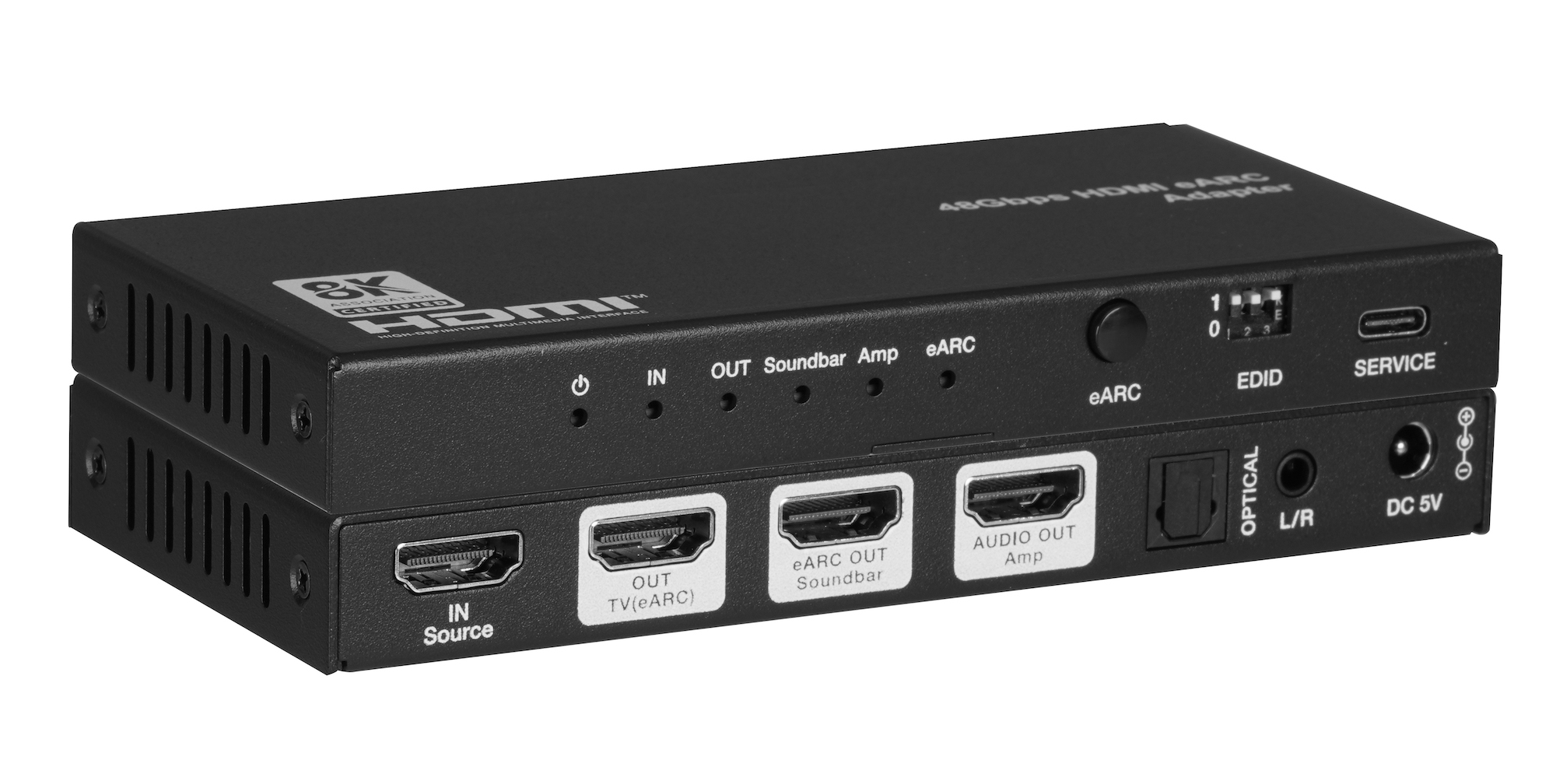
When one TV eARC port has to feed a soundbar and an amplifier, spec one adapter with both HDMI audio outputs instead of chaining two extractors.
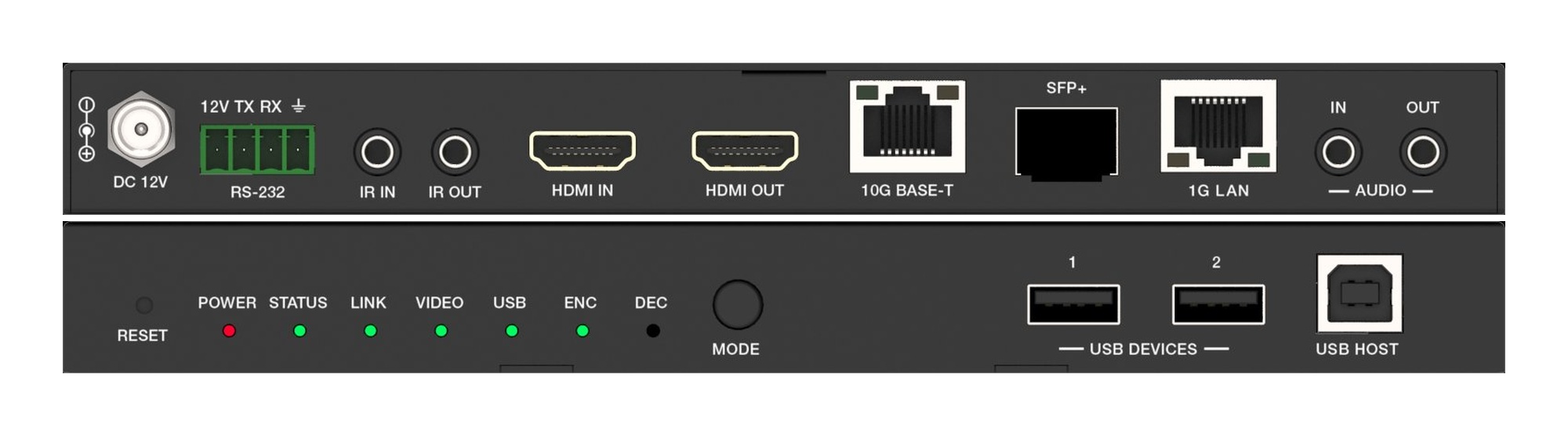
A fixed HDMI matrix switcher locks a job to its port count. Uncompressed 10G AV over IP routes the same way with zero-frame latency and room to grow.
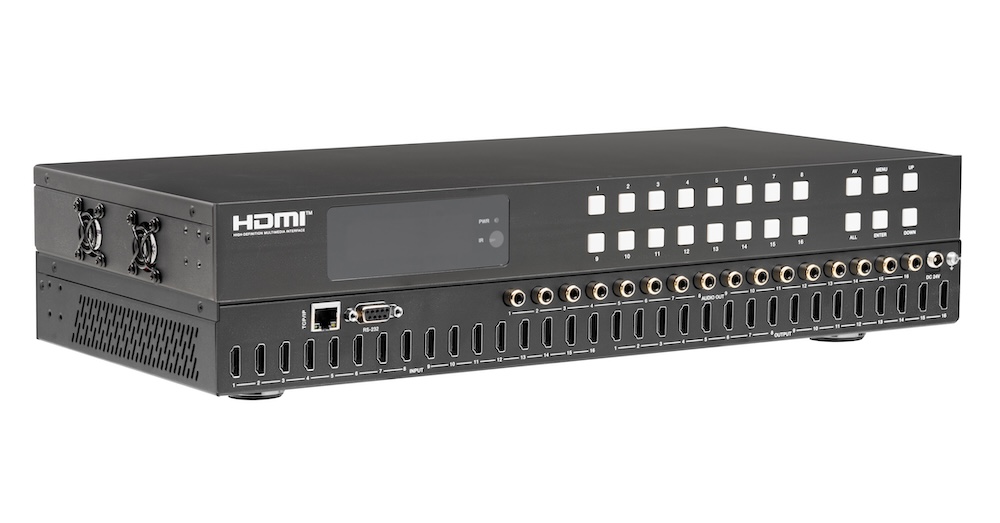
Pull audio for amps and soundbars from the matrix outputs, not from an extractor box behind each screen. Fewer boxes, fewer handshakes to debug.
KanexPro sells direct to dealers, resellers, installers and integrators, and through distribution. Whichever way you buy, the same engineers answer the phone.
The trade store: your own account, live stock, reordering, and a first look at new products.
Go to the trade store →Distribution and authorised resellers across the US and beyond.
See where to buy →Design help on extenders, matrix and AV over IP before you spec it.
Ask an engineer →