Feed a soundbar and an amplifier from one eARC adapter, not two
When one TV eARC port has to feed a soundbar and an amplifier, spec one adapter with both HDMI audio outputs instead of chaining two extractors.


In today's digital age, the demand for seamless high-definition audio and video across multiple displays is higher than ever. Whether you're setting up a home theater, managing digital signage in a shopping mall, or configuring AV equipment in a conference room, ensuring signal clarity and synchronization across all screens is crucial. That's where an HDMI Distribution Amplifier also known as an HDMI Distributor comes in.
This guide will walk you through everything you need to know about HDMI distribution amplifiers, how they work, where to use them, and how to choose the right one for your AV setup.

It's a perfect solution for environments where one source needs to be displayed on several screens, such as:
The amplifier strengthens the signal, allowing it to maintain quality even across longer cable runs or multiple outputs.
Here's how it functions in a basic setup:
1. Connect the HDMI source (like a Blu-ray player, gaming console, or media server) to the input of the distribution amplifier.
2. Connect multiple HDMI displays (TVs, projectors, monitors) to the amplifier's output ports.
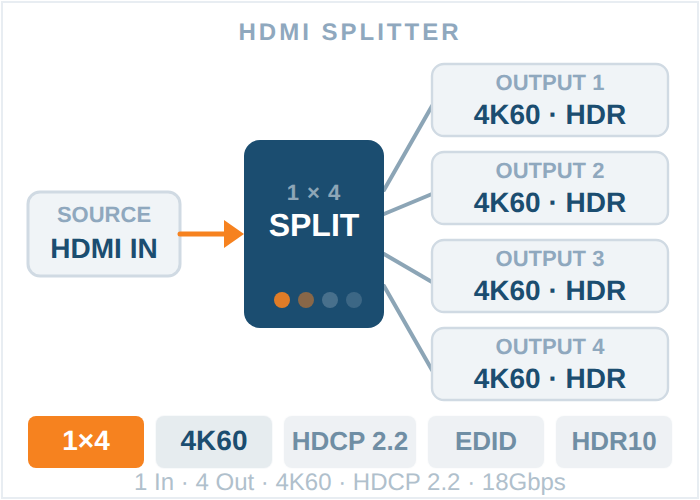
3. The amplifier splits and boosts the signal, ensuring each display gets a clean, synchronized feed of the duplicate content.
Some models also include features like EDID management, 4K or 8K support, and HDCP compliance to accommodate modern AV systems.
While these terms are sometimes used interchangeably, they are not the same.
1. A basic HDMI splitter divides a single HDMI signal into multiple outputs, often without amplification, which can lead to signal loss.
2. An HDMI Distribution Amplifier not only splits the signal but also boosts and stabilizes it, especially for long-distance transmission or high-resolution content like 4K/8K.
If you care about professional-grade performance and reliability, the amplifier is the superior option.
1. Retail & Digital Signage: Display advertisements or promotions on multiple screens from a single media player.
2. Corporate Environments : Share a presentation or video across monitors in boardrooms or lobbies.
3. Broadcast Studios & Control Rooms : Synchronize real-time feeds across several monitors for surveillance, editing, or production.
4. Home Theater Systems : Send a signal from one streaming device to multiple TVs across your house.
When selecting an HDMI distribution amplifier, consider the following factors:
1. Number of Outputs : Choose based on how many displays you want to connect (e.g., 1x2, 1x4, 1x8, or even larger matrix systems).
2. Supported Resolution : Make sure it supports the resolution you need (e.g., 1080p, 4K @ 60Hz, or 8K).
3. HDCP Compliance : Needed for protected content (Netflix, Blu-ray, etc.).
4. Cable Length : Ensure the unit supports the length of your HDMI cable runs. Some units work better with shorter distances unless paired with extenders.
5. Additional Features : Look for EDID management, IR pass-through, audio extraction, and daisy-chaining if you have advanced needs.
An HDMI Distribution Amplifier is a powerful and essential tool for anyone working with multi-display AV systems. It simplifies complex setups, ensures consistent image quality, and improves the overall viewing experience.
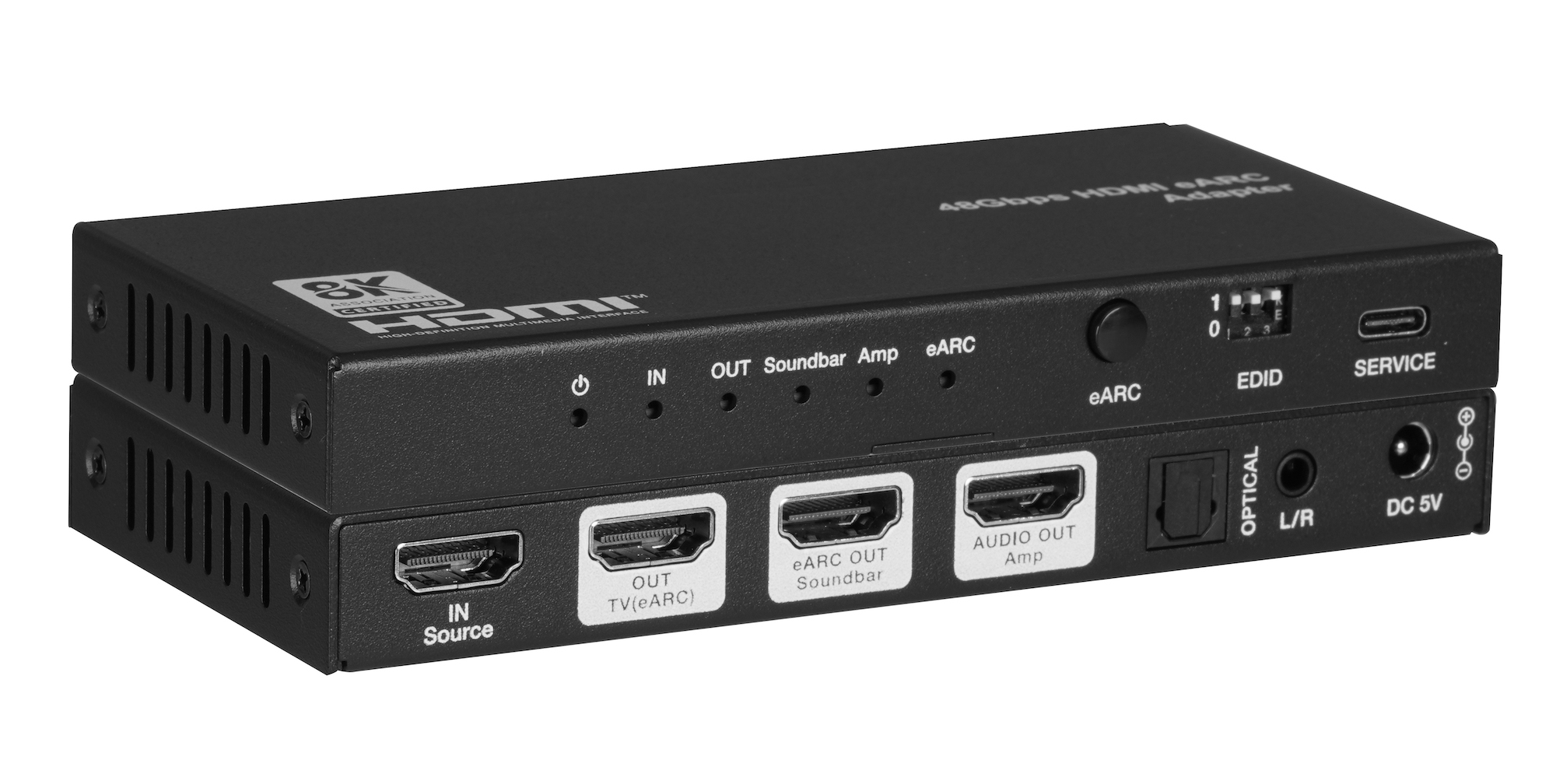
When one TV eARC port has to feed a soundbar and an amplifier, spec one adapter with both HDMI audio outputs instead of chaining two extractors.
In today's world of high-definition television and audio systems that work in more than one room, it's important to make sure the signal is…
Having multiple screens is now a need rather than a luxury in today's digital world. The 1x2 HDMI Splitter is a straightforward yet effective tool…
KanexPro sells direct to dealers, resellers, installers and integrators, and through distribution. Whichever way you buy, the same engineers answer the phone.
The trade store: your own account, live stock, reordering, and a first look at new products.
Go to the trade store →Distribution and authorised resellers across the US and beyond.
See where to buy →Design help on extenders, matrix and AV over IP before you spec it.
Ask an engineer →