HAECOAX4 4K HDMI Audio Embedder: What It Does and How
The HAECOAX4 embeds optical or analog stereo audio into an incoming HDMI 2.0b signal at 18Gbps, in place of the source's audio, set by a rear-panel…


 AUD-DEBEDEARC-4K
4K HDMI eARC/ARC Audio Extractor
Extract High-Quality eARC/ARC Audio from Any TV — Full 4K60 HDR Video Pass-Through
Product page →
The AUD-DEBEDEARC-4K is an 18Gbps HDMI eARC/ARC audio extractor. It takes the audio from a TV's eARC or ARC port and sends it to an amplifier or AV receiver through its own HDMI audio output, while 4K60 video passes through to the TV. Integrators can use it to add Dolby Atmos, DTS:X and lossless surround from the TV to an amplifier that is already installed, including one with no eARC port.
Applies to: AUD-DEBEDEARC-4K 4K HDMI eARC/ARC Audio Extractor
No. The amplifier connects to AUDIO OUT 2 through an ordinary HDMI input. That output carries a 720p black screen with the audio. Because of this, an amplifier with no eARC can still play formats such as Dolby Atmos and DTS:X. Connect OUT 2 to an HDMI input on the amplifier, not an HDMI output.
The extractor supports PCM 2.0, LPCM 5.1/7.1, Dolby Digital, Dolby Digital Plus, Dolby TrueHD, Dolby Atmos, DTS 5.1, DTS ES 6.1, DTS HRA, DTS-HD Master Audio and DTS:X. If the amplifier receives only 2-channel audio, the unit is probably using its internal default EDID. It falls back to that EDID (1080p, 2-channel audio) when it cannot copy one. Set the EDID switch to OUT2 to copy the amplifier's EDID, or to OUT1 to copy the TV's, and check that the device on that output is connected.
The unit is HDMI 2.0b with HDCP 2.3 / 1.x. Video passes through to the TV at up to 4K2K @ 60 Hz 4:4:4 at 18 Gbps, with VESA formats up to QSXGA @ 60 Hz. At 4K60 4:4:4 the colour depth is 8-bit. The specification lists deeper colour only at 1080p60 and at 4K60 4:2:2/4:2:0. HDR, HDR10, HDR10+ and Dolby Vision pass through unchanged. A built-in equalizer, retiming and driver stabilise the HDMI signal, and CEC passes through, so one TV remote can control the whole chain.
Connect eARC/ARC OUT 1 to the TV's eARC/ARC HDMI port. That one link carries video to the TV and brings the TV's audio back to the extractor. Connect AUDIO OUT 2 to an HDMI input on the amplifier and set the eARC switch to ON. Leave the INPUT port empty in this mode. If a source is connected to INPUT, video or audio can behave unexpectedly.
Yes. In HDMI input mode, connect the source to INPUT, set the eARC switch to OFF, run OUT 1 to the TV and run OUT 2 to the amplifier input. The source's video goes to the TV and its audio goes to the amplifier. The eARC switch sets which audio OUT 2 carries: ON sends the TV's audio and OFF sends the audio from the source on INPUT. If the amplifier plays the wrong source, check this switch first. If the TV shows no picture in this mode, check that OUT 1 goes to the TV, not OUT 2, and that the eARC switch is OFF.
This is normal. AUDIO OUT 2 is a dedicated audio output. In both eARC switch positions it sends a 720p black screen with the audio.
No. The unit has no network or control interface. It is configured with the eARC and EDID switches on the left panel. The firmware can be updated through the Micro USB DC 5V port, which also powers the unit.
It is powered over USB at 5 V / 500 mA, 1.75 W max, through the supplied USB-A to Micro USB cable. A red LED shows that it has power. If the LED is off, check that the cable is firmly seated and that the USB port or supply provides 5 V / 500 mA. The aluminium enclosure measures 65 × 70 × 27 mm, so it can be mounted behind a screen. It operates at 32–104 °F (0–40 °C) and 20–90% RH (no condensation). A surge protection system is strongly recommended.
| HDMI / HDCP | HDMI 2.0b • HDCP 2.3 / 1.x |
| Video Resolution | Up to 4K2K @ 60 Hz 4:4:4 • VESA up to QSXGA @ 60 Hz |
| HDR Formats | HDR • HDR10 • HDR10+ • Dolby Vision |
| Audio Formats | PCM 2.0, LPCM 5.1/7.1, DD, DD+, TrueHD, Atmos, DTS 5.1, DTS ES 6.1, DTS HRA, DTS-HD MA, DTS:X |
| HDMI Ports | 1× HDMI In • 1× HDMI eARC/ARC Out • 1× HDMI Audio Out |
| Power | USB 5 V / 500 mA • 1.75 W max |
| Enclosure | Aluminium • Silver • 65 × 70 × 27 mm • 83 g |
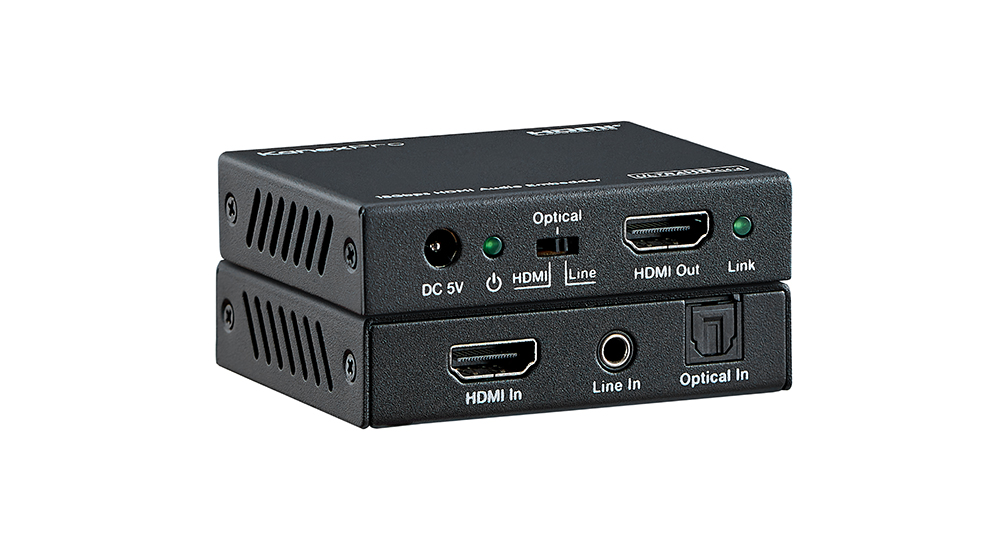
The HAECOAX4 embeds optical or analog stereo audio into an incoming HDMI 2.0b signal at 18Gbps, in place of the source's audio, set by a rear-panel…
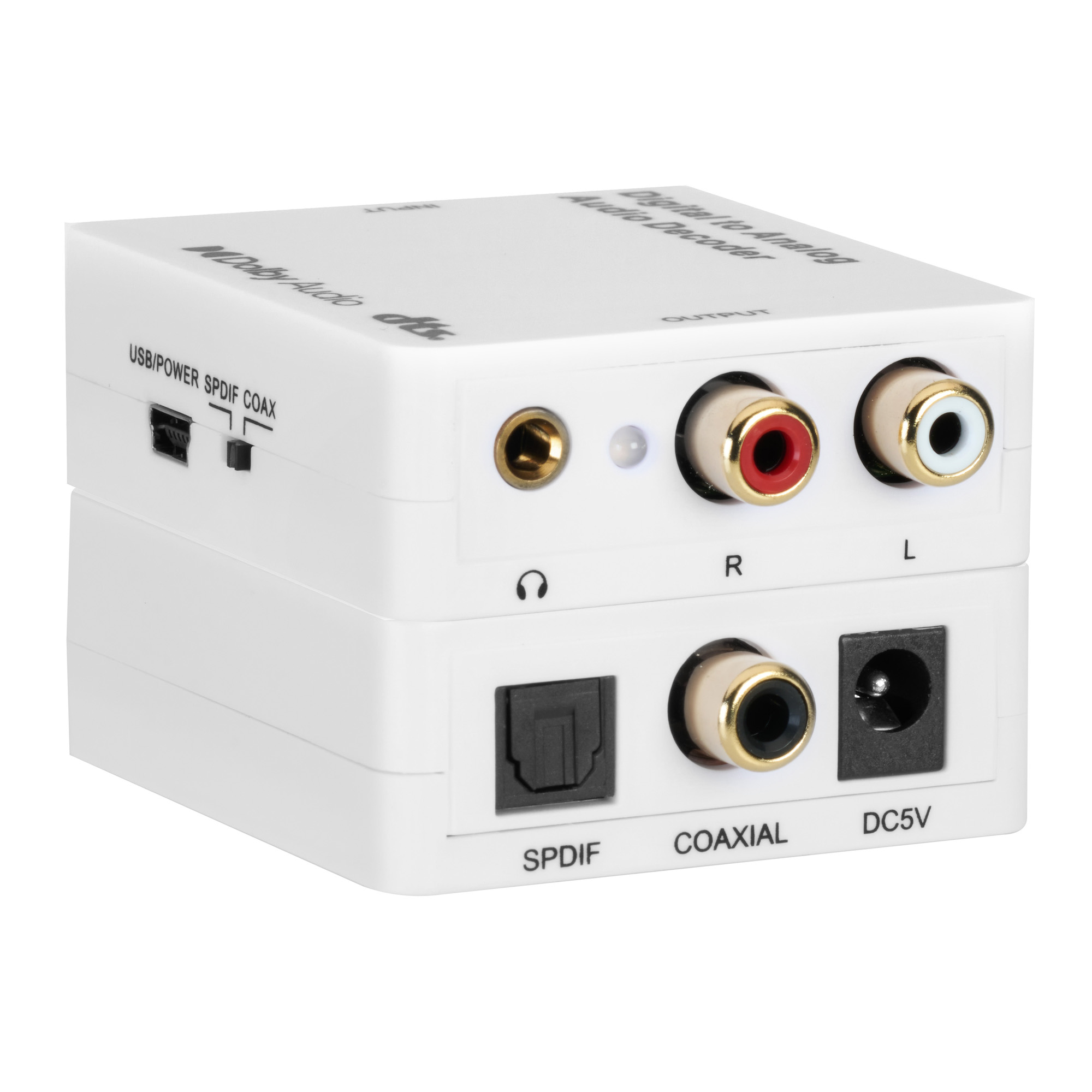
It decodes Dolby Digital, DTS, DTS-ES 6.1 and PCM up to 192kHz from optical or coaxial input to stereo RCA and 3.5mm headphone outputs at once.
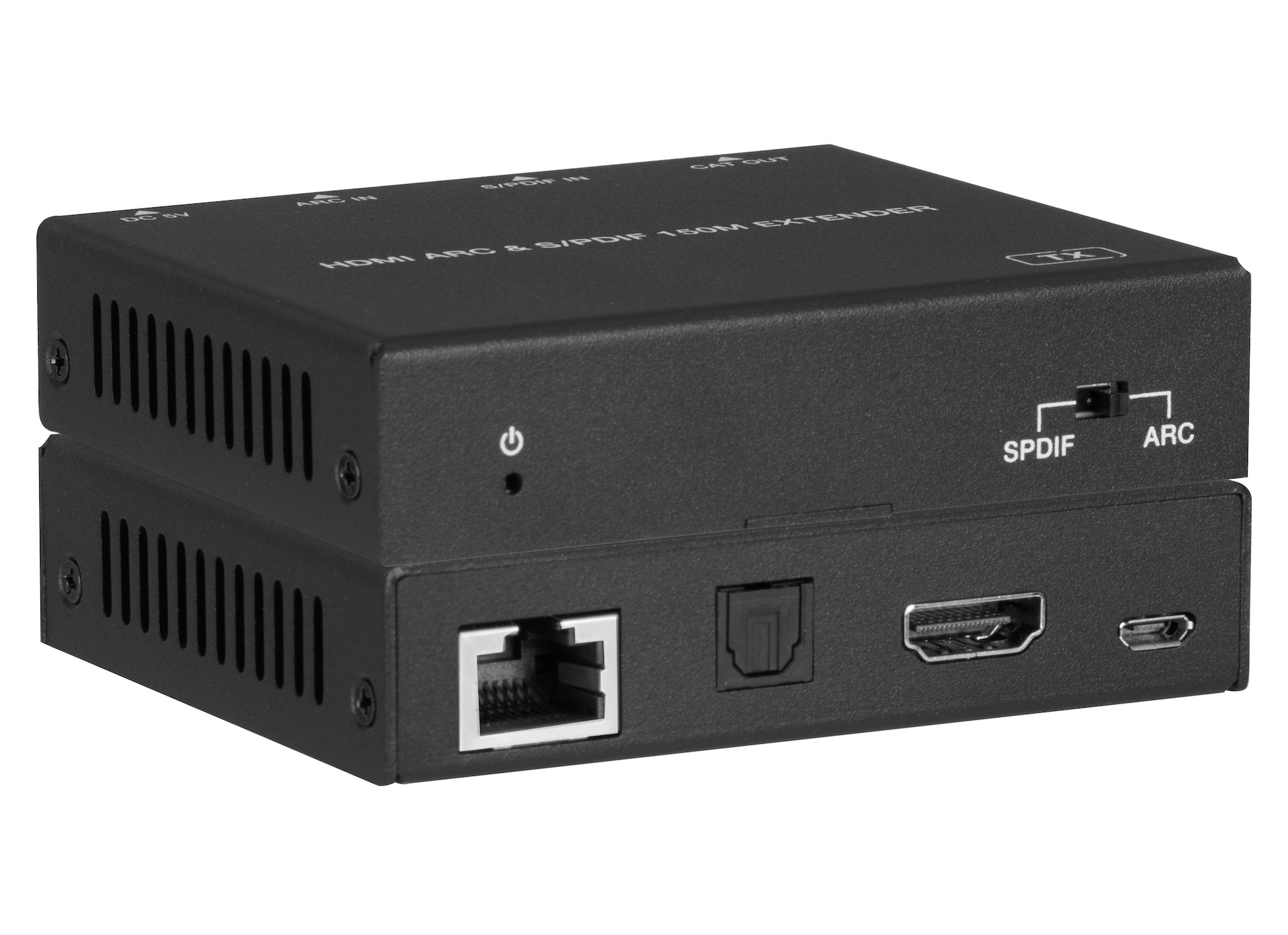
AUD-EXT-ARC150M sends HDMI ARC or optical S/PDIF audio over one CAT5e/6/7 cable: 150m / 495ft at 96kHz, or 90m / 295ft for ARC at 192kHz.
KanexPro sells direct to dealers, resellers, installers and integrators, and through distribution. Whichever way you buy, the same engineers answer the phone.
The trade store: your own account, live stock, reordering, and a first look at new products.
Go to the trade store →Distribution and authorised resellers across the US and beyond.
See where to buy →Design help on extenders, matrix and AV over IP before you spec it.
Ask an engineer →