Do You Need 4K for a PS5?
Gaming technology advances quickly as there is always a new model coming just around the corner. Television technology evolves as well, so it makes…



Video quality can often make or break your entertainment experience. The quality of video depends on a number of factors, including the number of pixels and their size. This is referred to as the “resolution” of the video. You may wonder what the difference between SD (“standard definition”) and “HD” (“high definition”) is, as these electronic acronyms can be confusing. Below you will find SD vs HD explained so you know what you are looking for.
Resolution is the ability of a video or camera to record details, including the size and number of pixels. It is often described as a long string of numbers where more numbers equate to more detail. More detail results in a clearer image.
A pixel is the basic building block of a digital photo or video. It essentially defines the video resolution. The higher resolution means each pixel is smaller. Pixels are the dots that make up the photo or video. They are the smallest individual elements of an image. While they are simply a number of dot points of color, they form an image when combined. A high pixel number results in an image that is more detailed, higher quality, and much easier to edit later.
Video bitrates are the number of bits per second necessary to store and transmit video data. High bitrate numbers result in more space being taken up as it requires more bandwidth.
SD and HD are measurements of video quality in terms of pixels. Consider the following differences between the two.
Standard definition resolution (also referred to as “SD”) is the most basic resolution level for broadcasting and streaming. The resolution refers to a 480-pixel height in a single image and is often found in most digital cameras, camcorders, and even some televisions. While it has been around for years, SD quality is often blurry and less defined as compared to alternative resolutions. However, there is one advantage to SD as compared to HD. SD requires less bandwidth for streaming so it can operate effectively with a slow internet connection.
High definition resolution (also referred to as “HD”) is the industry standard in terms of streaming resolution. The resolution has a pixel height of either 720 or 1080. It is further categorized into HD-ready or standard HD resolution of 720p and 1080p or 1080i full HD resolution.
If you are upgrading your home entertainment system from SD to HD, consider using an SDI to HDMI converter. The team at Kanex Pro are the top AV systems manufacturers and can help you find exactly what you need for your projects. Check out their website for more information!

Gaming technology advances quickly as there is always a new model coming just around the corner. Television technology evolves as well, so it makes…

Whether you are first setting up your new AV systems or you are looking to make the switch to HDMI, you might be interested in learning more about…
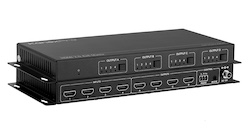
When you are setting up a complex sound or AV system, you don’t want to compromise quality and access. Advances solutions like HDMI matrix systems…
KanexPro sells direct to dealers, resellers, installers and integrators, and through distribution. Whichever way you buy, the same engineers answer the phone.
The trade store: your own account, live stock, reordering, and a first look at new products.
Go to the trade store →Distribution and authorised resellers across the US and beyond.
See where to buy →Design help on extenders, matrix and AV over IP before you spec it.
Ask an engineer →