De-embed Zone Audio at the HDMI Matrix Switcher, Not Per Display
Pull audio for amps and soundbars from the matrix outputs, not from an extractor box behind each screen. Fewer boxes, fewer handshakes to debug.


A BYOD room gets designed around the display, the room camera, and the network — and then the actual connection between the laptop and all of it is left to whatever USB-C dongle the presenter happened to bring. Some pass DisplayPort Alt Mode cleanly at 4K60. Some cap out at 1080p and nobody finds out until the room is full. Some pass video but not charging, so a two-hour meeting ends with a laptop at eight percent and a presenter apologizing for the cable. The room's infrastructure is solid. The weak link is a ten-dollar accessory nobody in the building specified.
It's an easy failure to overlook at design time, because it isn't the integrator's equipment — it's whatever the guest, the visiting exec, or the new hire happens to own. A room built around a single USB-C input looks finished on the drawing. It only reveals the gap in front of an audience, when someone's dongle turns out to be USB-C-power-only, or DisplayPort 1.1 instead of 1.2a, or missing alt-mode support entirely, and the room that was supposed to "just work" for any laptop doesn't.
The fix isn't asking presenters to bring a better dongle. It's not depending on one at all — building the video, data and power conversion into the room's own infrastructure, so the only thing a laptop has to do is plug into one cable the room owns and controls.
The EXT-USBCPD4K-70M puts that conversion at the table instead of in someone's laptop bag. A single USB-C cable from the laptop into the transmitter carries DisplayPort Alt Mode video at up to 4K60 4:4:4, and a dedicated CHARGE port pushes up to 100W of USB-C Power Delivery back — a presenter plugs in once and leaves charged, not depleted. The link runs over CAT6A/7 up to 70 meters for 4K30 or 40 meters for 4K60, with HDCP 2.3, HDR10+, Dolby Vision and HLG pass-through landing on the receiver's HDMI 2.0b output, so the display gets a clean, correctly-negotiated signal regardless of what the source device is.
The receiver end also flips the usual BYOD problem around: four USB 2.0 device ports let the room's own camera, microphone or document reader connect there instead of hanging off the presenter's laptop directly, so the laptop sees the room's peripherals as if they were locally attached. RS-232 pass-through and bidirectional 24V PoC — power either end and the other draws through the same cable — mean the whole link runs off one supply and integrates into the room's existing control system without a second power run.
None of this is possible when the video, the power and the peripheral hand-off all depend on a device the room doesn't own and never tested. Building it into the room's own USB-C infrastructure turns "does this laptop's dongle support alt mode" into a question that stopped mattering — every laptop that can output USB-C video gets the same result, on hardware the room controls and the integrator specified, not on whatever happened to be in the presenter's bag that morning.
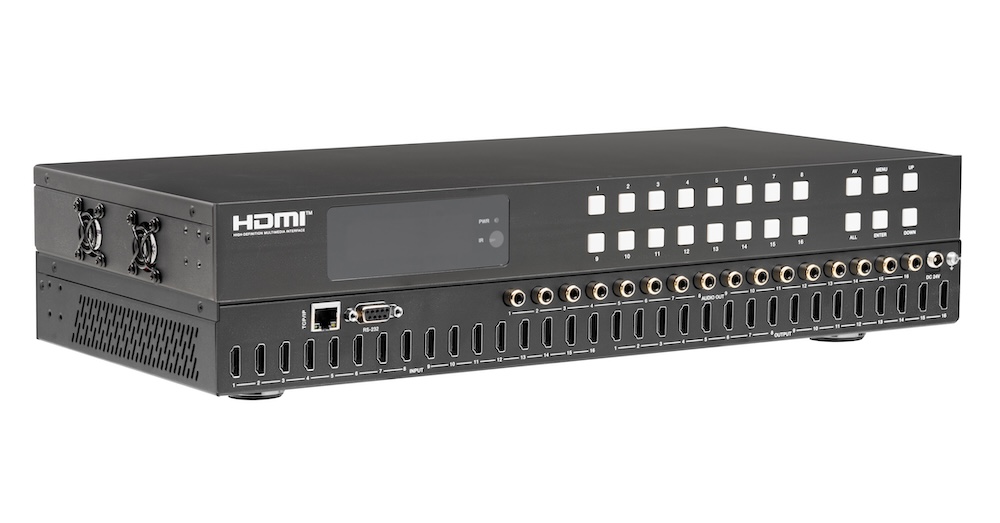
Pull audio for amps and soundbars from the matrix outputs, not from an extractor box behind each screen. Fewer boxes, fewer handshakes to debug.
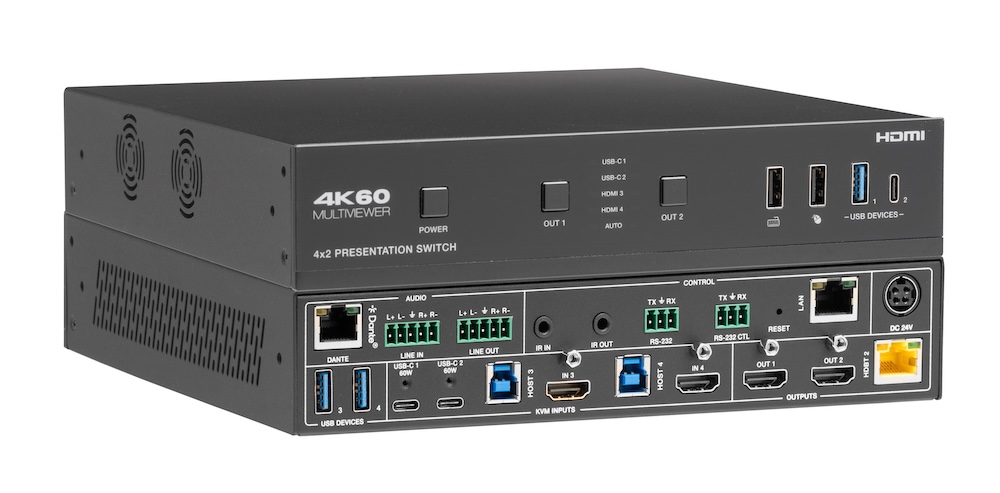
Laptops at the table need video, power, USB and network. Put that on one USB-C input at the switch rather than an HDMI cable and a bag of adapters.
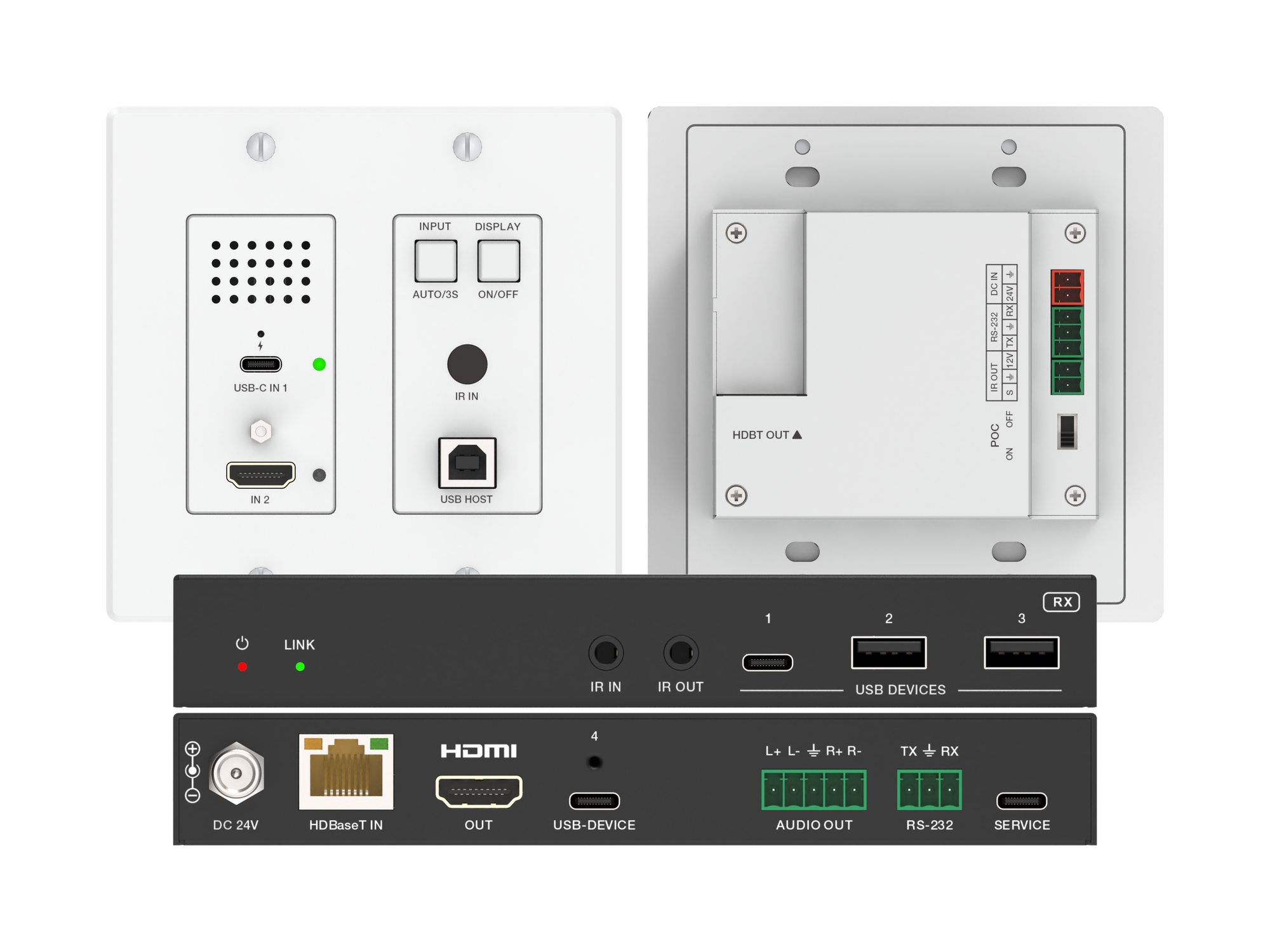
How one 2-gang wall-plate carries laptop video, USB camera and mic, and 60W charging to a distant display over a single CAT6/6A run.
KanexPro sells direct to dealers, resellers, installers and integrators, and through distribution. Whichever way you buy, the same engineers answer the phone.
The trade store: your own account, live stock, reordering, and a first look at new products.
Go to the trade store →Distribution and authorised resellers across the US and beyond.
See where to buy →Design help on extenders, matrix and AV over IP before you spec it.
Ask an engineer →