Replace the Fixed HDMI Matrix Switcher with 10G AV over IP
A fixed HDMI matrix switcher locks a job to its port count. Uncompressed 10G AV over IP routes the same way with zero-frame latency and room to grow.


In a conference or huddle room, the display, camera and speakerphone almost never sit where the presenter sits. The screen is on the far wall, the camera is above or below it, and the table is metres away. To join a call on the room's equipment, a presenter has to find the right video adapter, a separate USB lead for the camera and speakerphone, and somewhere to plug in a charger. Each of those is a different cable pulled to the table, and each is a thing that goes missing or does not fit the next laptop.
Classrooms, lecture halls and training rooms add distance to the same problem. The lectern or instructor's position can be a long way from the projector or front display, and the document camera or microphone lives at the far end of the room, not at the plate. Running separate video and USB back to a rack over that distance is where signal integrity and cable count start to fight each other.
Boardrooms and consultation rooms want the opposite of complexity: a clean plate at the table, the electronics out of sight, and a way to bring the display up without a remote hunt. What integrators need is one connection at the table that does video, USB and power at once, and one cable back to the equipment.
The WP-EXTHDTC100 is a US 2-gang wall-plate transmitter with a USB-C input and an HDMI input, paired with an HDBaseT 2.0 receiver at the display. It carries up to 100m (328 ft) over a single CAT6/6A cable. Both inputs handle up to 4K60 4:4:4 8-bit with HDCP 2.3, 18Gbps of video bandwidth and resolutions up to 4096x2160 at 60Hz, with HDR, HDR10, HDR10+, Dolby Vision and HLG pass-through.
The USB-C input runs DisplayPort 1.2a Alt Mode, so a laptop puts its picture, USB 2.0 and up to 60W of charging down one cable — the charging works when the wall plate is powered by its own 24V supply. USB 2.0 travels at up to 255Mbps over HDBaseT 2.0 to four device ports on the receiver, enough for a conference camera, a speakerphone, a keyboard, a mouse or a touch display. The receiver adds HDMI out and a balanced or unbalanced stereo audio output on a 5-pin Phoenix connector. A USB HOST port at the plate, bound to the HDMI input, gives an HDMI-connected room PC the same devices.
Switching is automatic, manual or priority; auto mode detects both signal and source 5V. Bidirectional IR and RS-232, CEC pass-through and a DISPLAY ON/OFF button at the plate let the room be run from the table or a control system. Bidirectional PoC means the one included 24V/5A supply can power either end and feed the other over the CAT cable.
A presenter plugs in one USB-C cable at the table. The laptop's picture goes to the display, the room's USB camera and speakerphone connect back to the laptop for the call over USB 2.0, and the laptop charges at up to 60W from the plate. Nothing else has to reach the table.
The HDMI and USB-C inputs sit side by side on the 2-gang plate, so a guest's laptop or the room PC connects without hunting for an adapter. Auto switching brings up whichever input has a live source; the front INPUT button switches by hand when someone wants to override it.
A lectern plate reaches a display or projector up to 100m away over one CAT6/6A cable. The room's USB document camera or microphone connects at the receiver end, near the front of the room, and feeds back to the source at the lectern over the same run.
The instructor's laptop drives the front display and uses a USB keyboard, mouse or touch display at the receiver over USB 2.0. IR and RS-232 pass-through let the room's control system switch the display, and the DISPLAY ON/OFF button at the plate does the same from the table.
A 2-gang plate with INPUT and DISPLAY ON/OFF buttons keeps the table simple for executives while the receiver and any control gear stay in the rack. One cable connects a laptop; one button brings the display up.
One cable carries the clinician's laptop picture, the room camera and microphone over USB, and charging, so a call runs on the room's fixed equipment rather than on whatever the clinician carried in. The USB-C connection charges the laptop while the visit runs.
The run is up to 100m (328 ft) over CAT6/6A. Wire both ends straight-through to the same pin order — the manual is explicit that this is not a cross-connect. HDBaseT 2.0 runs at 7.2Gbps between the units, while each input accepts up to 18Gbps of video bandwidth and carries up to 4K60 4:4:4 8-bit with HDCP 2.3.
The kit ships with one 24V/5A supply. Plan power draw for up to 111.8W with 60W USB-C charging when the supply is at the wall plate, or 41.74W without charging. Bidirectional PoC lets one supply power both ends over the CAT cable, but note that USB-C charging only works when the 24V supply is connected at the wall plate — if the plate is running on PoC from the receiver, video and USB work but the USB-C port does not charge.
The passive HDMI or USB-C lead into the plate is 3m (9.8 ft). Receiver USB device ports supply 5V/1A each.
Up to 100m (328 ft) over a single CAT6/6A cable, with all signals — video, USB 2.0, audio, IR, RS-232 and CEC — on that one run over HDBaseT 2.0.
Both the USB-C and HDMI inputs carry up to 4K60 4:4:4 8-bit with HDCP 2.3, up to 4096x2160 at 60Hz, with 18Gbps of video bandwidth and HDR, HDR10, HDR10+, Dolby Vision and HLG pass-through.
Yes. The wall plate's USB HOST port (USB-B) is bound to the HDMI input, so a computer connected there by HDMI and USB gets the receiver's USB devices whenever HDMI is the selected input.
No. USB-C charging needs the 24V/5A supply connected to the wall plate's DC IN. When the plate is powered over the cable from the receiver by PoC, video and USB still work, but the USB-C port does not charge.
Press the INPUT button to switch between HDMI and USB-C by hand; hold it for three seconds to turn auto switching on or off. Auto switching detects both the signal and the source's 5V, and a priority mode is available.
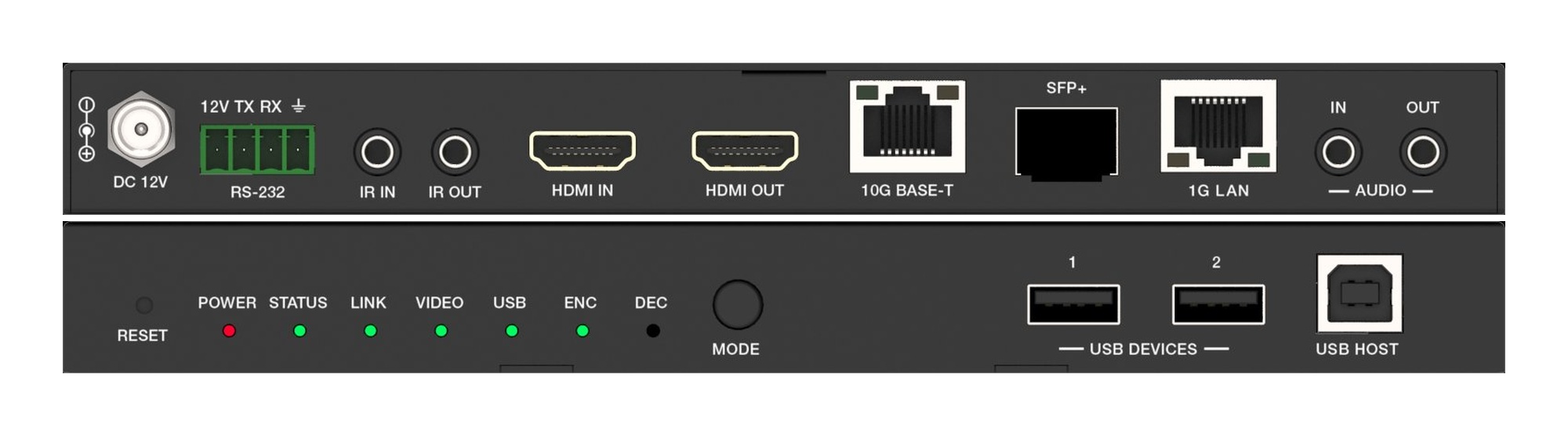
A fixed HDMI matrix switcher locks a job to its port count. Uncompressed 10G AV over IP routes the same way with zero-frame latency and room to grow.
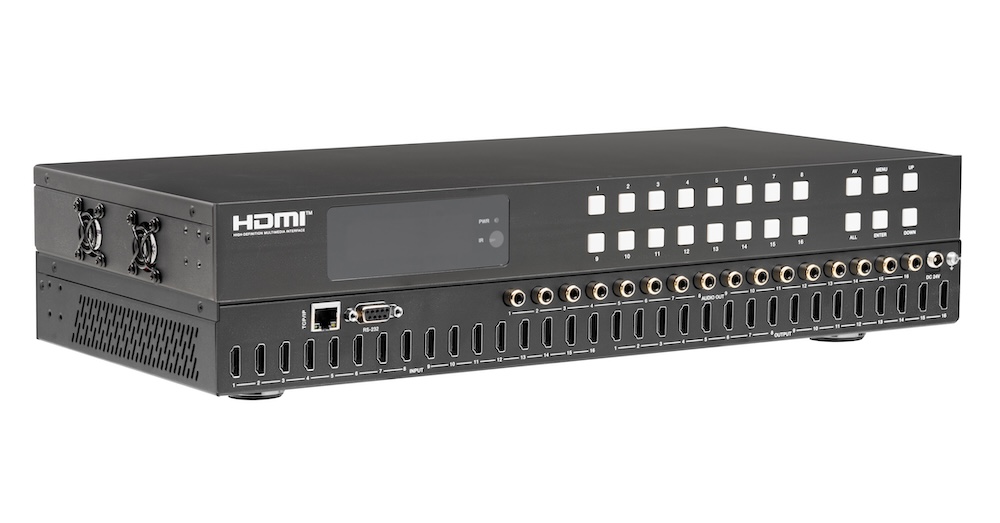
Pull audio for amps and soundbars from the matrix outputs, not from an extractor box behind each screen. Fewer boxes, fewer handshakes to debug.
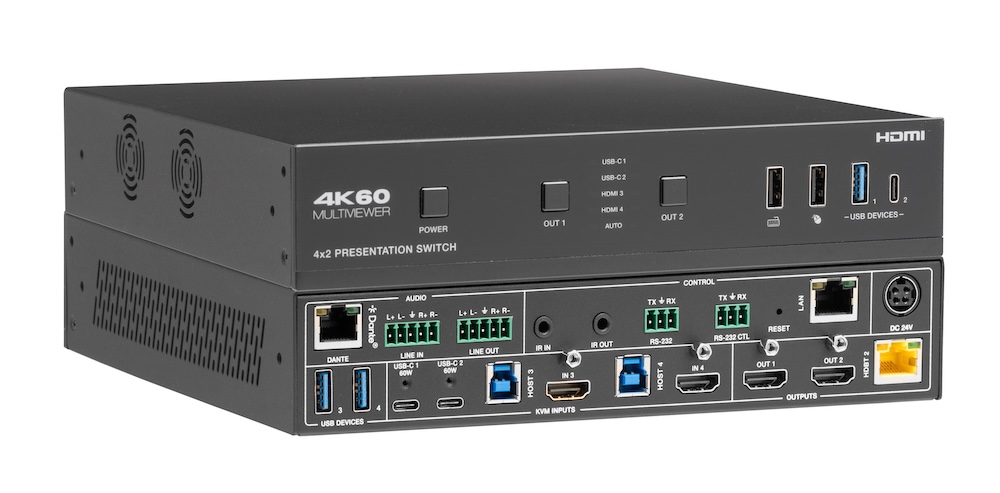
Laptops at the table need video, power, USB and network. Put that on one USB-C input at the switch rather than an HDMI cable and a bag of adapters.
KanexPro sells direct to dealers, resellers, installers and integrators, and through distribution. Whichever way you buy, the same engineers answer the phone.
The trade store: your own account, live stock, reordering, and a first look at new products.
Go to the trade store →Distribution and authorised resellers across the US and beyond.
See where to buy →Design help on extenders, matrix and AV over IP before you spec it.
Ask an engineer →