Small Meeting Rooms Don't Need a Separate Audio or Control Processor
In a small meeting room, a presentation switcher with a built-in audio matrix and display control can replace the separate DSP and control processor.


When a job has several sources and several displays, many integrators still start with an HDMI matrix switcher. Count the inputs, count the outputs, pick the next frame size up, and home-run everything back to the rack. It is a familiar way to work, and it seems safe because the matrix is a known box with a known port count.
Our position is that for multi-room routing, KVM stations and video walls, you should spec uncompressed AV over IP on a 10G managed network instead of a fixed matrix. The matrix fixes the size of the system on the day you order it. Every source and every display has to be cabled back to one chassis, so the room layout follows the rack and not the other way round. When the client adds a display, a second wall or a new workstation, you are either out of ports or swapping the frame.
The usual reason for sticking with a matrix is that AV over IP adds lag and softens the picture. That is true of compressed systems. Uncompressed systems don't have that problem, and that is the point of this post.
In an AV over IP system the switching happens in a network switch. Each source gets an encoder and each display gets a decoder, and any encoder can be routed to any decoder. Adding an endpoint means adding a box and a switch port, not replacing a chassis. Endpoints only need to reach the switch, not a central AV rack, so cable runs follow the building.
The lag and picture-quality objections come from compression. A codec has to buffer frames to compress them, which adds delay and can leave artifacts. An uncompressed stream skips the codec entirely, so the picture leaves the decoder as it entered the encoder. The trade-off is bandwidth: uncompressed 4K60 4:4:4 needs a 10G managed switch, not a 1G office switch. That network needs planning, but it is planning you would otherwise spend on cable runs to a matrix.
The AVO-IPSDV-4K, coming soon, is an SDVoE transceiver built for this kind of system. Its specification lists 4K@60Hz 4:4:4 uncompressed as the maximum resolution, with HDMI 2.0b, HDCP 2.2 and 18Gbps video bandwidth over a 10G network. Latency is listed as a zero-frame latency operating mode. Switching is seamless, with no black screen, tearing or interruption, so routing feels like a matrix to the operator.
The same box can work as an encoder or a decoder. To change modes, hold the front-panel MODE button for 5 seconds, or set the mode through the API or the AVO-IPCTL-SDV controller. That matters for the habit we are arguing against. You don't need to pre-count encoders and decoders the way you pre-count matrix inputs and outputs. One spare unit covers either end of a link.
It also handles more than video routing:
A fixed HDMI matrix is still a reasonable choice in some cases:
Yes, with a controller. The AVO-IPCTL-SDV handles matrix routing across all transceivers on the 10G switch, with seamless switching and zero-frame latency. Video wall and multiview layouts come from the same controller, which a fixed matrix can't do.
No. Each AVO-IPSDV-4K can be set as either one. Hold MODE for 5 seconds, or set the mode from the API or controller without touching the unit. The ENC/DEC LED flashes for about 30 seconds during the change and then stays lit to confirm the new mode.
It is plug-in KVM once the network is set up. Connect the PC to the USB HOST (Type B) port on the encoder and plug the keyboard and mouse into the decoder's two USB DEVICE ports. The controller manages KVM assignments. The network itself still needs the 10G managed switch settings listed above.
Uncompressed 4K60 4:4:4 needs about 18Gbps of video bandwidth per stream, which is far more than 1G can carry. SDVoE streams require a 10G managed switch. Only the separate 1G LAN preview port belongs on a 1G network.
Yes. Both the 10G BASE-T and 10G SFP+ ports are active at the same time, with priority set from the controller or web GUI. Copper and fiber endpoints can share the same 10G switch.
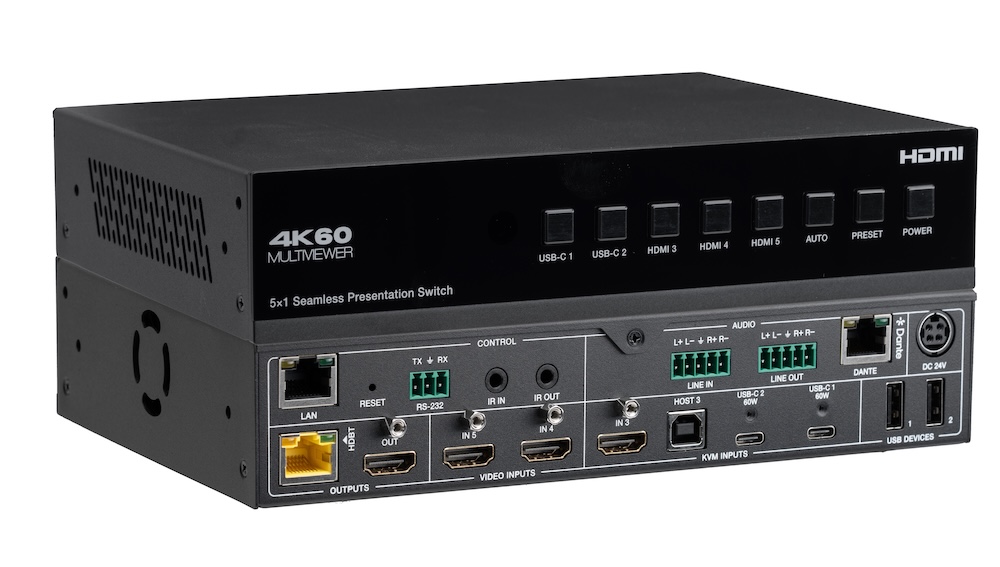
In a small meeting room, a presentation switcher with a built-in audio matrix and display control can replace the separate DSP and control processor.
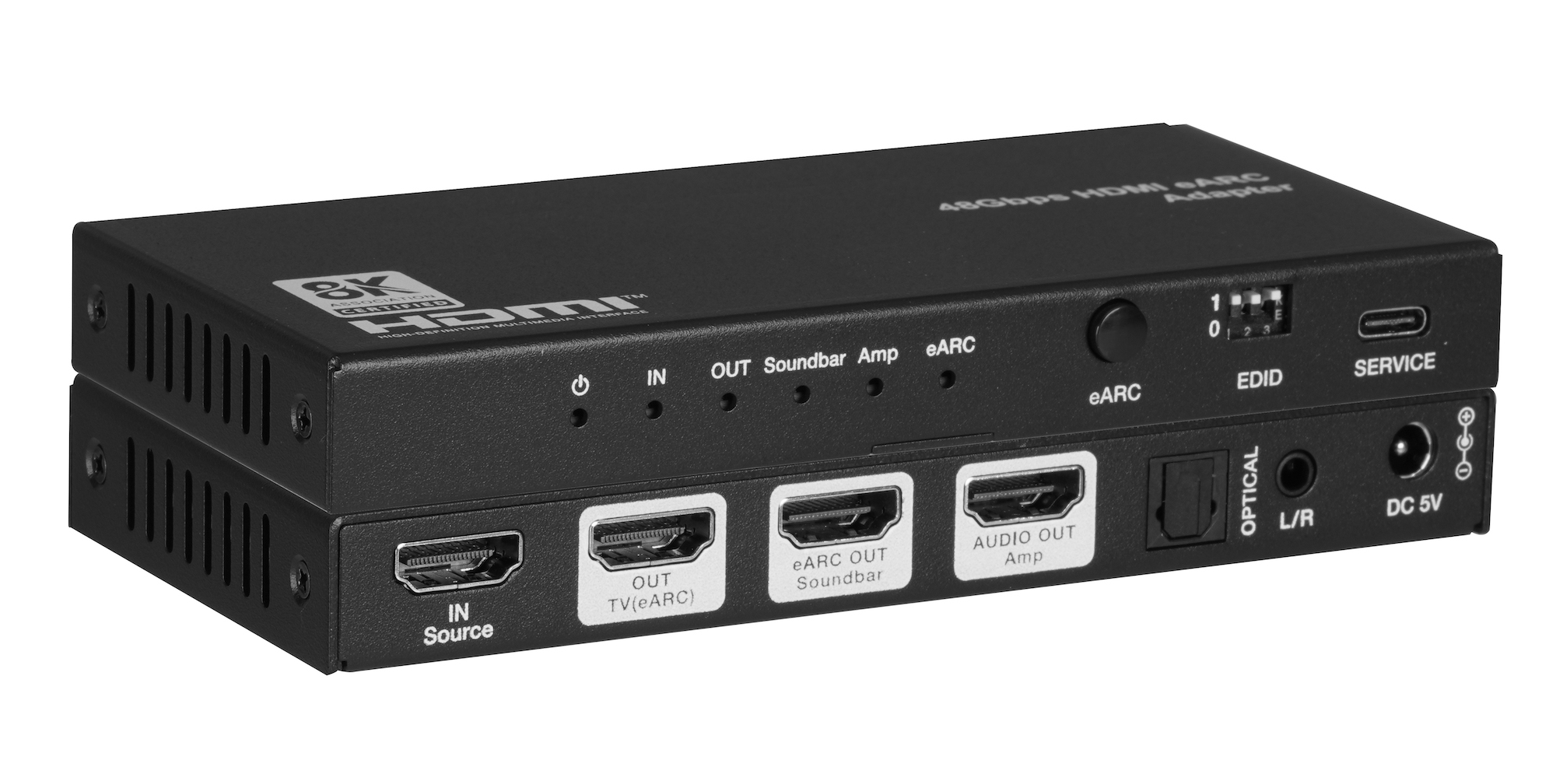
When one TV eARC port has to feed a soundbar and an amplifier, spec one adapter with both HDMI audio outputs instead of chaining two extractors.
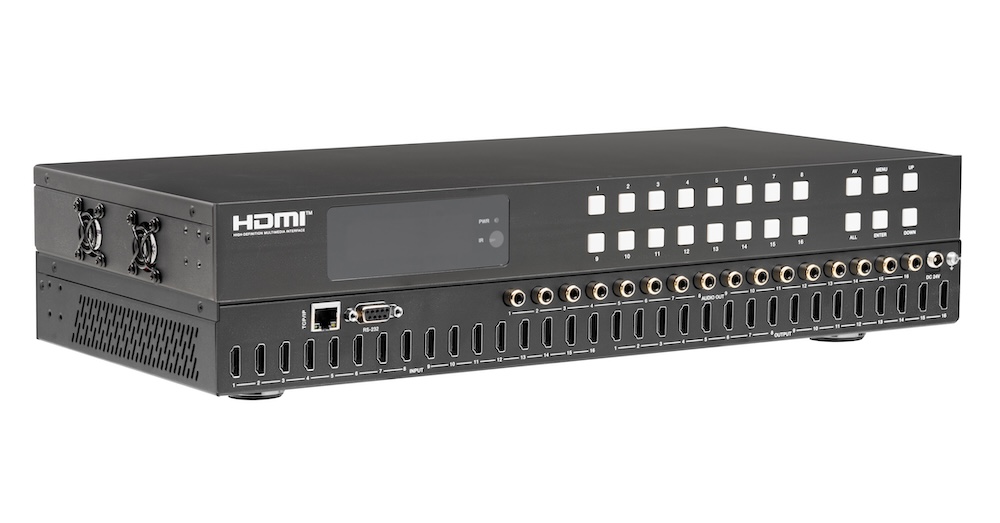
Pull audio for amps and soundbars from the matrix outputs, not from an extractor box behind each screen. Fewer boxes, fewer handshakes to debug.
KanexPro sells direct to dealers, resellers, installers and integrators, and through distribution. Whichever way you buy, the same engineers answer the phone.
The trade store: your own account, live stock, reordering, and a first look at new products.
Go to the trade store →Distribution and authorised resellers across the US and beyond.
See where to buy →Design help on extenders, matrix and AV over IP before you spec it.
Ask an engineer →