HDMI Distribution System Design: Splitters, Matrices, Scalers and Dante
Specifying an HDMI Distribution System: Splitters, Matrices, Scaling Switchers and Dante Audio Short answer: Choose the device by the shape of the…


Modern meeting rooms need to have high-quality visuals and easy access to the internet. It's very important to have a solid setup for a business presentation, video conference, or collaborative workshop. Using USB-C-to-HDMI connections with switchers and extenders is a flexible way to use multiple displays. We'll show you how to set everything up and what hardware you need, such as an HDMI switcher 4K, extenders, and 100 Ft HDMI cables.
More and more computers and mobile devices are using USB-C as their main port. You can send high-definition video and music to a projector, monitor, or large LED display with just a USB-C to HDMI cable. This procedure gets rid of problems with compatibility and cuts down on the number of adapters you require.
It's challenging to connect more than one display to more than one source in bigger configurations. That's when HDMI extenders and HDMI switchers are really useful.
1. HDMI Switcher 4K / Switcher 4K HDMI: A 4K HDMI switcher lets more than one device use the same screen. This is great for conference rooms that have a lot of computers, iPads, or other media sources. To keep the picture clear, get a 4K HDMI that works with 4K resolution.
2. Extender for HDMI and USB Cat6: For big spaces, extending HDMI cables over long distances can make the signal weaker. HDMI and USB Cat6 extenders help send high-quality signals over larger distances without compromising quality. Fiber HDMI extenders are best for longer distances since they guarantee excellent transmission across hundreds of feet.
3. To connect screens, switchers, and extenders across the meeting space, you need high-quality 100-foot HDMI cables. These cables make sure there is less interference and support TV and audio with excellent resolution.
Step 1: Connect the device you want to use: To connect your laptop or phone to the HDMI input on the switcher, use a USB-C to HDMI converter.
Step 2: Link up with the HDMI Switcher: Connect the HDMI switcher 4K to your main screen. This makes it easy to switch between different sources without having to unhook anything.
Step 3: Make the Signal Longer: Use a USB Cat6 extender, HDMI extender, or fiber HDMI extender if your monitor is far away from the switcher. High-quality 100-ft HDMI cables work great for distances up to 100 feet.
Step 4: Check and Improve: After you connect everything, check each source. Make it so that the switcher can switch between devices without any problems and that the extension sends the signal without any latency or loss of quality.
How to Set Up a Meeting Room Without a Hitch
• Use only approved HDMI switchers, 4K, and high-speed HDMI cables.
• To cut down on interference, don't run HDMI cables near power lines.
• Fiber HDMI extenders are more reliable for very long distances.
• Please label each connection to facilitate easier troubleshooting.
It doesn't have to be difficult to set up a modern conference room using USB-C to HDMI connections. You may make a high-quality, scalable configuration that works perfectly for presentations, video conferences, and group sessions with HDMI switchers, HDMI extenders, fiber HDMI extenders, and 100 Ft HDMI cables.
With the appropriate mix of cables, switchers, and extenders, your meeting space will be ready for anything—professional, streamlined, and ready for the future.
Q1: What is the purpose of a USB-C to HDMI connection in meeting rooms?
A USB-C to HDMI connection allows laptops and mobile devices to transmit high-quality video and audio to projectors or displays. It ensures compatibility with modern devices for seamless presentations.
Q2: How do HDMI switchers and 4K HDMI switchers work?
An HDMI 4K switcher lets multiple sources connect to a single display. You can easily toggle between devices without unplugging, making it ideal for meeting rooms with several presenters.
Q3: What are HDMI extenders and what are Cat6 extenders used for?
HDMI extenders and USB Cat6 extenders allow signals to travel long distances without losing quality. For ultra-long runs, fiber HDMI extenders are recommended.
Q4: Can I use 100 Ft HDMI cables in my setup?
Yes, high-quality 100 Ft HDMI cables 100 Ft are perfect for long-distance connections in meeting rooms, ensuring stable 4K video and audio.
Q5: How do I choose the right setup for my meeting room?
For small rooms, a simple USB-C to HDMI connection may be enough. For larger spaces, combine HDMI switchers, HDMI extenders, and 100 Ft HDMI cables to ensure a reliable, scalable setup.
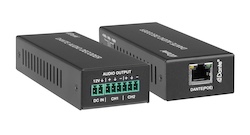
Specifying an HDMI Distribution System: Splitters, Matrices, Scaling Switchers and Dante Audio Short answer: Choose the device by the shape of the…
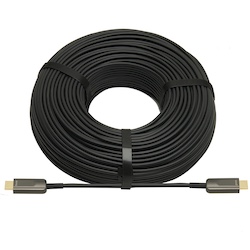
If your source is component video (the red, green, and blue RCA connectors), you need a component to HDMI converter. If it is composite video (a…
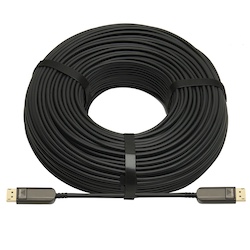
DisplayPort beats HDMI for high-refresh PC monitors and daisy-chaining; HDMI is the pick for TVs, consoles and projectors, and USB-C for laptops.
KanexPro sells direct to dealers, resellers, installers and integrators, and through distribution. Whichever way you buy, the same engineers answer the phone.
The trade store: your own account, live stock, reordering, and a first look at new products.
Go to the trade store →Distribution and authorised resellers across the US and beyond.
See where to buy →Design help on extenders, matrix and AV over IP before you spec it.
Ask an engineer →