AV Converters & Switchers Guide: Which One Do You Need?
How to Choose the Right HDMI Converter, De-Embedder or Presentation Switcher If your audio and video need to travel different paths, you need an HDMI…


Short answer: Choose the device by the shape of the signal path, not by price. One source to many identical displays is a splitter. Many sources to many displays with independent routing is a matrix. Mixed resolutions, mixed formats or a live audience that cannot see a black screen during a change calls for a scaling switcher with seamless switching. Long distances move to HDBaseT or AV over IP. Audio that has to reach a DSP, zone amplifiers or other rooms belongs on Dante rather than on a second HDMI run.
Most AV callbacks are not caused by a faulty box. They are caused by a bandwidth budget nobody calculated, an EDID left on automatic, an HDCP chain that breaks on one display, or a cable rated for 4K that cannot actually carry 18 Gbps at the length installed. This guide is written to help you specify around all four.
This is the decision that determines everything downstream. Get it wrong and no amount of firmware fixes it.
Device | Signal path | Use it when | Do not use it when |
HDMI splitter (distribution amplifier) | 1 source to 2, 4, 8 or 16 displays | Every display shows the same content: digital signage, overflow rooms, sports bar zones showing one feed | Displays need different content, or displays have different native resolutions and the splitter has no per output scaling |
Presentation switcher | Several sources to 1 display | Huddle room or classroom with a laptop, a room PC and a document camera feeding one screen | You need independent routing to multiple displays |
Matrix switcher | Many sources to many displays, routed independently | Control rooms, bars with multiple feeds, conference floors, command centers | Only one destination exists, which makes it overspecified |
Video scaler switcher | Mixed input formats to a fixed output format, switched cleanly | Live events, houses of worship, auditoriums, any venue where a black screen during a source change is unacceptable | All sources are identical and switching is rare |
HDBaseT extender or transmitter card | Point to point over Cat6 up to 100 m | Displays beyond HDMI cable reach, single runs, existing structured cabling | Dozens of endpoints, where per link cost exceeds a networked approach |
AV over IP | Encoders and decoders on a managed network | Large or growing endpoint counts, distributed buildings, video wall flexibility | The network is unmanaged or shared with unrelated traffic and you cannot control it |
A useful rule when a client cannot decide: count the destinations that will ever need different content. If that number is one, you need a switcher. If it is more than one, you need a matrix or AV over IP, and buying a splitter now guarantees a second purchase later.
Almost every intermittent 4K fault traces back to bandwidth. Fix the arithmetic first.
Signal format | Approximate bandwidth | Interface required |
1080p60 8 bit | ~4.5 Gbps | HDMI 1.4 and above |
4K30 4:4:4 8 bit | ~10.2 Gbps | HDMI 1.4 at reduced chroma, HDMI 2.0 comfortably |
4K60 4:2:0 8 bit | ~10.2 Gbps | HDMI 2.0 |
4K60 4:4:4 8 bit | ~17.8 Gbps | HDMI 2.0 at its 18 Gbps ceiling |
4K60 4:4:4 10 bit HDR | ~22 Gbps | HDMI 2.1 with FRL, or DSC |
4K120 or 8K60 | up to 48 Gbps | HDMI 2.1 |
Three practical consequences:
4K60 4:4:4 sits at the edge of HDMI 2.0. It leaves almost no headroom, which is why marginal cables pass a bench test and then sparkle or drop out in the rack. If the source and display support it, 4:2:0 or 8 bit output often removes the fault without any visible quality loss on real content.
Passive HDMI cable length is the most common hidden fault. At 18 Gbps, reliable passive copper is short, commonly around 3 to 5 m depending on construction. Beyond that, use certified active or active optical cable, or move to HDBaseT. A cable printed with 4K is not a specification.
HDBaseT distance depends on the resolution. Plan on the longer figures for 1080p and the shorter figures for 4K, use solid core shielded Cat6 or Cat6A on a dedicated run, and terminate to the manufacturer's pinout rather than to habit.
A splitter looks like the least interesting box in the rack and causes a disproportionate share of service calls, almost always for one of three reasons.
EDID. The splitter has to present one EDID to the source, but it may be feeding displays with different capabilities. Left on automatic, many splitters copy the EDID of the first connected display or negotiate the lowest common denominator, which is how a 4K projector ends up receiving 1080p. Set EDID manually to the format you intend to distribute, then verify at each display rather than at the rack.
HDCP. HDCP is a chain, and it fails at its weakest link. One non-compliant display, one long unpowered extender, or one output count limit exceeded, and every output can drop to a blank or flashing screen. When a protected source works on one display and not on eight, suspect HDCP before suspecting the splitter.
Downstream device count and power. Cascading splitters to reach a high output count multiplies latency, EDID confusion and points of failure. Where a single chassis with the required output count exists, specify it instead. Selecting a properly specified HDMI splitter with the right output count, HDCP version and EDID control on the first pass is far cheaper than stacking two smaller units.
Also confirm audio behavior. If a display's speakers are unused and audio must reach a soundbar or DSP, you want a splitter or matrix with audio de-embedding on a discrete output, not a workaround using a spare HDMI port.
A video scaler switcher does two jobs that a plain switcher does not.
Format normalization. It accepts mixed inputs, a 1080p60 camera, a 4K laptop, a legacy 1024x768 source, and outputs one consistent format that the display is happy with. Without this, every source change forces the display to re-lock, and some displays handle that badly or not at all.
Seamless switching. A standard HDMI switch drops the link, renegotiates the handshake and re-establishes HDCP. On screen that appears as black for anything from a fraction of a second to several seconds. In a boardroom that is tolerable. In front of a live congregation, a lecture hall or a broadcast feed it is not. Seamless switching keeps the output timing constant so transitions are clean, typically with a cut or fade.
Specify a video scaler switcher when any of these are true:
Presenters bring unknown laptops with unpredictable output resolutions
The venue has an audience and switching happens live
Output feeds a projector, LED processor or streaming encoder that needs stable timing
Sources include both legacy analog and modern digital formats
Picture in picture, multiview or preview and program operation is required
Two things to check on the datasheet. First, whether scaling is genuinely per input and per output, or whether one shared scaler is time shared across the unit. Second, the aspect ratio handling options, because a fixed stretch on 4:3 archival content will be the first complaint you hear.
Fixed matrices are cost effective when the input and output count is known and stable. A modular chassis, the Flex Matrix class of product, earns its premium in a different set of conditions.
Condition | Fixed matrix | Modular chassis |
Input and output count known and unlikely to change | Better value | Unnecessary flexibility |
Mixed signal types on the same frame, HDMI in, HDBaseT out, fiber, audio | Rarely available | Designed for it |
Phased installation with budget released in stages | Requires replacement | Populate cards as budget arrives |
A single card failure in a live venue | Whole unit swap | Swap one card, often hot swappable |
Long service life expected, formats will change | Replaced at the next standard | Card refresh rather than chassis replacement |
Redundancy requirements | Second unit | Redundant power supplies in one frame |
The design question to settle early is the internal backplane bandwidth, because that ceiling, not the card labels, determines what the frame can carry when fully populated. Ask for the per slot and total figures and check them against your worst case format from the bandwidth table above. Reviewing the available card options and frame sizes across the matrix switcher range at design stage is worth the time, because retrofitting a card type the frame does not support is the expensive kind of mistake.
Video and audio have different distribution requirements, and forcing both down HDMI creates most of the audio problems in medium and large installations. Dante solves the audio half properly.
What HDMI to Dante means in practice. A converter or matrix card de-embeds the audio from the HDMI stream and puts it on the network as Dante channels. From there it is routed in software to DSPs, amplifiers, mixers, assistive listening systems, recording rigs or other rooms, without another cable pull.
Why this beats a second HDMI run:
Routing changes happen in Dante Controller, not on a ladder
One Cat6 run carries many channels in both directions
Audio can go to several destinations at once, which HDMI cannot do without more hardware
Clocking is handled by the network, so lip sync and drift become manageable rather than accidental
Dante interoperates with AES67 devices, so mixed vendor systems are viable
Where teams get it wrong:
Unmanaged switches. Dante can run on modest networks, but not on cheap switches with no QoS. Use managed switches, enable the recommended DSCP priorities, and keep the clock traffic prioritized.
Sharing with heavy traffic. A VLAN is the minimum. A dedicated switch is better where budget allows. Video over IP and Dante on the same unmanaged switch is a support ticket waiting to be raised.
Energy efficient Ethernet. Leave EEE disabled on ports carrying Dante. It causes intermittent clocking faults that are miserable to diagnose.
Ignoring latency budgets. Dante latency is low and deterministic, but if video passes through a scaler and audio takes the network path, you may need to add delay to the audio to keep lip sync. Measure rather than assume.
Sample rate mismatch. Confirm the HDMI source's audio sample rate against the Dante device's configuration. Mismatches produce silence, and the cause is not obvious from the front panel.
For a large venue, the clean architecture is video distributed on HDMI, HDBaseT or AV over IP, audio de-embedded once to Dante near the source, and everything downstream fed from the network.
Keep this near the rack. It resolves the majority of commissioning problems.
Symptom | Most likely cause | First action |
No image on any output, source works direct | HDCP negotiation failure or no EDID | Set EDID manually, verify HDCP version on all sinks |
Image on some outputs, black on others | Non-compliant display in the chain, or downstream count exceeded | Isolate the failing display, test it alone |
Sparkles, snow or intermittent dropout at 4K only | Cable cannot sustain 18 Gbps at that length | Substitute a certified active cable, or reduce to 4:2:0 |
Wrong resolution reaching one display | Automatic EDID copied from a different sink | Lock EDID to the intended format |
Audio present, no video after switching | Handshake not re-established | Use a scaling switcher with seamless switching, or force output timing |
Video fine, no audio at the DSP | Audio not de-embedded, or sample rate mismatch | Confirm de-embed output is enabled and rates match |
Lip sync drift when audio is on Dante | Video path latency through the scaler | Add matching audio delay in the DSP |
Dante devices intermittently dropping | EEE enabled, no QoS, or clock master contention | Disable EEE, set QoS, fix a preferred clock master |
HDBaseT link works at 1080p, fails at 4K | Distance beyond the 4K rating, or cable type | Shorten the run, or use solid core shielded Cat6A |
List every source with its maximum output format, including HDR and color depth, not just resolution.
List every display with its native resolution and its actual HDMI version and HDCP version, confirmed from the manual rather than the model year.
Count destinations that need independent content, now and in three years.
Measure the longest cable run and choose the transport for that run, not the average one.
Decide where audio leaves the video path, and whether it goes to Dante, analog or a DSP over another route.
Confirm control, whether it is RS-232, IP, IR or a control system driver, and check a driver exists for the processor being used.
Budget for cable and terminations properly. In 4K systems this is not a rounding error, and it is where compromise causes the most callbacks.
Leave headroom. Specify one format tier above the current requirement where the cost delta is modest, because sources upgrade faster than infrastructure.
What is the difference between an HDMI splitter and an HDMI matrix?
A splitter sends one source to multiple displays, all showing the same content. A matrix routes multiple sources to multiple displays independently, so each display can show different content and routing can change on the fly.
What does a video scaler switcher do that a normal switcher cannot?
It converts mixed input resolutions to one consistent output format and holds the output timing steady during a source change, so there is no black screen or re-lock delay. That makes it suitable for live audiences and for feeding projectors, LED processors and streaming encoders.
Why does my 4K HDMI signal work on a short cable but fail in the rack?
4K60 4:4:4 needs close to 18 Gbps, which leaves no headroom on HDMI 2.0. Passive copper cable loses reliability quickly with length at that data rate. Use a certified active or active optical cable, move to HDBaseT, or reduce chroma to 4:2:0.
What is EDID and why does it break distribution systems?
EDID is the data a display sends upstream describing what formats it supports. In a distribution system the source only sees one EDID, so an automatic setting can copy the weakest display and force every output down to its capability. Setting EDID manually to the intended format prevents this.
Does HDCP cause blank screens?
Yes. HDCP is a chain and it fails as a whole. One non-compliant display, one version mismatch or an exceeded downstream device count can blank all outputs from a protected source, even when the hardware is healthy.
What is HDMI to Dante used for?
It de-embeds audio from an HDMI signal and places it on a Dante network, so audio can be routed in software to DSPs, amplifiers, other rooms, recording systems and assistive listening, over standard Cat6 rather than additional dedicated audio cable.
Does Dante need its own network?
It needs a managed network with QoS enabled and energy efficient Ethernet disabled on the relevant ports. A dedicated VLAN is the practical minimum, and a dedicated switch is preferable in larger installations or where video over IP shares the infrastructure.
When is a modular matrix chassis better than a fixed matrix?
When signal types are mixed on one frame, when the install is phased across budget cycles, when a single card swap during a live event matters more than upfront cost, or when the system is expected to outlive the current format generation.
How far can HDMI travel over Cat cable?
Using HDBaseT, up to roughly 100 m for 1080p and a shorter distance for 4K, depending on the class and the specific product. Use solid core shielded Cat6 or Cat6A on a dedicated home run and follow the manufacturer's cable recommendation, since HDBaseT is less tolerant of poor terminations than data traffic is.
Most specification errors are caught in ten minutes by someone who has seen the same signal path fail before. If you have a source list, a display list and a longest cable run, that is enough to sanity check a design. Send those three things and the worst case format you need to support, and request a design review from the technical team before the order goes in rather than after commissioning starts.
Prepared by the KanexPro technical team from field installations across live event, corporate, education and hospitality environments. Bandwidth figures are nominal and vary with color depth and chroma subsampling.
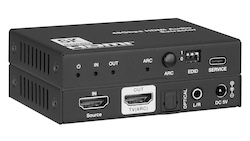
How to Choose the Right HDMI Converter, De-Embedder or Presentation Switcher If your audio and video need to travel different paths, you need an HDMI…
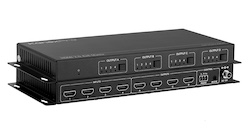
HDMI to SDI Converters, Matrix Switchers, and AV Extenders: A Buying Guide An HDMI to SDI converter turns a consumer HDMI signal into…
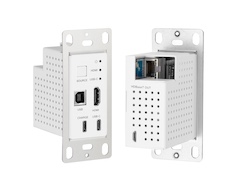
SDI Extenders, Signal Converters and Audio Matrix Switching: An AV Integrator's Buying Guide Which of these five you need depends entirely on the…
KanexPro sells direct to dealers, resellers, installers and integrators, and through distribution. Whichever way you buy, the same engineers answer the phone.
The trade store: your own account, live stock, reordering, and a first look at new products.
Go to the trade store →Distribution and authorised resellers across the US and beyond.
See where to buy →Design help on extenders, matrix and AV over IP before you spec it.
Ask an engineer →