Take a laptop's USB-C to an interactive panel 40m away on CAT6a
How to carry USB-C video, touch return, USB 3.2 data and 100W charging from a laptop to an interactive panel over one CAT6a cable up to 40m.


If your audio and video need to travel different paths, you need an HDMI audio de-embedder. If multiple sources need to share one display, you need a presentation switcher. If an older analog source needs to reach a modern HDMI only display, you need a component or composite to HDMI converter. These four devices solve four different, specific connection problems, and picking the wrong one is the most common reason an AV setup does not work the way it should. The rest of this guide breaks down exactly what each device does, when to use it, and what specs actually matter before you buy.
Key takeaways
An HDMI audio de-embedder extracts audio from an HDMI signal so it can be sent to a separate speaker system, while the video passes through untouched.
A presentation switcher lets multiple source devices share one display and is standard in conference rooms, classrooms, and auditoriums.
Component and composite to HDMI converters exist because most modern displays and projectors have dropped analog inputs entirely.
Composite video carries the full picture over one cable and tops out at standard definition. Component video splits the signal across three cables and supports up to 1080p in analog form.
Converter output quality depends on the scaling chip inside the device and the condition of the original analog source, not just the price tag.
HDMI audio de-embedder (also called an audio extractor): takes an HDMI signal carrying both video and audio, and separates the audio into its own output, usually optical, coaxial, or stereo RCA, while the video continues to the display.
Presentation switcher: accepts multiple input sources and routes whichever one is selected, or automatically detected, to a single display or projector output.
Component to HDMI converter: converts an analog component video signal (three cables, usually labeled Y Pb Pr) into a digital HDMI signal a modern display can accept.
Composite to HDMI converter: converts an analog composite video signal (single yellow RCA cable) into digital HDMI, for older devices like VCRs, retro consoles, and security cameras.
Your situation | Device you need | Why |
Your streaming box or laptop only has one HDMI output, but you want sound on a separate speaker system | HDMI audio de-embedder | Splits audio out of the HDMI stream without touching the video path |
Several laptops and devices need to present on one conference room screen | Presentation switcher | Switches or auto-detects between multiple sources feeding one display |
An older DVD player, game console, or cable box only has red, green, blue jacks | Component to HDMI converter | Converts and scales the analog signal into HDMI your TV or projector accepts |
A VCR, retro console, or analog security camera only has a single yellow video jack | Composite to HDMI converter | Decodes the composite signal and re-encodes it as digital HDMI |
Many modern source devices, especially compact streaming boxes, mini PCs, and some laptops, only output audio and video together through a single HDMI port. That is fine when your speakers are built into your display. It becomes a problem the moment you want that audio routed to a home theater receiver, a soundbar, or a distributed speaker system instead.
An HDMI audio de-embedder sits between the source and the display, passes the video through unchanged, and pulls the audio out to a separate output. When shopping for one, check three things: the audio formats it supports (stereo PCM is common, but confirm if you need Dolby or DTS pass through), the maximum video resolution it can pass without downgrading your picture, and whether it needs external power or draws it from the HDMI line. KanexPro's HDMI audio extractors and de-embedders cover both stereo and multi-channel use cases for exactly this scenario.
A presentation switcher is built for rooms where more than one person needs to show content on the same screen. Instead of unplugging and replugging cables every time someone new presents, a switcher lets each source stay connected and simply changes which input is sent to the display.
The features that separate a basic switcher from a good one are auto-switching (the display jumps to a newly connected source automatically), the mix of input types supported (HDMI, USB-C, and sometimes VGA for older laptops), and whether it includes built in scaling so every source outputs at a consistent resolution regardless of what the laptop is set to. For rooms that also need to record or stream the session, look for a switcher with a dedicated output for that purpose. KanexPro's presentation switchers range from simple two input models to auto-switching units built for daily conference room use.
Almost every modern TV, monitor, and projector has moved to HDMI only inputs, which leaves a real gap for anyone still running older equipment. Component to HDMI and composite to HDMI converters exist specifically to bridge that gap, and while they solve a similar problem, they are not interchangeable because the source signals are different.
Both converter types work the same way internally: they decode the incoming analog signal, scale it to a resolution the HDMI display supports, usually 720p or 1080p, and re-encode it as digital HDMI. The quality of that conversion depends on the scaling chip in the converter, not just the price. A cheap converter with a weak scaler can introduce visible lag, color shifts, or a soft image even from a clean source. KanexPro's video scalers and converters cover both component and composite input types for legacy equipment.
Feature | Composite video | Component video |
Cable connection | Single RCA jack, usually yellow | Three RCA jacks, usually red, green, blue |
Signal type | All video data combined on one channel | Color and brightness data separated across three channels |
Maximum practical resolution | Standard definition, around 480i or 576i | Up to 1080i or 1080p in analog form |
Common sources | VCRs, older DVD players, security cameras, retro consoles | Early HDTVs, older Blu-ray players, PS3 and Xbox 360 era consoles |
Resolution and scaling support: confirm the device outputs a resolution your display actually supports natively.
Audio handling: for de-embedders, confirm the audio format and channel count you need. For converters, confirm whether stereo audio is passed through along with the video.
Latency: a few milliseconds is normal and unnoticeable for presentations or general playback. Check the spec if the device will be used for anything time sensitive.
Cable distance: HDMI signal quality degrades over long unamplified runs, so factor in whether you need an extender alongside the converter or switcher.
Power requirements: some compact units draw power from the HDMI or USB line, while others need a separate power adapter, which matters for rack mounted or wall mounted installs.
Buying a passive cable adapter when the job actually needs an active converter with a scaling chip, since analog and digital signals cannot be converted by wiring alone.
Assuming a composite to HDMI converter will also handle component sources, or the reverse, when the two formats need different input circuitry.
Overlooking audio entirely when installing a presentation switcher, then discovering the room's speakers are not wired to any of the switched inputs.
Choosing the cheapest converter available without checking its maximum supported resolution, then getting a blurry or interlaced picture on a modern display.
It extracts the audio from an HDMI signal so it can be sent to a separate sound system, such as an AV receiver, soundbar, or amplified speakers, while the video continues to the display unchanged. It solves the common problem of a source device that only outputs audio through HDMI.
What is a presentation switcher and where is it used?
A presentation switcher lets multiple source devices, such as laptops, document cameras, and media players, share one display or projector by switching between inputs. It is standard equipment in conference rooms, classrooms, auditoriums, and houses of worship.
It can upscale a strong analog component signal to a clean 1080p HDMI output, but it cannot add detail the original analog source never had. Quality depends heavily on the converter's scaling chip and the condition of the original source and cables.
A simple cable adapter cannot convert an analog composite signal into digital HDMI because the two formats encode video completely differently. A composite to HDMI converter contains active circuitry that decodes the analog signal, scales it, and re-encodes it as digital HDMI.
Composite video carries the entire picture over a single cable and tops out around standard definition. Component video splits the signal across three cables for separate color and brightness information, which supports sharper resolutions up to 1080i or 1080p in analog form.
A well built converter or de-embedder typically adds only a few milliseconds of delay, which is not noticeable for presentations, video playback, or general use. Delay becomes a concern mainly in fast paced gaming or tight lip sync scenarios, where checking the manufacturer's latency specification is worthwhile.
Not sure which unit fits your room or rack setup? Contact KanexPro for a free configuration recommendation.
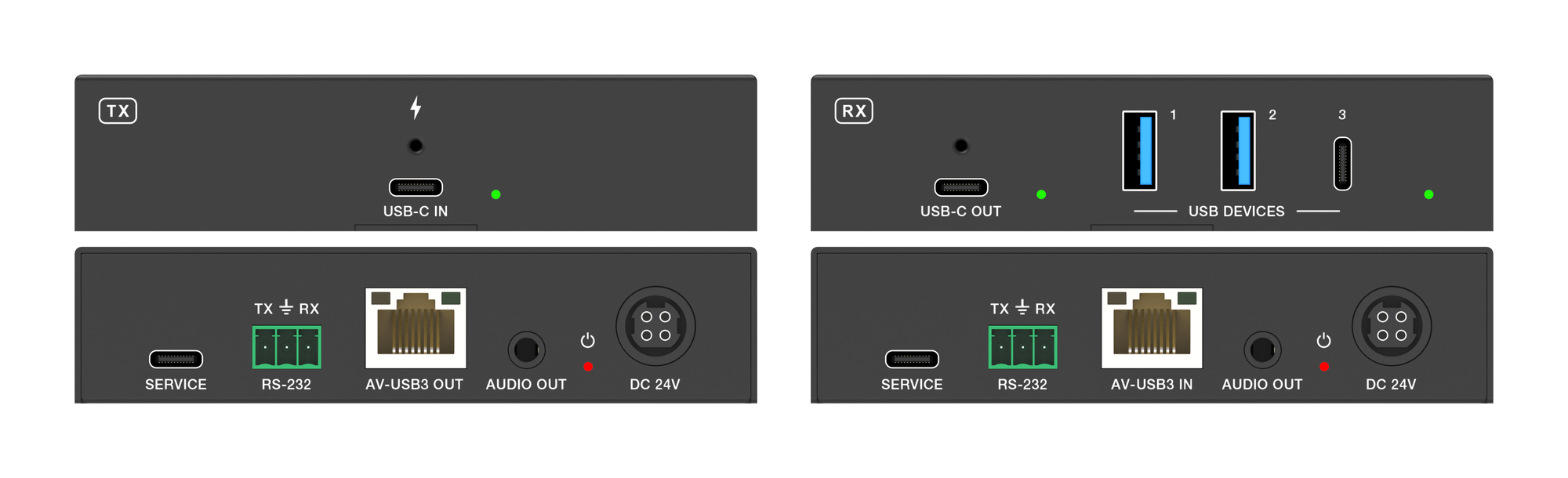
How to carry USB-C video, touch return, USB 3.2 data and 100W charging from a laptop to an interactive panel over one CAT6a cable up to 40m.
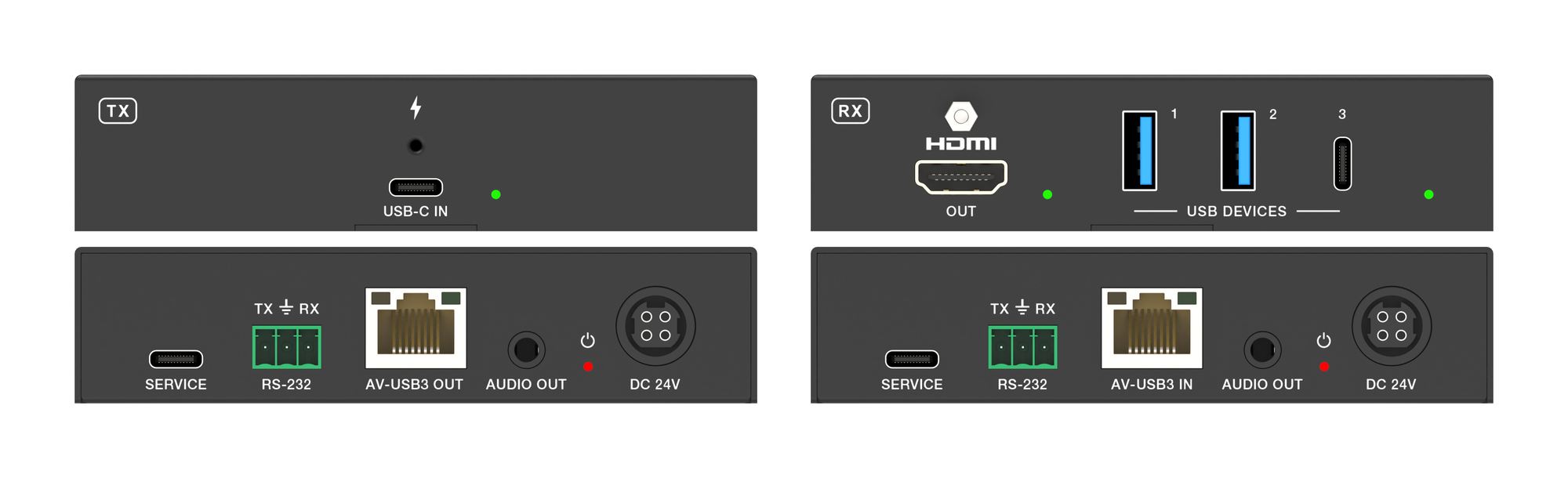
How the EXT-USBCPD4K-40M carries laptop video, USB 3.2 peripherals and up to 100W charging to a room over one CAT6a cable.
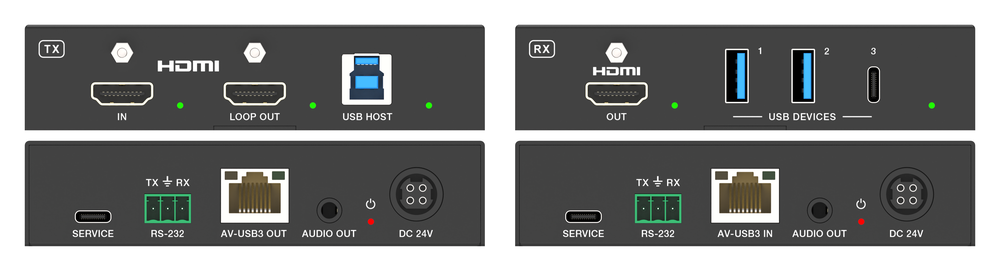
Extending a workstation down a single Cat cable is a solved problem twice over. Video has been solved for years. Keyboard and mouse have been solved…
KanexPro sells direct to dealers, resellers, installers and integrators, and through distribution. Whichever way you buy, the same engineers answer the phone.
The trade store: your own account, live stock, reordering, and a first look at new products.
Go to the trade store →Distribution and authorised resellers across the US and beyond.
See where to buy →Design help on extenders, matrix and AV over IP before you spec it.
Ask an engineer →