Small Meeting Rooms Don't Need a Separate Audio or Control Processor
In a small meeting room, a presentation switcher with a built-in audio matrix and display control can replace the separate DSP and control processor.


In a classroom or a lecture room, the interactive panel is on the front wall and the presenter's laptop is at the lectern or the podium — often a long run apart. A modern laptop offers one USB-C port that is meant to do everything at once: send video, carry touch and camera data back, and take charge. Native USB-C cables do not reach across a room, so the single-cable idea falls apart the moment the panel is more than a couple of metres away.
Integrators have worked around this by splitting the signals — an HDMI extender for video, a separate USB extender for touch and the room camera, and a charger under the table. That is three cable paths to pull, three things to fault-find, and a touch layer that frequently drops because the USB extension was never rated for the camera and the panel together.
In corporate meeting rooms, healthcare consult rooms, hot desks and retail floors the same pattern repeats: a USB-C display or panel at the wall, the source somewhere else, and no clean way to keep the whole USB-C experience — video, data, touch return and power — on one link.
The EXT-USBC2C4K-40M extends a full-featured USB-C source over a single CAT6a cable. The transmitter takes a laptop's USB-C input — DisplayPort Alt Mode 1.4a video, USB 3.2 Gen 1 data and Power Delivery 3.0 — and the receiver presents a full-featured USB-C output that carries DP Alt Mode 1.4a video and USB 3.2 Gen 1 data on one connector. An interactive display connects at the far end with a single USB-C cable, and its touch and hub return to the laptop.
It reaches up to 40m/130ft at 4K and 35m/115ft at 5K over CAT6a U/FTP 23AWG minimum, direct-wired. Video is up to 4K60 4:4:4 at 18Gbps with HDCP 2.3 and HDCP 1.x, with HDR, HDR10, HDR10+, Dolby Vision and HLG pass-through. USB runs at USB 3.2 Gen 1 and USB 2.0, up to 2.5 Gbps. Up to 100W of USB-C Power Delivery goes back to the laptop over the same cable when the transmitter is powered from its 24V/7.5A supply. Bi-directional 24V PoC means one supply powers both ends. The receiver adds two downstream USB-A ports and one downstream USB-C port at 5V/1.5A each, 3.5mm de-embedded audio and RS-232 pass-through.
The teacher's laptop sits at the lectern and the interactive panel is on the front wall. One USB-C cable connects the laptop to the transmitter, one connects the receiver to the panel, and the CAT6a run between them carries video, touch and charging — the panel reaches up to 40m/130ft away at 4K. Annotation and touch come back to the laptop, and the laptop charges at the lectern.
From the podium to a USB-C interactive display or large panel, the link runs over in-wall CAT6a. RS-232 pass-through on the 3-pin phoenix connectors carries control to the room controller, and the ASCII API over the USB-C SERVICE port lets the help desk read link and signal status, so a room that has lost its picture can be triaged before anyone walks over.
A USB-C interactive display sits at the wall and the presenter's laptop is at the table. Video, touch, the room camera and up to 100W charging all travel on one cable to the display, with the camera plugged into a downstream USB port at the receiver so it returns to the laptop over the same link.
Clinician laptops present to a USB-C panel with touch for case review and teaching. The metal enclosures and ESD protection to IEC 61000-4-2 (±8kV air-gap, ±4kV contact) suit rooms that see constant traffic and frequent plugging and unplugging.
At a hot desk sitting some distance from a racked or docked laptop, a USB-C monitor connects to the receiver's USB-C OUT. The monitor's own hub returns keyboard, mouse and webcam back up the link, and the desk gets a single-cable connection to the shared source.
USB-C touch displays on the sales floor are driven from a laptop or mini PC kept in the back room. The display connects with one USB-C cable at the receiver, and touch interaction returns to the source over the same link, keeping the compute out of public reach.
Distances are tied to resolution: up to 40m/130ft at 4K and up to 35m/115ft at 5K. Both are over CAT6a U/FTP 23AWG minimum, direct-wired and straight-through — do not cross-connect the two ends, and terminate both ends to the same pin and colour order. The kit ships with one 24V/7.5A adapter; plug it into either box and bi-directional 24V PoC powers the far end. USB-C charging to the laptop, however, works only when the transmitter has its own 24V/7.5A supply.
The USB-C cable at each end is limited to 1.5m/4.9ft for USB 3.2 Gen 1 passive operation or 2m/6.6ft for USB 2.0 passive operation. A surge protection device is recommended to protect the electronics from spikes and surges.
Up to 40m/130ft at 4K and up to 35m/115ft at 5K over a single CAT6a cable, U/FTP 23AWG minimum, direct-wired.
USB 3.2 Gen 1 and USB 2.0, with a transfer rate up to 2.5 Gbps. It does not support 5 Gbps operation.
No. The kit ships with one 24V/7.5A adapter; plug it into the transmitter or the receiver and bi-directional 24V PoC powers the far end over the CAT6a cable. USB-C charging to the laptop works only when the transmitter has its own supply.
The USB-C OUT connects to a display or monitor, and the receiver adds two downstream USB-A ports and one downstream USB-C port at 5V/1.5A each for devices such as flash drives or hard disks, plus a 3.5mm AUDIO OUT for de-embedded audio.
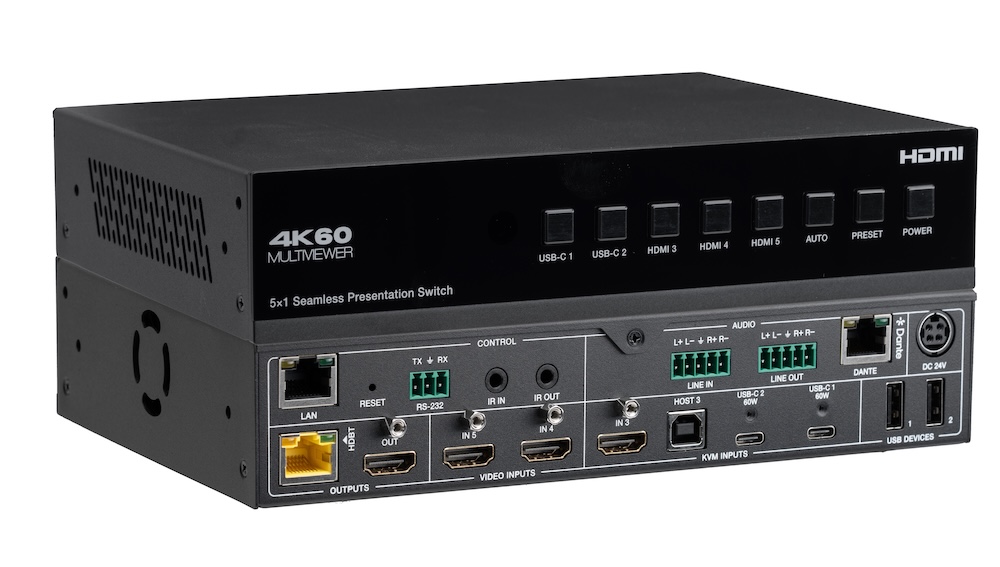
In a small meeting room, a presentation switcher with a built-in audio matrix and display control can replace the separate DSP and control processor.
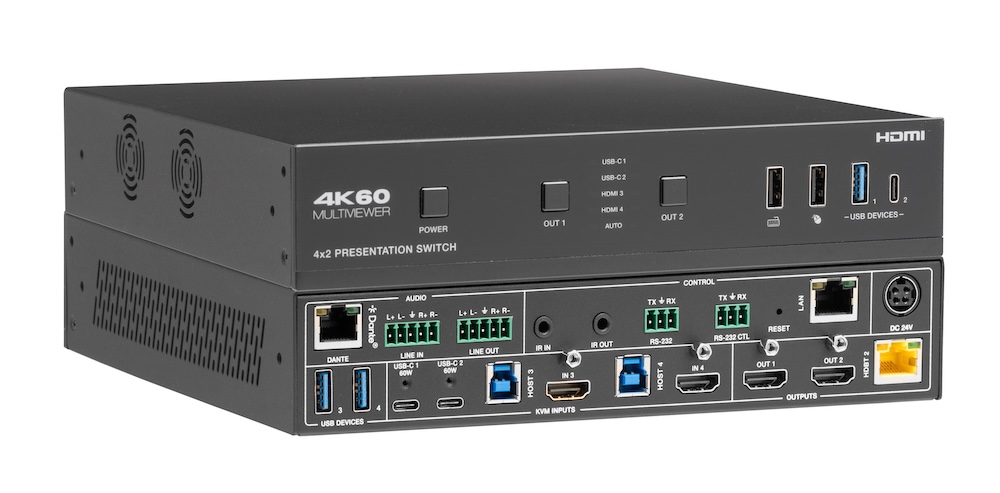
Laptops at the table need video, power, USB and network. Put that on one USB-C input at the switch rather than an HDMI cable and a bag of adapters.
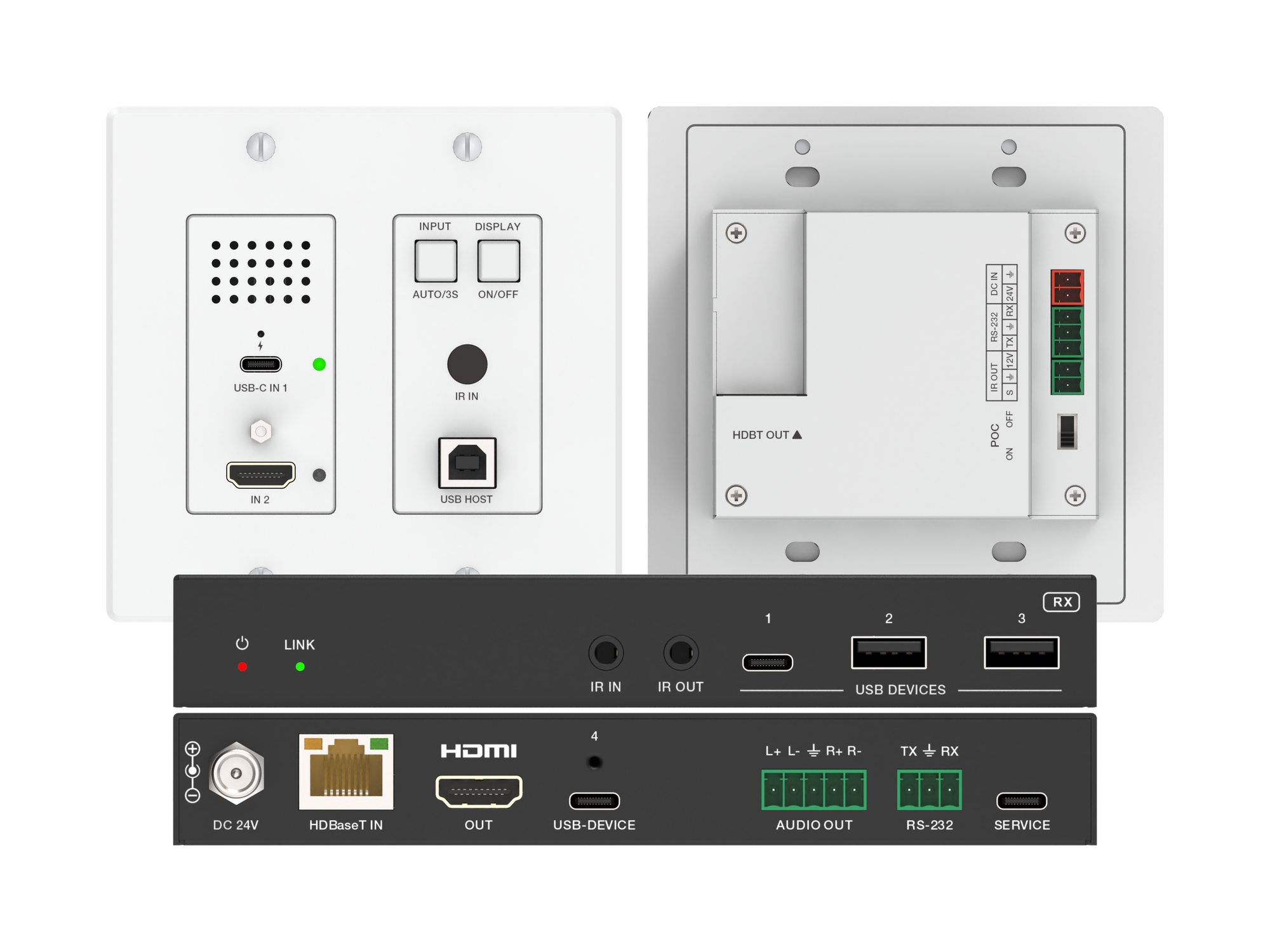
How one 2-gang wall-plate carries laptop video, USB camera and mic, and 60W charging to a distant display over a single CAT6/6A run.
KanexPro sells direct to dealers, resellers, installers and integrators, and through distribution. Whichever way you buy, the same engineers answer the phone.
The trade store: your own account, live stock, reordering, and a first look at new products.
Go to the trade store →Distribution and authorised resellers across the US and beyond.
See where to buy →Design help on extenders, matrix and AV over IP before you spec it.
Ask an engineer →