One USB-C Cable at the Table for Video, USB Devices and 60W Charging
How one 2-gang wall-plate carries laptop video, USB camera and mic, and 60W charging to a distant display over a single CAT6/6A run.


An HDMI to SDI converter turns a consumer HDMI signal into broadcast-standard SDI so it can travel reliably over long coax runs, an audio matrix switcher routes multiple audio sources to multiple output zones independently, and wall plate, USB, and VGA extenders push those same signal types over Cat5e or Cat6 cable well beyond HDMI's unassisted range of roughly 15 to 25 feet. Installers reach for these products whenever a signal needs to travel further than its native cable allows, or needs to be routed to more than one destination. This guide covers what each product actually does, the specs that matter when choosing one, and how far each signal type can realistically travel.
• HDMI to SDI converter: converts HDMI to SDI over coax, commonly reaching 100 meters or more depending on the SDI class and cable quality.
• Audio matrix switcher: routes multiple audio inputs to multiple independent output zones, typically in 4x4, 8x8, or 16x16 configurations.
• Wall plate extender (HDBaseT): sends HDMI, audio, and control over one Cat6 cable, typically up to 100 meters (about 328 feet).
• USB extender over Cat6: extends USB 2.0 devices such as touchscreens, PTZ cameras, and keyboards, typically up to 50 meters.
• VGA extender: extends legacy VGA video over Cat5e or Cat6, often 200 to 300 meters with a signal booster, depending on resolution.
HDMI is not designed for long cable runs. Signal quality typically starts degrading past 15 to 25 feet without active extension, which is a problem the moment a camera, laptop, or media player needs to feed a switcher or recorder several rooms away. SDI, the broadcast industry's standard over coaxial cable with a locking BNC connector, solves this reliably. When choosing an HDMI to SDI converter, the specs that matter most are:
• SDI class: 3G-SDI supports up to 1080p60, while 6G-SDI and 12G-SDI are needed for 4K sources.
• Embedded audio support: confirm the converter passes audio through the SDI signal rather than dropping it.
• Loop-through HDMI output: useful when you need to monitor the source locally while also feeding SDI downstream.
• Bi-directional models: some converters handle both HDMI-to-SDI and SDI-to-HDMI in one unit, useful when a signal needs to travel in both directions across an install.
You can browse our current range of HDMI to SDI converters to compare SDI class and audio support across models.
An audio matrix switcher lets several audio sources (microphones, media players, streaming inputs) feed several independent output zones at once, so a restaurant, conference center, or campus can play different audio in different rooms from a single rack. Configurations are usually described by input and output count, such as 4x4, 8x8, or 16x16. The features worth checking before buying are:
• Zone count: match the matrix size to your actual number of independent audio zones, not just your current source count.
• Control options: IR, RS-232, or IP control matter if the system needs to integrate with a central AV controller.
• Dante or AV-over-IP support: increasingly common in larger installs where audio needs to travel over the same network as other AV traffic.
Our audio matrix switchers range covers configurations from small 4x4 systems up to larger multi-zone installs.
Once a signal needs to travel further than its native cable supports, Cat5e or Cat6 extension is usually the most practical fix, since a single run of network cable is easier to pull through walls and ceilings than bulky AV cabling.
• Wall plate extender (HDBaseT): carries HDMI video, audio, Ethernet, and control signals over one Cat6 cable, typically up to 100 meters, common in classrooms and boardrooms where the source sits in a rack room and the display is elsewhere.
• USB extender over Cat6: extends USB 2.0 signals, such as PTZ camera control, touchscreens, or interactive whiteboards, typically up to 50 meters. Most Cat6 USB extenders support USB 2.0 only, since USB 3.0's bandwidth is much harder to extend reliably over twisted-pair cable.
• VGA extender: still used to support legacy projectors and displays in education and industrial settings, typically reaching 200 to 300 meters over Cat5e or Cat6 with a signal booster, with usable distance dropping at higher resolutions.
Our AV extenders collection covers wall plate, USB, and VGA extension products for these exact scenarios.
Product | Signal type | Typical max distance | Best for |
HDMI to SDI converter | Video (broadcast SDI) | 100m+ over coax | Broadcast, live production |
Audio matrix switcher | Audio routing | N/A, routing product | Multi-zone audio, hospitality |
Wall plate extender (HDBaseT) | HDMI, audio, control | Up to 100m over Cat6 | Classrooms, boardrooms |
USB extender over Cat6 | USB 2.0 | Up to 50m | PTZ cameras, touch displays |
VGA extender | Legacy VGA video | Up to 300m with booster | Legacy projector installs |
• Confirm the resolution and bandwidth you need (1080p versus 4K) before selecting an SDI class or HDBaseT model, since higher resolutions reduce maximum reliable distance.
• Check whether embedded audio is required, or whether audio will be routed separately through a matrix switcher.
• Measure the actual cable run and leave headroom against the product's rated maximum, since running a signal at or past its rated limit causes intermittent dropout rather than a clean failure.
• For a matrix switcher, size the zone count to your real room count, including planned future zones, not just what you need on day one.
• Confirm control options (IR, RS-232, or IP) if the install needs to integrate with a central AV control system.
A pattern that shows up often on installs: a USB extender rated for 30 meters gets used on a run that measures closer to 45 meters once it is actually pulled through walls and ceiling space rather than in a straight line. The device often still connects, but drops out intermittently under load, which is harder to diagnose than an outright failure because it looks like a device problem rather than a distance problem. Measuring the real cable path, not the straight-line distance, and choosing a product with distance headroom above that figure avoids this specific failure mode.
1. Map every signal run: list each source, destination, signal type, and measured cable distance before choosing any hardware.
2. Match each run to a rated product: select converters or extenders rated above the measured distance and required resolution, with headroom.
3. Confirm power delivery: check whether each extender needs local power at both ends or supports PoE-style single-end power.
4. Test at full cable length before final install: bench-testing at a short distance can hide problems that only appear at the real run length.
5. Label and document every converter and extender: so future maintenance does not require re-tracing every cable run from scratch.
SDI over good-quality coaxial cable commonly reaches 100 meters or more, with the exact distance depending on the SDI class (3G, 6G, or 12G) and cable quality. This is well beyond HDMI's unassisted range of roughly 15 to 25 feet.
Common configurations include 4x4, 8x8, and 16x16, referring to the number of independent inputs and outputs. Larger installs sometimes combine multiple matrix units or use AV-over-IP for even more zones.
HDBaseT-based wall plate extenders typically reach up to 100 meters (about 328 feet) over a single Cat6 cable while carrying HDMI, audio, and control signals together.
Most Cat6 USB extenders support USB 2.0 only. USB 3.0's higher bandwidth is significantly harder to extend reliably over twisted-pair cable, so USB 3.0 extension typically requires fiber or specialized active hardware instead.
A basic VGA extender over Cat5e or Cat6 typically works well up to around 100 to 150 meters, with a signal booster extending usable range to 200 to 300 meters, depending on resolution.
Most HDMI to SDI converters, matrix switchers, and Cat6 extenders are designed for straightforward installation without a licensed electrician, though larger commercial installs with structured cabling and rack systems are often handled by a professional AV integrator.
Whether you are bridging HDMI sources into a broadcast SDI workflow, routing audio across multiple zones, or extending a signal well beyond its native cable range, matching the product to your actual distance and resolution requirements is what determines whether the install works reliably. Contact our team for help specifying the right converter, matrix switcher, or extender for your project.
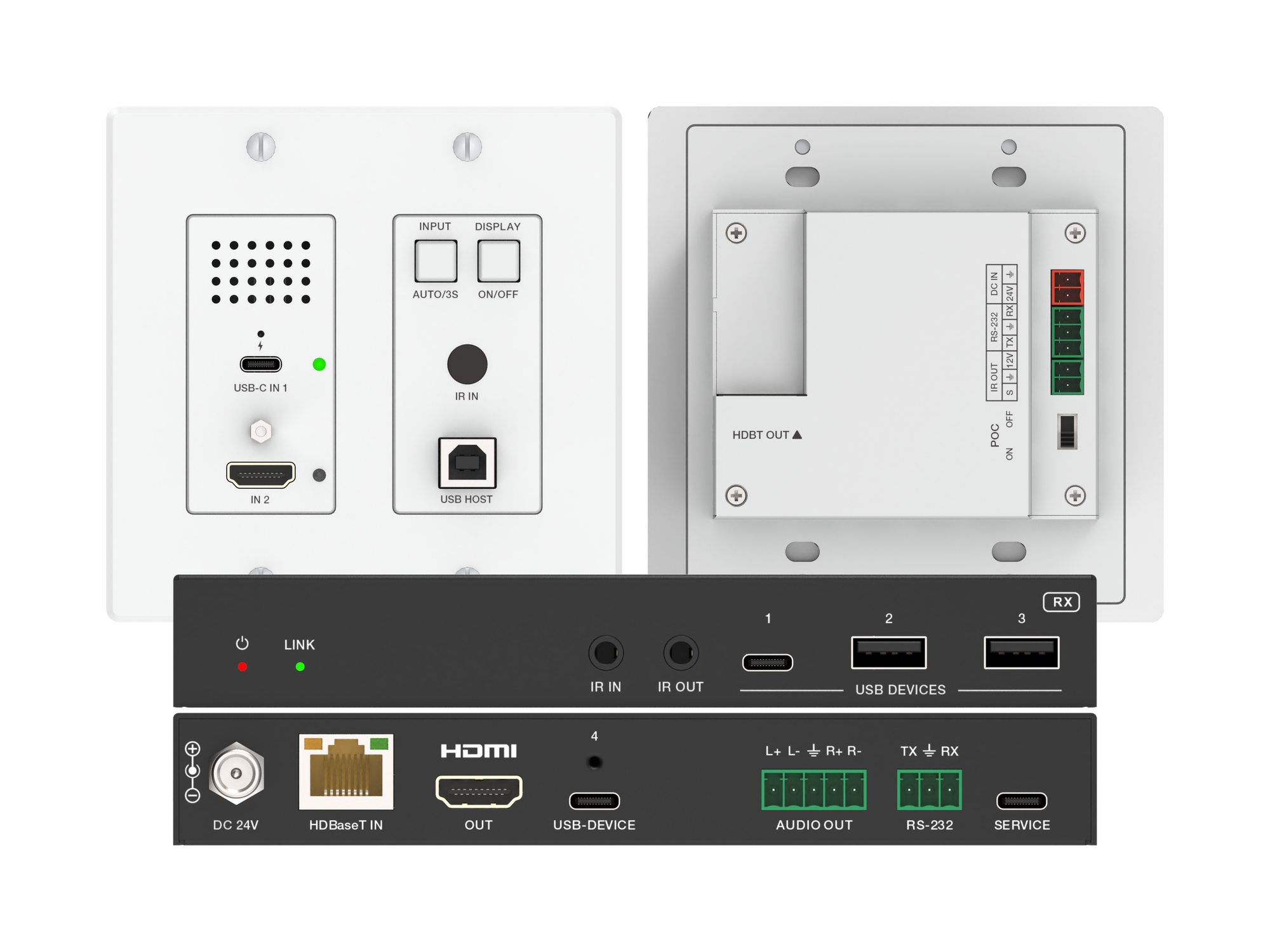
How one 2-gang wall-plate carries laptop video, USB camera and mic, and 60W charging to a distant display over a single CAT6/6A run.
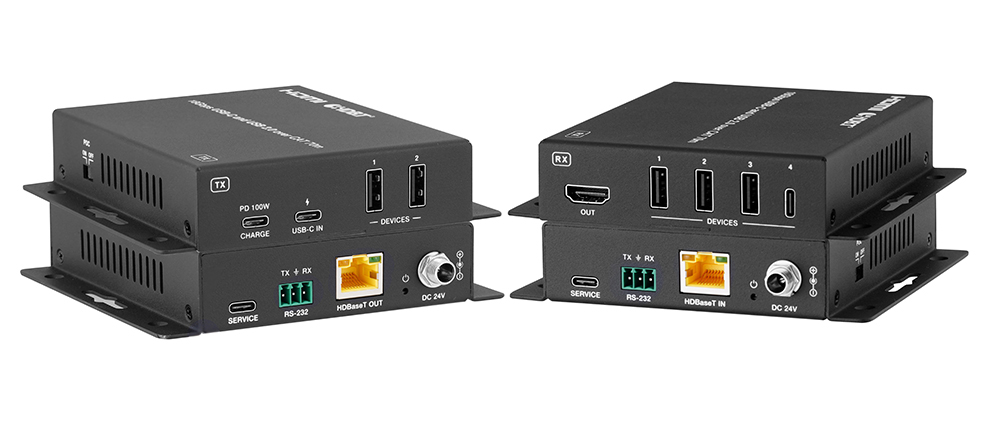
A BYOD room gets designed around the display, the room camera, and the network — and then the actual connection between the laptop and all of it is…
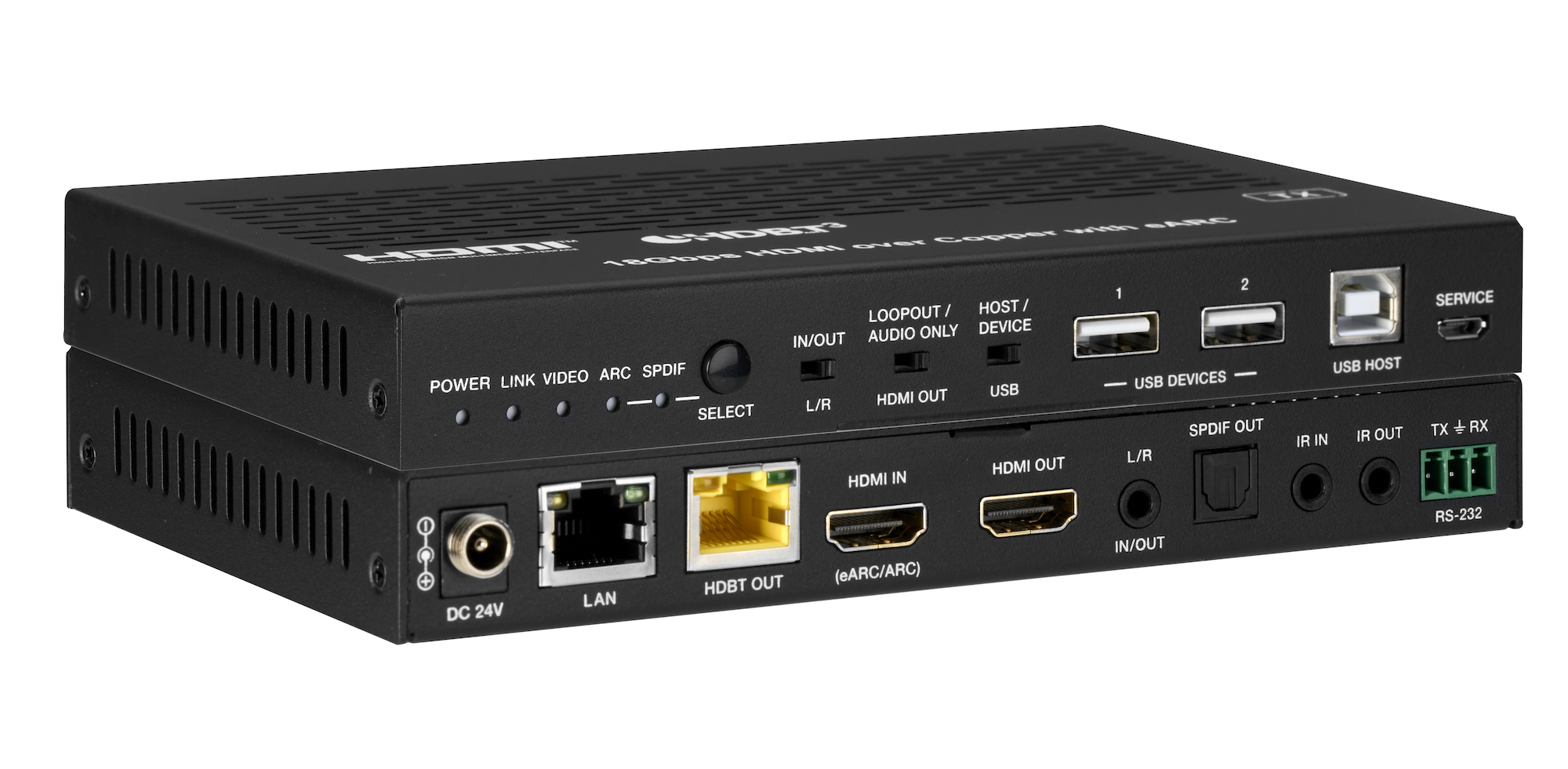
How the EXT-HDBT3ARC-TX carries 4K60 video out to the display and brings eARC audio back down the same CAT6A cable, with USB 2.0, Gigabit Ethernet…
KanexPro sells direct to dealers, resellers, installers and integrators, and through distribution. Whichever way you buy, the same engineers answer the phone.
The trade store: your own account, live stock, reordering, and a first look at new products.
Go to the trade store →Distribution and authorised resellers across the US and beyond.
See where to buy →Design help on extenders, matrix and AV over IP before you spec it.
Ask an engineer →