HDMI Distribution System Design: Splitters, Matrices, Scalers and Dante
Specifying an HDMI Distribution System: Splitters, Matrices, Scaling Switchers and Dante Audio Short answer: Choose the device by the shape of the…



Trying to connect different audio-video devices across rooms or systems? Component video cables might come in handy for this. But how do you sort through the different types of component connections and other available ports that might be an even better option for your AV setup?
Your trusted AV systems manufacturers will give you the lowdown on component video cables, explained in a cohesive way. Some newer devices may offer alternative solutions to connecting different AV needs, but there are still plenty of situations where component video cables are needed. Let’s take a look!
A newer version of composite video, component video is a great way to supplement older devices for newer output quality. Component video cables aren’t always a complete replacement for composite cables; however, they are always a great addition to any setup.
Component video functions through an analog format split into two different channels, unlike a single-channel analog format. The two channels are typically seen by consumers as YPbPr and RGB, or it might also be known as s-video in some places. You can get in touch with our experts to figure out what option works best for you.
Component video cables typically come with the following features:
Component video cables can be used alongside stereo analog or optical audio connections to make the best use of your setup. Many folks tend to choose component video cables because they can support high resolutions of up to 1080p and transmit more advanced AV signals. They pretty much work alongside any other cable you might have, so the odds are that adding component video cables to your AV system is an essential part of getting equipped.
There are still other cable types to sort through. When should you use component cables versus DVI connectors and HDMI ports? Depending on what your needs are, you might consider HDMI or DVI connectors first. But if you have a variety of devices to connect, you might need to fall back on component cables anyway.
When it comes down to it, the best way to choose the correct cable is to use your own judgment. A lot of our Kanex customers have claimed that their image looks clearer and more high-res through a component cable than through a digital HDMI port. Others say that there isn’t really any difference and you should choose the setup that gives you the most bang for your buck.
Older systems might need additional assistance converting to modern inputs and devices. You can use a component to HDMI converter, for example, to achieve the perfect connection. Make sure each component has green, red, and blue outlets so it can be properly plugged into the converter.
From there, you should be able to connect HDMI directly to your (older) TV through the converter cables. This is just one opportunity that component video cables can provide to setups looking to transmit in a single direction.
At Kanex Pro, we offer top-notch cables and component converter options for those who want to connect any and every device in their building. Whether you are at home or at work, you can find the perfect solution to get your AV systems up and running. Get in touch with our experts today by visiting us online and we will do everything we can to help you get set up the right way!
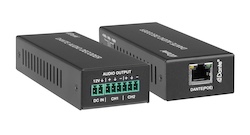
Specifying an HDMI Distribution System: Splitters, Matrices, Scaling Switchers and Dante Audio Short answer: Choose the device by the shape of the…
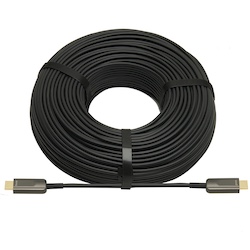
If your source is component video (the red, green, and blue RCA connectors), you need a component to HDMI converter. If it is composite video (a…
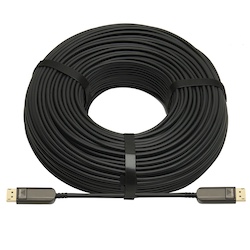
DisplayPort beats HDMI for high-refresh PC monitors and daisy-chaining; HDMI is the pick for TVs, consoles and projectors, and USB-C for laptops.
KanexPro sells direct to dealers, resellers, installers and integrators, and through distribution. Whichever way you buy, the same engineers answer the phone.
The trade store: your own account, live stock, reordering, and a first look at new products.
Go to the trade store →Distribution and authorised resellers across the US and beyond.
See where to buy →Design help on extenders, matrix and AV over IP before you spec it.
Ask an engineer →