HDMI Distribution System Design: Splitters, Matrices, Scalers and Dante
Specifying an HDMI Distribution System: Splitters, Matrices, Scaling Switchers and Dante Audio Short answer: Choose the device by the shape of the…



A number of cables come with your electronics. In fact, many people have a drawer filled with random cables and electronics. Whether it’s for work or home, managing your electronics and their related cables can be overwhelming. Avoid getting bogged down researching and consider the following tips on how to choose an SDI cable.
SDI stands for “serial digital interface” and was standardized in 1989. The cable is used to transmit digital video over long distances. In fact, it is the most common cable as it is used by professional video producers and broadcasters. It is not only used in professional settings as many households utilize the technology as well. It is often the cable that connects television boxes to your actual television. They are designed to provide top-quality video free from interference and noise. This is possible because the cables are thicker and more durable which helps prevent interference from other electronic devices.
SDI cables have a number of benefits for your home or workplace.
There are a number of SDI cables to choose from so it’s important to find the one that’s right for you. Consider the following information to help you find the right SDI cable.
There are a number of factors to consider when choosing your SDI cable. Considering these can ensure you choose the right cable for your unique needs. This is helpful as it can maximize performance and ensure reliability. Consider the following factors when choosing which SDI cable is right for you.
Brand: Consider the brand of the SDI cables you are purchasing. Consider reviews to ensure that you are purchasing a high-quality product from a reputable company.
Signal Type: There are a number of different SDI signal types as outlined above so it’s important to consider your unique needs when choosing the cable type.
Cable Length: Consider the distance between the two sources you are connecting so you have a cable that is long enough.
Connector Type: The most common connector types include BNC and XLR. Check the connectors on your equipment match the SDI cable you choose.
Quality: While SDI cables aren’t expensive, it’s worth it to invest in a quality cable. Consider online reviews on the flexibility, durability, and quality of the cable before you purchase one.
No matter what your project needs are, the team at KanexPro can provide you with support. They are the experts in AV systems manufacturing and offer a wide variety of products for your electronic needs. Avoid waiting and contact their team today for any of your audio-visual needs.
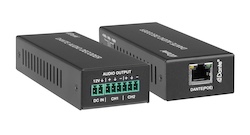
Specifying an HDMI Distribution System: Splitters, Matrices, Scaling Switchers and Dante Audio Short answer: Choose the device by the shape of the…
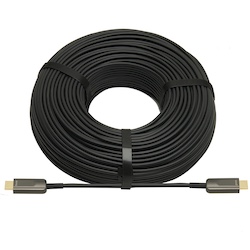
If your source is component video (the red, green, and blue RCA connectors), you need a component to HDMI converter. If it is composite video (a…
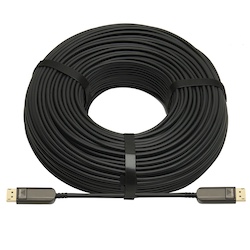
DisplayPort beats HDMI for high-refresh PC monitors and daisy-chaining; HDMI is the pick for TVs, consoles and projectors, and USB-C for laptops.
KanexPro sells direct to dealers, resellers, installers and integrators, and through distribution. Whichever way you buy, the same engineers answer the phone.
The trade store: your own account, live stock, reordering, and a first look at new products.
Go to the trade store →Distribution and authorised resellers across the US and beyond.
See where to buy →Design help on extenders, matrix and AV over IP before you spec it.
Ask an engineer →