HDMI Distribution System Design: Splitters, Matrices, Scalers and Dante
Specifying an HDMI Distribution System: Splitters, Matrices, Scaling Switchers and Dante Audio Short answer: Choose the device by the shape of the…



HDMI cables have become an essential part of every modern home and workplace. A fully functioning entertainment setup includes one or more HDMI cables. The technology is designed to transmit high-quality audio and video signals between different devices. This includes devices such as TVs, computers, gaming consoles, and projectors. As with all tech devices, they do not last forever. Below you will find the signs of a bad HDMI cable and how to troubleshoot the issue.
HDMI cables can last a long time, but they don’t last forever. A bad HDMI cable can lead to various issues with the audio and video signals being transmitted between your devices. Consider the following signs of a bad HDMI cable so you can address the issue right away.
One of the most common signs of a bad HDMI cable is if there is no signal. While you can troubleshoot this issue, it is likely that the cable has completely failed. Or, it could be that the cable is not properly connected. Try unplugging and then plugging your HDMI cable in to see if that addresses the issue.
If you have video and no audio, the HDMI cable can be damaged or just not functioning right. Try using another port or device to see if the issue persists. It could be your HDMI cable, but it may also be the device itself.
If your screen flickers or flashes intermittently, there are issues with your HDMI. The issue can be persistent or intermittent and is often due to a poor connection. The poor connection can be due to a loose or damaged cable. Check the port and the cable to see if there are any visible issues.
A common sign that your HDMI cable has issues is if the connection is in and out. If the audio or video cuts out randomly, check your HDMI cord. It may be the cord itself or the port. Try a different device to see if the issue persists.
Your technology should not get too hot. If it does, there is likely an issue. Heat can damage your HDMI cord and your devices, so unplug the cord until everything cools down. If the issue persists, consider getting a new HDMI cord to reduce the amount of potential damage.
If you have had your HDMI cable for a while, you may notice physical damage. If your connectors are bent, or you notice exposed or frayed wire, get a new cable. HDMI cables with physical damage can be a hazard, so avoid further use.
If you are having trouble with your HDMI cable, consider troubleshooting the issue before completely giving up. Below are some basic troubleshooting tips to help you determine the issue you are dealing with.
If you have tried all of the troubleshooting techniques and still have issues, consider purchasing a new HDMI cable. If you need additional items for your home or work setup, Kanex Pro AV systems are the top of the line. They offer all of the audio and video-related products you need to complete your setup, including HDMI cables and an HDMI auto switcher. Contact their team today for more information!
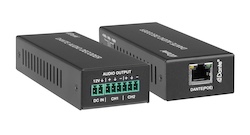
Specifying an HDMI Distribution System: Splitters, Matrices, Scaling Switchers and Dante Audio Short answer: Choose the device by the shape of the…
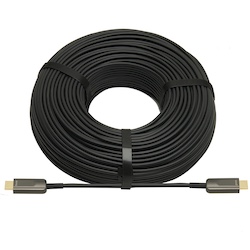
If your source is component video (the red, green, and blue RCA connectors), you need a component to HDMI converter. If it is composite video (a…
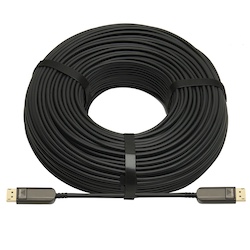
DisplayPort beats HDMI for high-refresh PC monitors and daisy-chaining; HDMI is the pick for TVs, consoles and projectors, and USB-C for laptops.
KanexPro sells direct to dealers, resellers, installers and integrators, and through distribution. Whichever way you buy, the same engineers answer the phone.
The trade store: your own account, live stock, reordering, and a first look at new products.
Go to the trade store →Distribution and authorised resellers across the US and beyond.
See where to buy →Design help on extenders, matrix and AV over IP before you spec it.
Ask an engineer →