HDMI Distribution System Design: Splitters, Matrices, Scalers and Dante
Specifying an HDMI Distribution System: Splitters, Matrices, Scaling Switchers and Dante Audio Short answer: Choose the device by the shape of the…



HDMI cables are a staple in almost every work and home environment. This is because they offer major value and benefits as they are a highly versatile piece of technology. HDMI users at home enjoy the benefits of the cable when watching TV, playing video games, or using other streaming devices. At work, HDMI cables are beneficial when working on projects, doing presentations, conferences, and connecting devices to your work computer. HDMI cables transmit high-quality audio and video, making so many electronic tasks smooth and seamless. While HDMI cables are long-lasting, they do need to be replaced. Below, you will find the top 8 signs you need to replace HDMI cables.
HDMI cables enhance the user tech experience both at home and at work. To ensure you enjoy all of the benefits of HDMI cables with ease, consider the top signs you need to replace your HDMI cable.
One of the common signs you need to replace your HDMI cable is if you notice it overheating. Hot HDMI cables often indicate an internal issue. This can cause serious damage if you continue to use it, so unplug it from all of your devices right away. Replace your HDMI cable right away and properly dispose of the damaged cable.
Faulty HDMI cables can cause visual distortions on your screen. This includes random lines, pixelated images, and other visual issues. In addition to visual distortions, issues with the color on your screen also indicate HDMI problems. This includes color shifts or changes in hue on your screen. Try the HDMI on another device or use another HDMI on the same device to determine if your current HDMI cable is the issue.
HDMI cables that need to be replaced may cause connectivity issues. This includes loss of connection or no signal when using the HDMI cable. Regular wear and tear can cause connectivity issues with your HDMI cable. Consider replacing it to avoid these issues.
As with the image issues, audio issues often indicate that your HDMI cable needs to be replaced. Common audio issues include intermittent or distorted sound. If you are unsure if it’s your HDMI cable, try and plug it into another device. If the issue persists, replace your HDMI cable to avoid further trouble.
Physical damage to your HDMI cables is often obvious from the outside. This includes exposed wire and fraying most often. This can be a fire hazard, so it’s very important to stop using the cable right away and replace it.
HDMI technology is continuously advancing with the rest of the tech world. While cables are long-lasting, new technology can replace them. If your current HDMI cable is incompatible with your newer devices, replacement may be necessary. Upgrading your HDMI cable can ensure optimal performance.
Because HDMI cables are commonly used, they can easily accumulate natural wear and tear. This can break down the HDMI cable and result in loss of quality. In some cases, physical damage can result in issues that may be a fire hazard. Regularly check your HDMI cables to ensure they are safe and in good working condition. Contact the top AV systems manufacturers if you need to replace yours.
It’s time to replace your HDMI cable if your current cable is too short or too long. Long HDMI cords can cause excess clutter where the extra length is no longer needed. However, cables that are too short are nearly unusable. Consider purchasing a new HDMI cable that is just the right length for your needs.
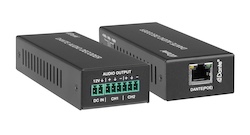
Specifying an HDMI Distribution System: Splitters, Matrices, Scaling Switchers and Dante Audio Short answer: Choose the device by the shape of the…
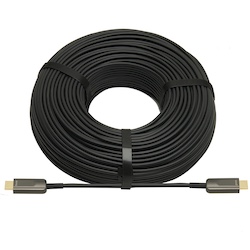
If your source is component video (the red, green, and blue RCA connectors), you need a component to HDMI converter. If it is composite video (a…
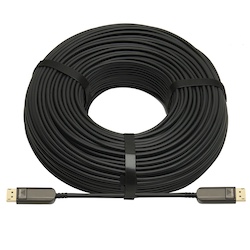
DisplayPort beats HDMI for high-refresh PC monitors and daisy-chaining; HDMI is the pick for TVs, consoles and projectors, and USB-C for laptops.
KanexPro sells direct to dealers, resellers, installers and integrators, and through distribution. Whichever way you buy, the same engineers answer the phone.
The trade store: your own account, live stock, reordering, and a first look at new products.
Go to the trade store →Distribution and authorised resellers across the US and beyond.
See where to buy →Design help on extenders, matrix and AV over IP before you spec it.
Ask an engineer →