Downloading KanexPro software and firmware safely
How KanexPro checks firmware and software downloads, how to verify a file's SHA-256 fingerprint, what the Windows SmartScreen warning means, and…


KanexPro AV over IP requires a managed switch with specific settings. This article lists tested and recommended switch models for JPEG2000, H.265, and SDVoE deployments.
| Setting | JPEG2000 | H.265 | SDVoE |
|---|---|---|---|
| IGMP Snooping | ✅ Required | ✅ Required | ✅ Required |
| IGMP Querier | ✅ Required | ✅ Required | N/A (unicast) |
| Jumbo Frames (MTU 9000) | ✅ Required | ❌ Not required | ✅ Required |
| Flow Control | ❌ Disable | ❌ Disable | ❌ Disable |
| Port Speed | 1G | 1G | 10G |
Isolate AV traffic on a dedicated VLAN. Enable IGMP snooping and querier on the AV VLAN. IP controller must be on the same VLAN or have inter-VLAN routing configured.
How KanexPro checks firmware and software downloads, how to verify a file's SHA-256 fingerprint, what the Windows SmartScreen warning means, and…
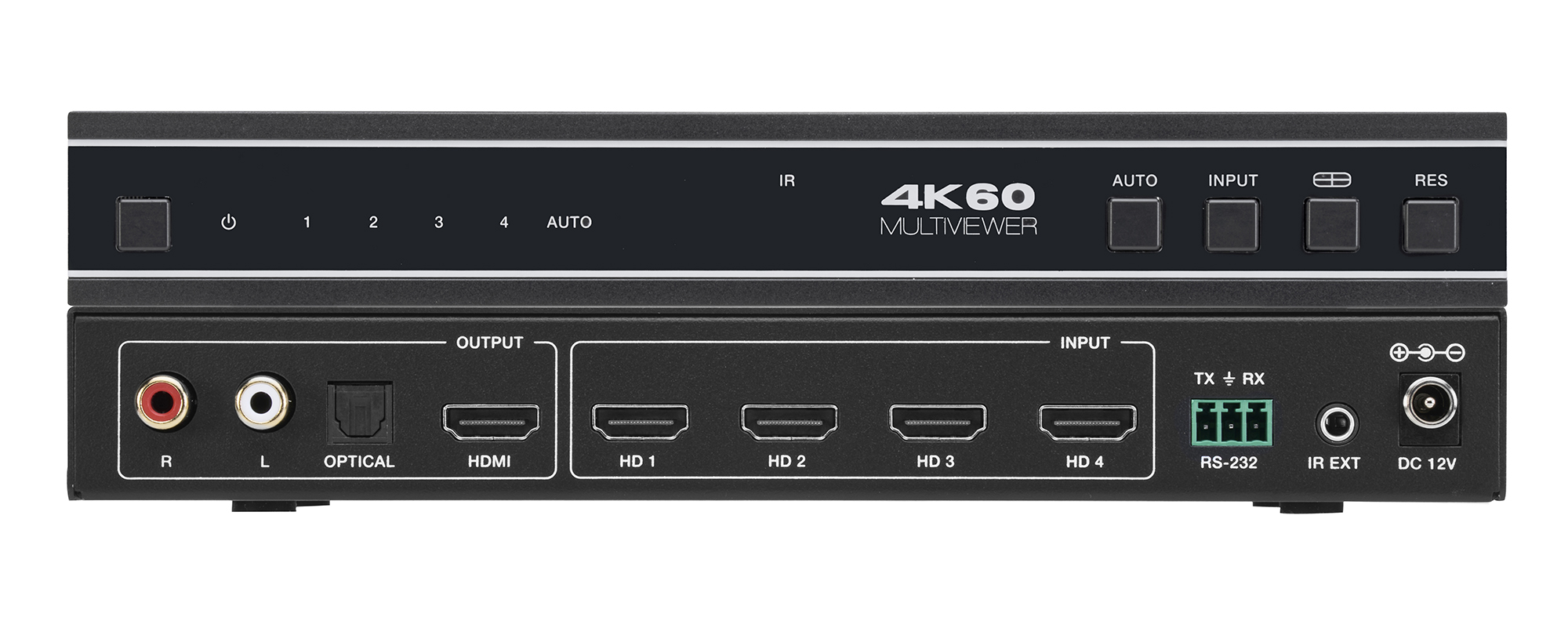
The VW-MVIEW4X1 zip holds Controller 1.0.11, firmware MCU V1.00.15 and scaler 2025-03-03, and both guides. All work over RS-232 at 115200 baud.

Boardrooms, conference rooms, campuses, lobbies — real-world deployment scenarios Corporate AV is among the most practical deployment target for…
KanexPro sells direct to dealers, resellers, installers and integrators, and through distribution. Whichever way you buy, the same engineers answer the phone.
The trade store: your own account, live stock, reordering, and a first look at new products.
Go to the trade store →Distribution and authorised resellers across the US and beyond.
See where to buy →Design help on extenders, matrix and AV over IP before you spec it.
Ask an engineer →