AUD-EARC-8K: eARC Audio Routing, Formats and EDID
The AUD-EARC-8K passes HDMI 2.1 video to the TV and sends audio to soundbar, amp, optical and L/R at once, with no decoding or downmixing.


Required switch settings for all KanexPro AUD-DTE- Dante products
Dante requires a managed Ethernet switch with specific configuration to operate reliably. An unmanaged switch will not handle Dante multicast traffic and may cause audio dropouts, discovery failures, or no-audio conditions.
⚠ ImportantAn unmanaged switch is not suitable for any Dante installation. Always use a managed switch with the settings below.
Controls multicast traffic handling. Without it, Dante multicast floods all ports causing audio failures.
Dante audio packets must be prioritized to prevent latency spikes and dropouts.
STP convergence causes audio glitches. Enable PortFast on all Dante device ports, BPDU Guard on those ports, and never PortFast on uplinks.
REQUIRED4. Flow Control — DisableIEEE 802.3x pause frames cause latency spikes. Disable flow control on all Dante ports.
NOT REQUIRED5. Jumbo Frames (MTU 9000)Standard Dante does not require jumbo frames — 1500-byte MTU is correct. Note: AV over IP (JPEG2000/SDVoE) on the same switch does require MTU 9000 on those ports.
Isolating Dante on a dedicated VLAN prevents corporate broadcast traffic from competing with audio multicast, allows clean QoS policies, and lets IT monitor the Dante network independently. Use e.g. VLAN 100 for all Dante device ports.
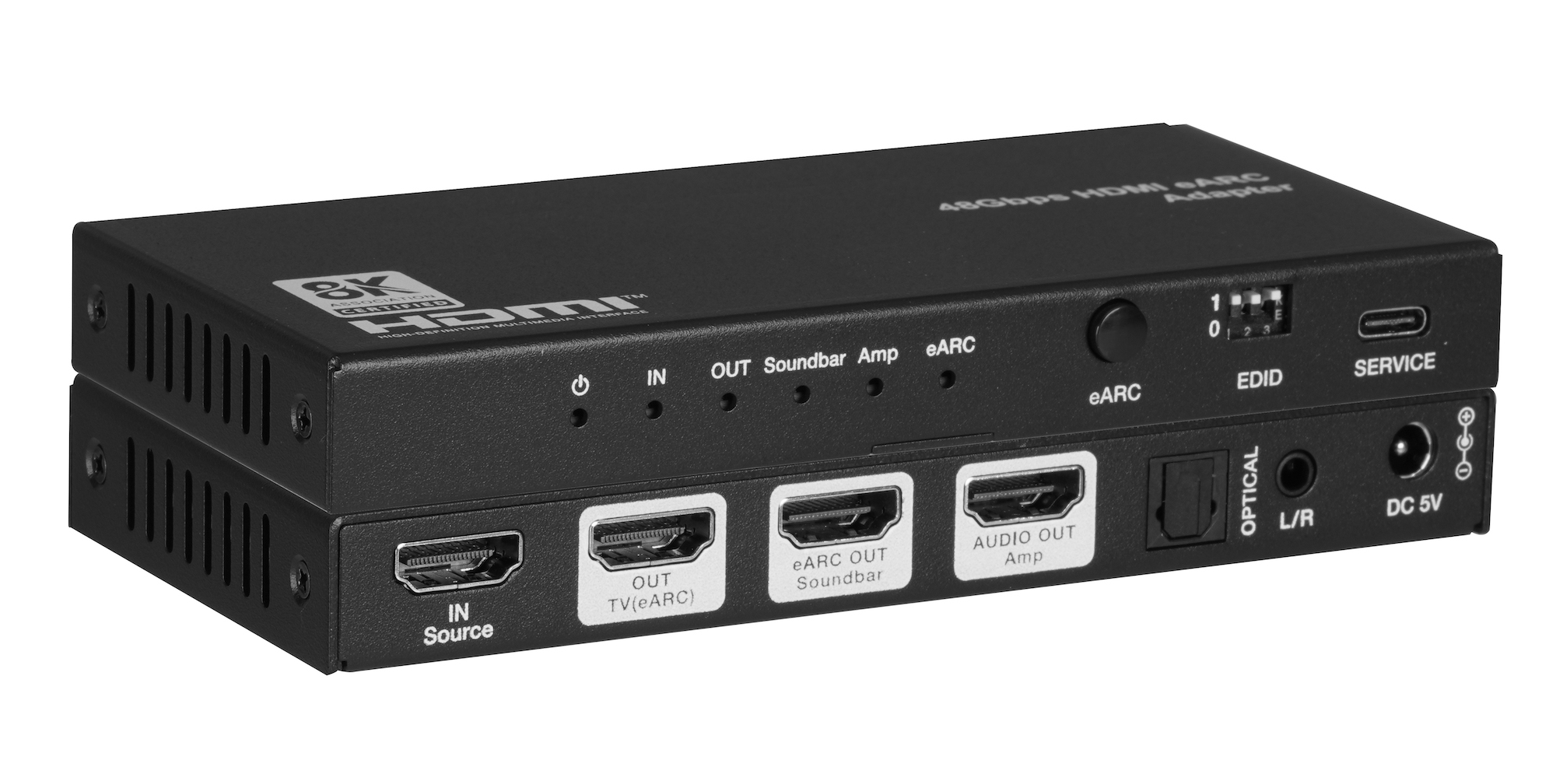
The AUD-EARC-8K passes HDMI 2.1 video to the TV and sends audio to soundbar, amp, optical and L/R at once, with no decoding or downmixing.
How KanexPro checks firmware and software downloads, how to verify a file's SHA-256 fingerprint, what the Windows SmartScreen warning means, and…
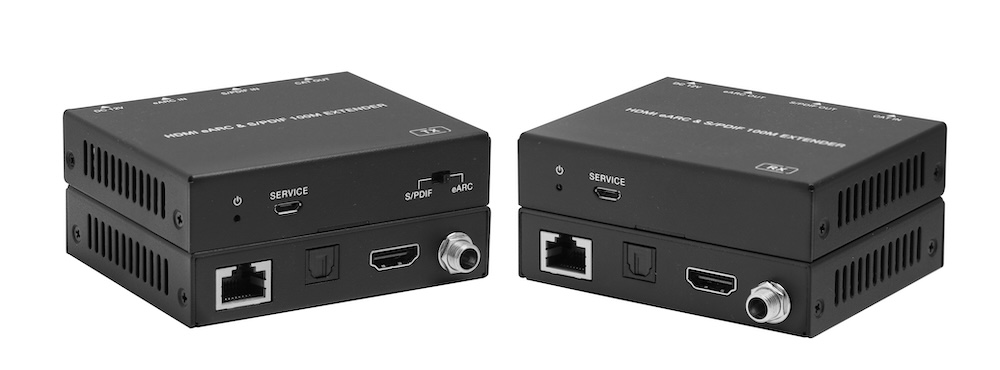
The AUD-EXT-EARC100M carries HDMI eARC or S/PDIF audio from a TV to a soundbar or AVR up to 100m/328ft over one CAT cable, powered from either end.
KanexPro sells direct to dealers, resellers, installers and integrators, and through distribution. Whichever way you buy, the same engineers answer the phone.
The trade store: your own account, live stock, reordering, and a first look at new products.
Go to the trade store →Distribution and authorised resellers across the US and beyond.
See where to buy →Design help on extenders, matrix and AV over IP before you spec it.
Ask an engineer →