One USB-C Cable at the Table for Video, USB Devices and 60W Charging
How one 2-gang wall-plate carries laptop video, USB camera and mic, and 60W charging to a distant display over a single CAT6/6A run.


Long-distance HDMI connections are necessary for home theatres, office settings, gaming zones, and professional AV installations in today's world of high definition. But conventional HDMI cables only work well up to 15 feet away, beyond which the signal quality starts to deteriorate. That's when HDMI Extenders come in.
When it comes to keeping signal quality, picture clarity, and transmission stability, picking the correct HDMI Extender can make a big impact. But which one is best for you? There are choices, including copper, fibre, CAT6, and HDBaseT. Let's take it apart.
An HDMI Extender lets you send high-definition audio and video signals over extended distances without compromising quality. It does this by changing HDMI signals into a format that can be sent via cables like CAT6, fibre optics, or coaxial lines. Then, when they reach their destination, they are changed back to HDMI.
When you want to connect devices like Blu-ray players, gaming consoles, PCs, or streaming boxes to TVs, projectors, or other displays that are far away, these extenders are a must.
• HDMI extender kits that use CAT5e or CAT6 cables are among the most common types available.
• Fibre HDMI Extender (for very long distances)
• HDBaseT HDMI Extender (for use in professional settings)
A CAT6 HDMI Extender is an excellent solution if you want to link things that are up to 100 metres apart. It sends HDMI signals over regular Ethernet wires in a way that works well. A USB CAT6 Extender can even send USB signals along with HDMI. This is helpful for attaching cameras, interactive boards, or PCs that are far away.
Pros:
• Cheap and simple to set up
• Works nicely with HDMI Extender installations that support 1080p and even 4K.
• Can send HDMI and USB signals over the same wire
Cons:
• It can be a little picky about the quality of the cable and noise.
• Not as far as fibre alternatives go
A Fibre HDMI Extender is the best way to make long-distance, high-performance connections. These extenders can send 4K or even 8K video signals over fibre optic cables for up to several kilometres without losing quality.
Pros:
• Works across very great distances
• Not affected by electromagnetic interference (EMI)
• Perfect for professional AV systems, big spaces, and data centres
Cons:
• More expensive than copper extenders
• Needs to be handled carefully when being installed
• Fibre is the best choice if you require a 4K HDMI Extender for digital signage or high-resolution displays.
HDBaseT is a professional-grade technology that lets you send HDMI, Ethernet, power, and control information over a single CAT6 cable for up to 100 metres.
These HDMI extenders are quite popular in home theatres, conference rooms, and control centres, where clean installs and dependability are very important.
Pros:
• It only needs one cable for television, audio, Ethernet, and power.
• Supports 4K resolution and connecting to multiple devices
• Signal that is very stable and has no delay
Cons:
• A little pricey
• May need transmitters and receivers that work with it
A USB Active Extension Cable or USB CAT6 Extender is a good choice for installations that need both video and USB, such as video conferencing or accessing a PC from a distance.
These let you add USB devices like webcams, keyboards, and storage devices to your HDMI connections, keeping data transmission speeds high even across long distances.
The distance, resolution, and surroundings you need will help you choose the proper HDMI Extender. A CAT6 HDMI to Extender kit will work for connections that are not very far away. A Fibre HDMI Extender or HDBaseT arrangement makes sure that transmission is of the highest quality for high-end uses.
If you need flexibility or USB connectivity in your setup, please remember to think about extras like a USB Active Extension Cable or HDMI Cord Extenders.
You may watch and listen to high-definition video and audio without any problems, no matter how far apart your devices are.
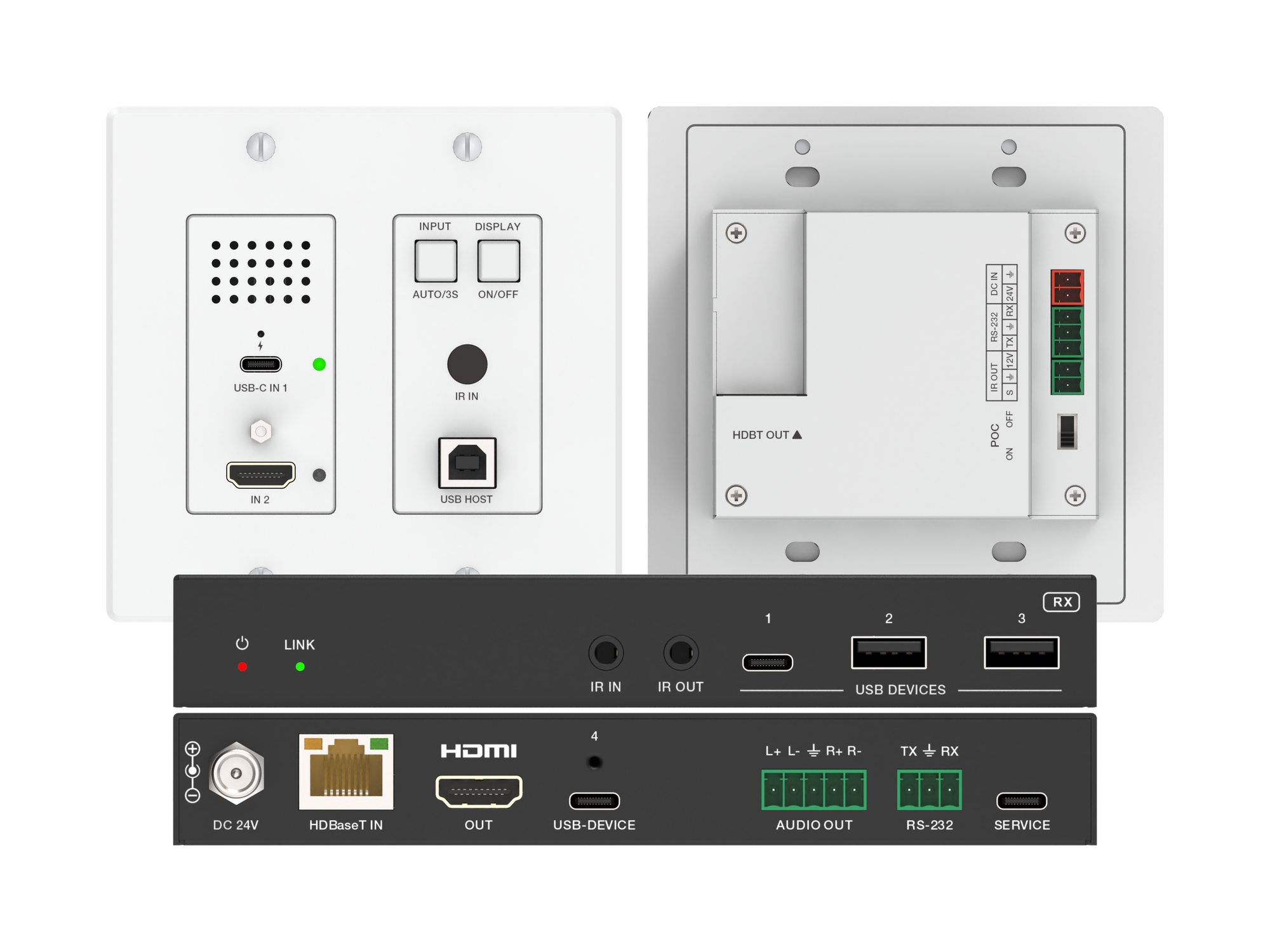
How one 2-gang wall-plate carries laptop video, USB camera and mic, and 60W charging to a distant display over a single CAT6/6A run.
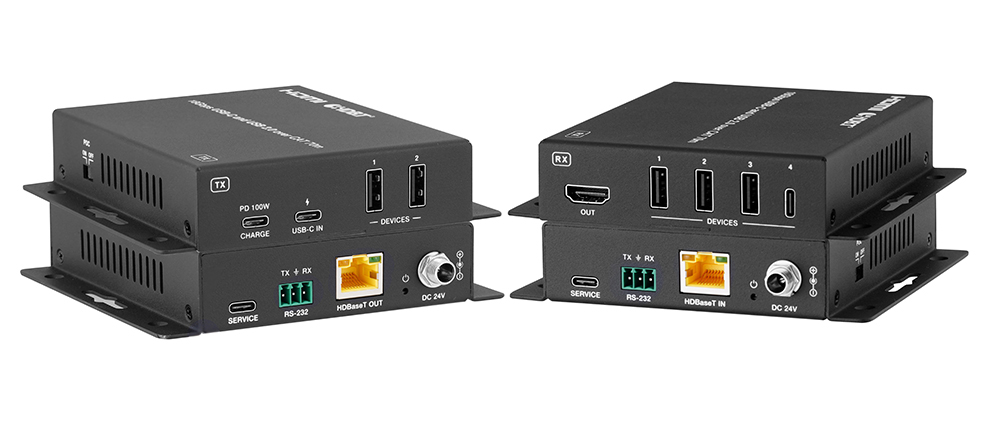
A BYOD room gets designed around the display, the room camera, and the network — and then the actual connection between the laptop and all of it is…
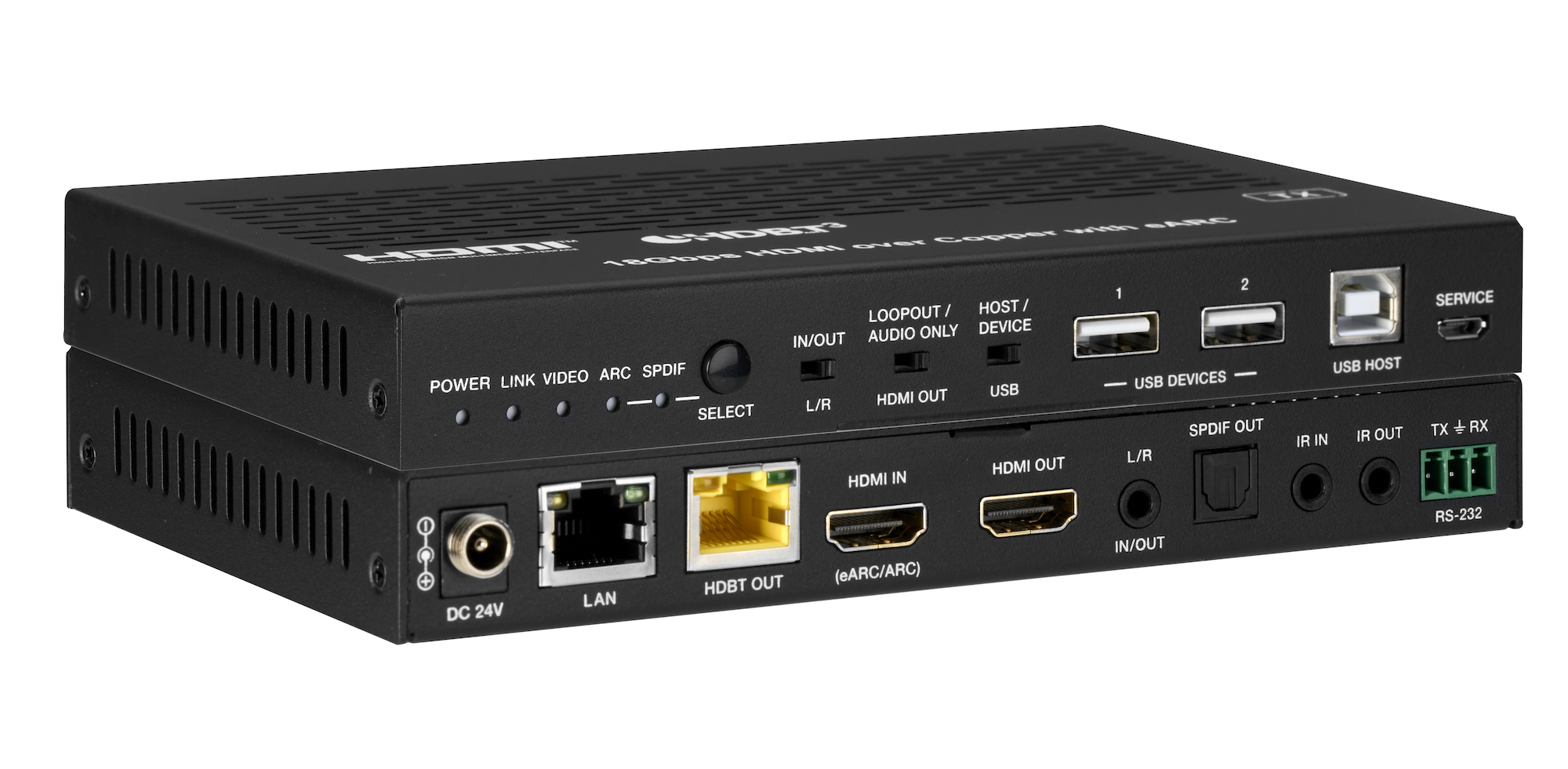
How the EXT-HDBT3ARC-TX carries 4K60 video out to the display and brings eARC audio back down the same CAT6A cable, with USB 2.0, Gigabit Ethernet…
KanexPro sells direct to dealers, resellers, installers and integrators, and through distribution. Whichever way you buy, the same engineers answer the phone.
The trade store: your own account, live stock, reordering, and a first look at new products.
Go to the trade store →Distribution and authorised resellers across the US and beyond.
See where to buy →Design help on extenders, matrix and AV over IP before you spec it.
Ask an engineer →