Spec USB-C inputs on the presentation switch, not HDMI and dongles
Laptops at the table need video, power, USB and network. Put that on one USB-C input at the switch rather than an HDMI cable and a bag of adapters.


Audio in a long AV run has always travelled the wrong way. Video goes out from the rack to a projector or a display on the far wall, and then the room's sound has to come back the other way — from the display's streaming apps or its tuner to the soundbar, the AV receiver or the DSP sitting back at the rack. Traditionally that meant a second cable pulled in the opposite direction, or an audio extractor and a converter bolted on at the far end, or simply giving up and letting the display's own speakers carry the room.
eARC changed what a display can send back, but only over HDMI, and only as far as an HDMI cable reaches. In a boardroom with the rack in a closet, a lecture hall with a ceiling projector, or a sports bar with the amplifier behind the counter, that is nowhere near far enough.
The EXT-HDBT3ARC-TX is an HDBaseT 3.0 transmitter that carries uncompressed 4K@60Hz 4:4:4 video up to 100m (328ft) over a single CAT6A/7 cable, and carries eARC or ARC audio back down the same cable in the other direction. It is HDMI 2.0b and HDCP 2.2 compliant, and passes HDR10, HDR10+, Dolby Vision and HLG through untouched. The HDBaseT link runs 16Gbps on the main path with a separate 2Gbps return path, which is what makes room for audio coming back while 4K60 is still going out.
What returns is not a downmix. The eARC path carries lossless formats — Dolby TrueHD and DTS-HD Master Audio, along with Dolby Digital and DSD — from the display back to the transmitter, where it can leave by three different doors: the transmitter's HDMI input port, its HDMI output running in audio-only mode, or its SPDIF optical output. There is also a 3.5mm analog L/R connection for embedding audio into the link or de-embedding it at the rack.
Six routing scenes cover the combinations installers actually meet, and they are chosen on the front panel rather than in software. A SELECT button switches between ARC and SPDIF modes; separate switches set the HDMI output to loop out or audio only, set the USB role to host or device, and control L/R embedding. LEDs on the front show link state, whether video is encrypted, and which audio mode is running, so a technician standing at the rack can see what the box is doing without a laptop.
The same CAT6A run carries more than video and returning audio:
Video reaches the display, eARC brings the room audio back to an AV receiver or DSP in the closet, and USB carries the camera and the touch panel. One cable pull, and the audio path does not depend on the display's internal speakers.
A ceiling projector at distance needs no local power when PoC feeds it from the rack end, and RS-232 over the same link handles lamp or laser control and input selection from the control system.
Screens run their own apps and tuners, and their audio has to reach an amplifier that is never in the same room. The SPDIF output at the transmitter hands that returning audio straight to the amplifier without an extractor in the chain.
With the USB switch in host mode, a PC in the rack drives a keyboard and mouse at the display end, which suits training rooms, control positions and clinical workstations where the computer must stay locked away.
Many professional projectors and some commercial displays have an HDBaseT input built in, and the obvious question is whether this transmitter can drive one directly, with no receiver at the far end. HDBaseT is backward compatible by design — the HDBaseT Alliance says any two HDBaseT devices "will work at their highest common feature set" — so a link will generally come up. What matters is what that common feature set turns out to be, because it is set by the receiving end, not by the transmitter.
Reading the published specifications for the projectors on the market today, three things are worth knowing before you order a transmitter on its own:
Most built-in projector inputs are an earlier generation of HDBaseT and accept 4K at 30Hz, or 4K60 with 4:2:0 colour, or in a good number of cases 1080p only. Several makers publish a pixel-clock figure for the HDBaseT input around 297–300 MHz, which is an older link rate and cannot carry 4K60 4:4:4 whatever is sending to it. Others mark 4K50 and 4K60 in their signal tables as HDMI-only, or state a shorter maximum distance for 4K than for 1080p — 50 to 70 metres is common, against 100 metres for 1080p. Read the projector's signal table for the HDBaseT input specifically, not the HDMI table beside it, and check the HDCP version on that input too: a few current models are HDCP 1.4 only, which protected sources will refuse.
Projector HDBaseT inputs carry video, control and 100Mb Ethernet. USB is not part of any projector implementation we found, and no projector takes an eARC or ARC return, because projectors have no audio to send back. So the USB 2.0, Gigabit Ethernet and audio-return features of this transmitter are for rooms where the far end is a matching receiver, a display with a soundbar, or an AV receiver — not for a projector link. Some models also share one RJ45 between HDBaseT and LAN, and at least one maker warns that plugging a transmitter into the wrong jack can cause a malfunction.
This transmitter applies bi-directional 24V PoC, which is how it powers a KanexPro receiver at the far end from one supply. Projectors are mains-powered and do not take power over the HDBaseT cable. Industry installation guidance is to check that a device applying power over category cable is matched to what the far end expects, so talk to us before connecting this transmitter to a projector's HDBaseT input, and tell us the projector model.
The configuration KanexPro documents and tests is this transmitter with its matching HDBaseT 3.0 receiver, available together as the EXT-HDBT3ARC-100M kit. That pairing is where the full feature set — 4K60 4:4:4, the audio return, USB and Gigabit Ethernet — is actually delivered end to end.
Every figure below is what the maker's own documentation states its HDBaseT input accepts. Read it as the ceiling that end of the link sets, not as a compatibility claim, and check the model's own signal table before you order. Note how often the HDBaseT input is slower than the same product's HDMI input.
Three things no projector or display HDBaseT input does: carry USB, carry Gigabit Ethernet (100Mb is the norm), or return audio. Audio return needs a receiver at the far end to collect it from the display's HDMI eARC port, which is why the EXT-HDBT3ARC-100M kit is where this transmitter's eARC, USB and Gigabit Ethernet are delivered end to end.
One EXT-HDBT3ARC-TX transmitter, an IR blaster cable and an IR receiver cable (1.5m each), two 3-pin 3.81mm Phoenix connectors, and four mounting ears with screws. Power is DC 24V/1A, or over the cable by PoC.
Full details and documents are on the EXT-HDBT3ARC-TX product page.
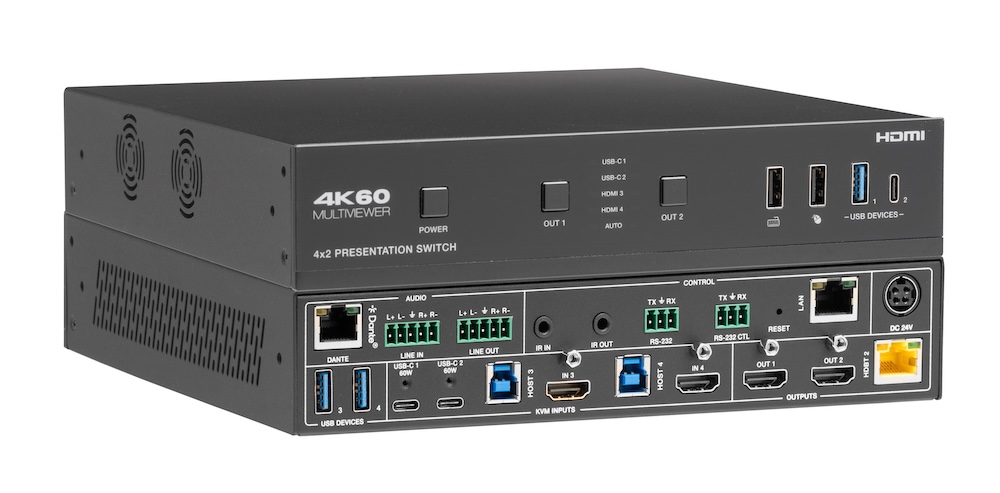
Laptops at the table need video, power, USB and network. Put that on one USB-C input at the switch rather than an HDMI cable and a bag of adapters.
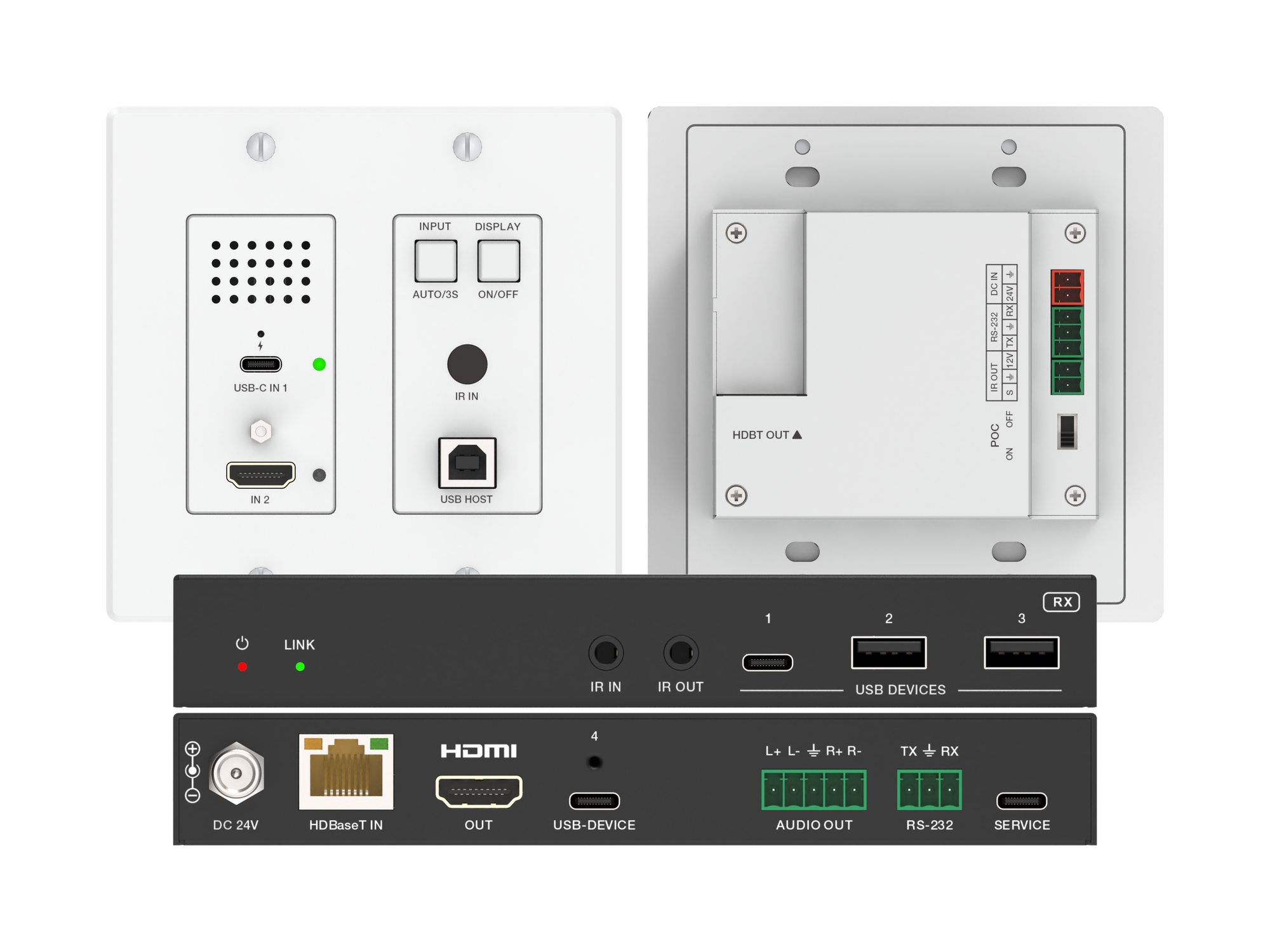
How one 2-gang wall-plate carries laptop video, USB camera and mic, and 60W charging to a distant display over a single CAT6/6A run.
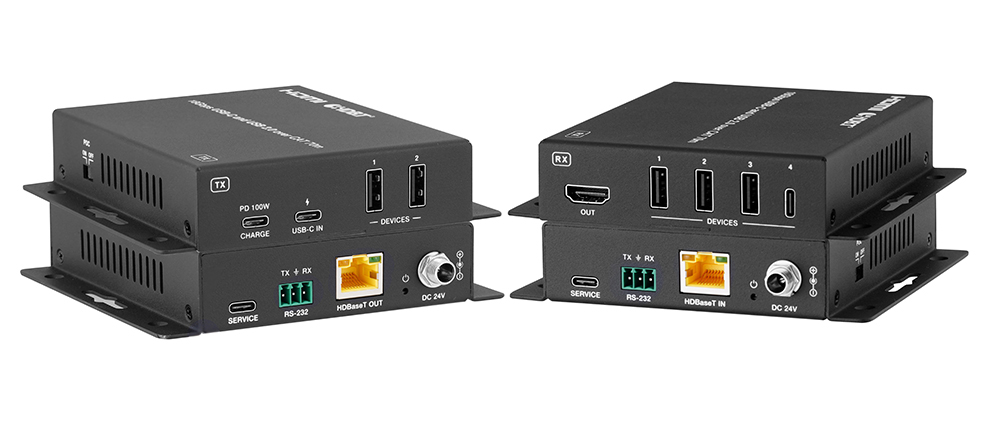
A BYOD room gets designed around the display, the room camera, and the network — and then the actual connection between the laptop and all of it is…
KanexPro sells direct to dealers, resellers, installers and integrators, and through distribution. Whichever way you buy, the same engineers answer the phone.
The trade store: your own account, live stock, reordering, and a first look at new products.
Go to the trade store →Distribution and authorised resellers across the US and beyond.
See where to buy →Design help on extenders, matrix and AV over IP before you spec it.
Ask an engineer →