Small Meeting Rooms Don't Need a Separate Audio or Control Processor
In a small meeting room, a presentation switcher with a built-in audio matrix and display control can replace the separate DSP and control processor.


In a security operations room, a sports bar, a retail or QSR floor, a boardroom and lobby, a worship hall with overflow, or a high-end residential media room, the same three needs keep landing on one rack: route any source to any display, tile several displays into a wall, and show every input at once on a confidence or preview screen. Historically that meant a matrix switcher, a separate video-wall processor and a separate multiviewer, cabled together and each with its own control method.
That stack costs rack space, adds three points of failure and three control integrations, and the joints between the boxes are where black-screen glitches and re-sync delays show up on a switch. When the audio also has to leave the video path — to a house amplifier, a DSP or a zoned system — an outboard de-embedder gets bolted on as well.
For mid-market rooms that do not need a modular chassis-and-card platform, that is a lot of hardware to specify, mount and program for what is conceptually one job.
The MMX-4X4VWMV consolidates seamless 4×4 matrix routing, a video wall and a multiviewer into one 1U chassis. It routes four HDMI 2.0 sources to four displays at 4K@60Hz 4:4:4 across a 594MHz / 18Gbps path with HDCP 2.2, scaling each source individually and switching without a black-screen or re-sync gap. It handles resolutions from 480i up to 4K2K at 60Hz, with color spaces RGB, YCbCr 4:4:4, 4:2:2 and 4:2:0.
Video-wall mode offers nine splicing modes with bezel compensation adjustable 0–10 horizontal and vertical; multiviewer mode offers twelve layouts including PIP, dual, triple and quad. A built-in 4×4 IR matrix follows the HDMI routing so source control travels back from the display side.
The audio stage is the differentiator: four optical S/PDIF and four analog L/R outputs de-embed HDMI source audio to a house amplifier or DSP, and four analog L/R inputs embed a local source onto an HDMI signal, replacing a separate de-embedder. Three ext-audio routing modes — Bind to Input, Bind to Output and Audio Matrix — decide how that audio follows the video. The unit draws 25W maximum and is driven from the front panel, IR remote, RS-232, TCP/IP and a built-in Web GUI, with CEC for display power and advanced EDID management.
A dispatch centre feeds four source PCs into the matrix and drives a 2×2 monitor wall while a supervisor's confidence display runs a 12-window multiview of all four inputs. Seamless switching means operators never see a black-screen glitch during a source change, and the RS-232 and TCP/IP control ties into the room's control processor.
Four set-top or streaming sources feed screens across the venue, and the bartender switches any source to any display from the Web GUI on a tablet. The per-output analog L/R and optical S/PDIF breakout sends each zone's audio to a distributed amplifier, so the chosen game's commentary plays in the right zone without an outboard de-embedder in the chain.
A 2×2 video wall runs a spliced menu-board image while the same chassis routes a fourth source to a separate promo screen at the counter. The nine splicing modes cover both the regular 2×2 and irregular layouts for oddly-shaped arrays, and CEC powers the panels on and off on schedule.
In the boardroom the unit acts as a straight 4×4 seamless matrix routing laptops and room PCs to dual displays; the lobby draws from the same box in multiview to show four building or campus feeds at once. TCP/IP control lets the room's control system call presets — up to eight are saveable — and audio de-embedding feeds the ceiling-speaker DSP.
The program feed, a lyrics and graphics PC, a camera and a recorded-media player enter the matrix; the main hall shows the program while an overflow room shows a multiview of program plus lyrics. An analog L/R audio input lets a mixed audio bed be embedded onto an HDMI signal, and an optical output feeds the sanctuary sound system.
A luxury media room runs a four-panel wall in 2×2 for cinema and reconfigures to a four-source multiview for simultaneous sports on game day, all from an in-wall touch panel over IP. The 25W draw and metal enclosure suit an enclosed AV cabinet, and the audio breakout hands off to the home's separate amplifier.
HDMI cable length is tied to the resolution you run, so match the run to the mode each display will carry:
Beyond those runs, plan for an extender rather than passive cable.
The supplied leads are short accessory cables, not transmission runs: the IR wideband receiver cable and IR blaster cable are each 1.5 m, and the RS-232 serial cable is 1.5 m. Power is a 12V/2.5A locking adapter fed by AC 100–240V, 50/60Hz, drawing 25W maximum; a GND terminal bonds the housing to ground and surge protection is recommended. The chassis is 17.32 x 7.99 x 1.75 in (440 x 203 x 44.5 mm) and weighs 5.62 lbs (2.55 kg), full-rack-width with the supplied mounting ears.
No. Switching is seamless with individual per-source scaling and no frame loss on transition, so operators do not see a black-screen or re-sync gap when an input is reassigned.
Yes. Four optical S/PDIF outputs and four analog L/R outputs de-embed HDMI source audio to an amplifier or DSP, with the analog output supporting balanced audio up to 2Vrms or unbalanced. Note that embedded audio cannot be extracted to the AUDIO OUT ports: if an input's audio is set to EMBED it will not appear there, so on the Web GUI Audio page confirm the ext-audio channel is enabled and set to the correct mode.
Connect the TCP/IP (RJ45) port to a PC or router with a CAT cable and put the PC on the same network segment. RS-232 and the Web GUI become available a few minutes after power-on. The default IP address is 192.168.0.100; press INFO on the IR remote or send r ip addr! over RS-232 to confirm the current address, and note that when DHCP is on the router assigns the address and the static fields cannot be edited.
A built-in 4×4 IR matrix follows the HDMI routing. Put a blaster cable on the IR OUTPUT near the source and a receiver cable on the IR INPUT near the display, and control reaches whichever source is currently assigned to that output. If the front IR window is blocked, plug a receiver cable into IR EXT.
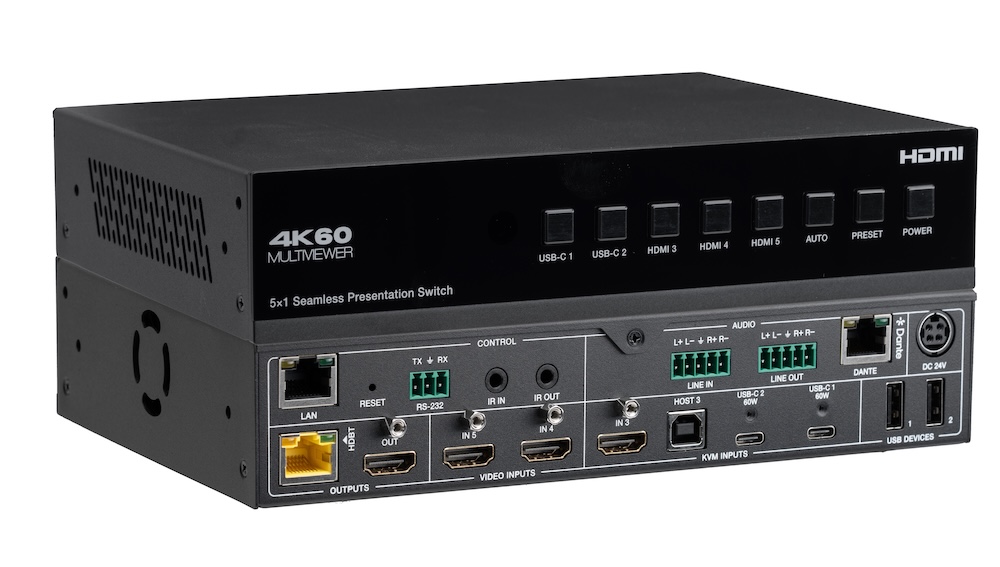
In a small meeting room, a presentation switcher with a built-in audio matrix and display control can replace the separate DSP and control processor.
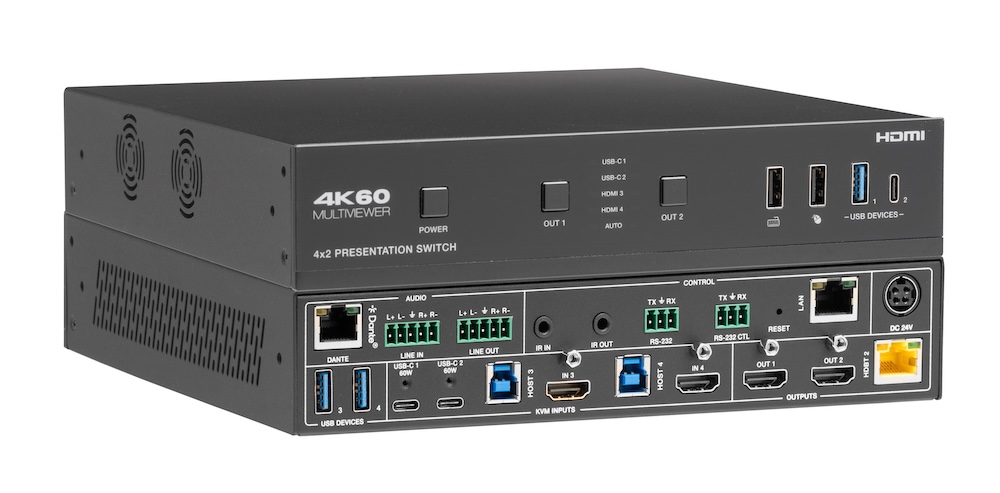
Laptops at the table need video, power, USB and network. Put that on one USB-C input at the switch rather than an HDMI cable and a bag of adapters.
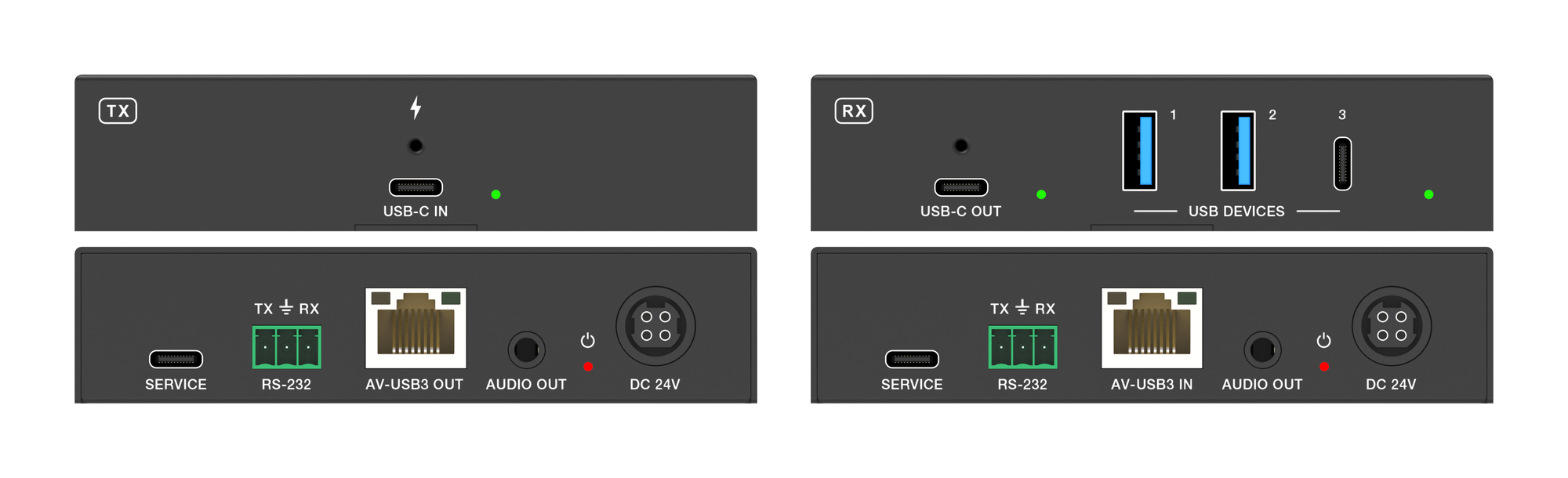
How to carry USB-C video, touch return, USB 3.2 data and 100W charging from a laptop to an interactive panel over one CAT6a cable up to 40m.
KanexPro sells direct to dealers, resellers, installers and integrators, and through distribution. Whichever way you buy, the same engineers answer the phone.
The trade store: your own account, live stock, reordering, and a first look at new products.
Go to the trade store →Distribution and authorised resellers across the US and beyond.
See where to buy →Design help on extenders, matrix and AV over IP before you spec it.
Ask an engineer →