One USB-C Cable at the Table for Video, USB Devices and 60W Charging
How one 2-gang wall-plate carries laptop video, USB camera and mic, and 60W charging to a distant display over a single CAT6/6A run.


Choosing and installing the right cables is essential for the performance of AV projects in homes and businesses nowadays. Choosing the correct AV cables and extenders for your conference rooms, control centers, digital signs, and home theaters will make sure that the signals stay strong, work well, and keep your clients happy for a long time. Here are some important AV wiring instructions that all professional installers should follow. They include advice on how to use contemporary HDMI, USB, SDI, and DisplayPort solutions.
There are limits to how far standard HDMI cables can go. If you want to keep the quality of your signal without losing it or having any latency, you need an HDMI Extender for longer runs.
• For displays with ultra-high definition, use HDMI Extender 4K or 4K HDMI Extender.
• Choose extenders that work with HDR, EDID management, and HDCP.
• Always make sure that the extender's bandwidth rating matches what your display needs.
Extenders make installations cleaner and performance more reliable in business and professional settings.
Fiber HDMI Extenders are the best choice when installations go beyond what copper can handle or need to be resistant to EMI.
• Why pick the Fiber HDMI Extender?
• Works over very large distances.
• Not affected by electromagnetic interference
• Great for hospitals, TV stations, and factories
Fiber-based HDMI ensures the clear transmission of 4K signals over extended distances.
An HDMI Cat 6 Extender lets HDMI signals travel over regular Cat6 cables. This lowers installation costs and makes the system more flexible.
Best ways to do things:
• Use Cat6 cable with a strong core that is of good quality.
• Stay away from tight corners and electrical noise
• Before final mounting, verify the integrity of the test signal.
This fix works excellent for workplaces, classes, and business AV installations.
If you choose the right ones, 100 Ft HDMI cables may make installations easier. HDMI Cables may make installations easier.
Tips for installers:
• For lengthy lengths, use HDMI cables that are active or directional.
• Check to see what kind of active power cables you need.
• Don't use adapters or couplers that you don't need.
Extenders are a better choice for distances longer than 100 feet.
When you want to expand current cable runs without having to draw new wires, HDMI Cord Extenders are the best choice.
• HDMI cord extenders are ideal for interim setups and AV systems that require flexibility.
• Make sure the resolution and refresh rate are compatible.
• To avoid signal loss, keep extension points to a minimum.
Cameras, touch panels, keyboards, and control systems all need to be able to connect to USB.
• For sending USB signals over excellent distances, use a USB Cat6 Extender.
• When power and distance go beyond USB restrictions, use an Active USB Extension Cable.
• These solutions are necessary for video walls, conference rooms, and interactive AV spaces.
Signal conversion is often needed in professional video settings.
• The best way to link broadcast cameras to HDMI monitors is with SDI to HDMI converters.
• HDMI-to-SDI converters let consumer devices work with SDI processes.
• Before you install, make sure that the resolution, frame rate, and signal format are all compatible.
When using current workstations and professional monitors, an Active DisplayPort Cable ensures seamless data transmission over longer distances.
Some benefits are
• The cable supports high resolutions and refresh rates.
• Less signal loss of signal
• Works well in business and design settings
Choosing the correct cabling and extension options for each situation is key to a successful AV installation. When you install HDMI extenders, fiber solutions, USB extenders, or SDI converters, good planning and high-quality parts are very important.
Professional installers may make AV systems that meet today's high standards by following these AV cabling suggestions. These systems will last for a long time.
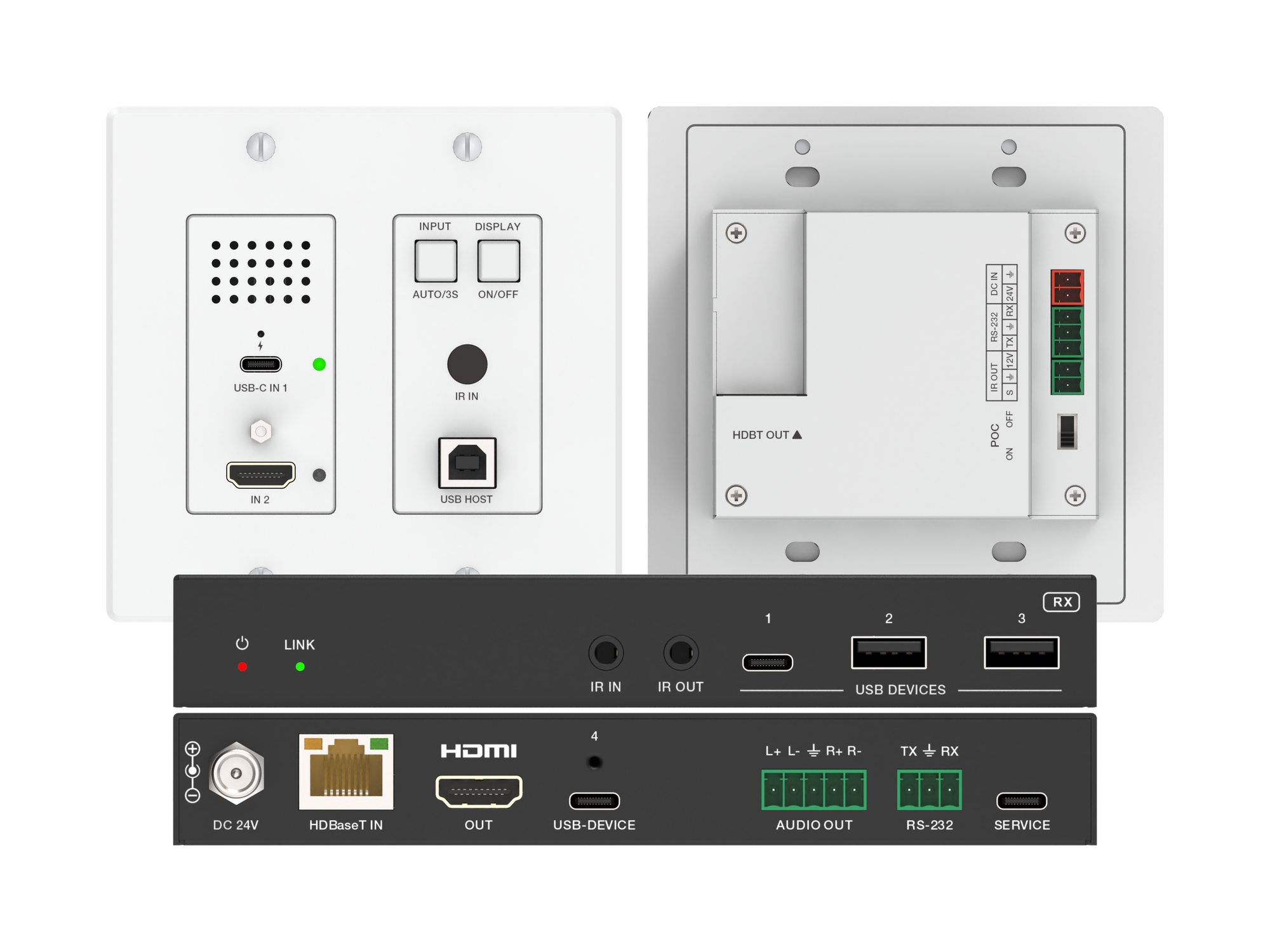
How one 2-gang wall-plate carries laptop video, USB camera and mic, and 60W charging to a distant display over a single CAT6/6A run.
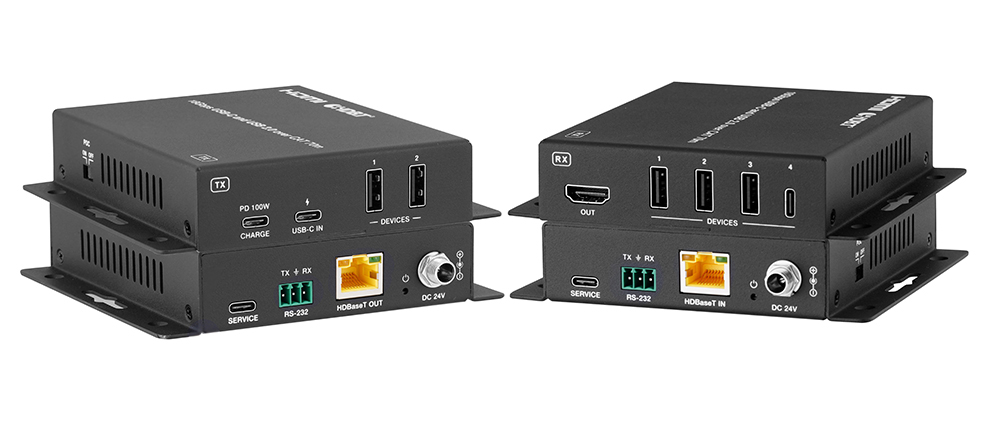
A BYOD room gets designed around the display, the room camera, and the network — and then the actual connection between the laptop and all of it is…
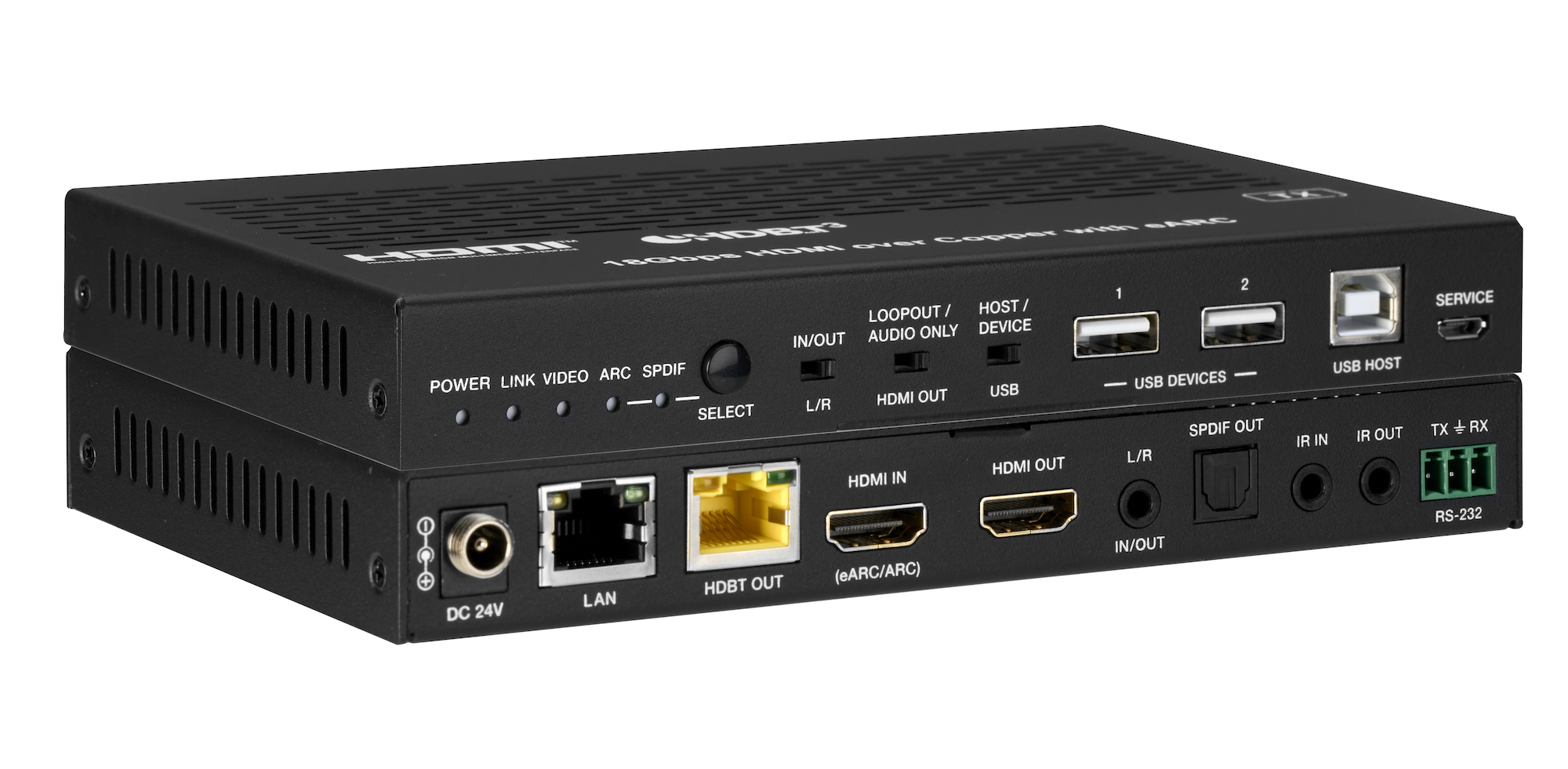
How the EXT-HDBT3ARC-TX carries 4K60 video out to the display and brings eARC audio back down the same CAT6A cable, with USB 2.0, Gigabit Ethernet…
KanexPro sells direct to dealers, resellers, installers and integrators, and through distribution. Whichever way you buy, the same engineers answer the phone.
The trade store: your own account, live stock, reordering, and a first look at new products.
Go to the trade store →Distribution and authorised resellers across the US and beyond.
See where to buy →Design help on extenders, matrix and AV over IP before you spec it.
Ask an engineer →