One USB-C Cable at the Table for Video, USB Devices and 60W Charging
How one 2-gang wall-plate carries laptop video, USB camera and mic, and 60W charging to a distant display over a single CAT6/6A run.



You've got a great display on the other side of the room or maybe even the other side of the building and you need crystal-clear video to reach it. A standard HDMI cable just isn't going to cut it past 50 feet. So what do you do?
That's exactly where an HDMI extender over Cat6 comes in, and once you understand how it works, it's hard to imagine going back to wrestling with bulky, expensive specialty cables.
This is the first question most people ask, and it's a fair one. HDMI cables are great for short runs. But HDMI is a high-bandwidth digital signal, and physics doesn't play nice when you try to push it over long copper cable runs. At around 50 feet (15 meters), you start to see signal degradation. Go beyond that, and you're looking at flickering, dropouts, or a completely blank screen.
The signal simply loses integrity over distance. And yes, you can buy "active" HDMI cables that stretch a bit further, but they're stiff, expensive, hard to route through walls, and still top out around 100 feet.
Cat6 cable, on the other hand, is a completely different story.
Here's the simple version: an HDMI extender kit consists of two small boxes, a transmitter (TX) and a receiver (RX). You plug your HDMI source (a laptop, media player, Blu-ray, etc.) into the transmitter, connect the two units with a Cat6 or Cat6a cable, and plug the receiver into your display. That's it.
But what's actually happening inside those boxes is pretty clever. The transmitter converts the HDMI signal which includes video, audio, and HDCP (copy protection data) into a format that can travel reliably over twisted-pair network cable. The receiver at the other end converts it back into a clean HDMI signal that your display can understand.
This process relies on a technology called HDBaseT, which is the professional standard for extending HDMI and other AV signals over Cat cables. HDBaseT is what separates a solid, reliable professional extender from a cheap consumer dongle that barely lasts a year.
HDBaseT can carry:
• Uncompressed HD and 4K video
• Multi-channel audio (including surround formats)
• Control signals (RS-232, IR passthrough)
• USB (on supported units)
• Even power over the cable (PoC — Power over Cable), which means fewer wall adapters to deal with
It's a lot of technology packed into a small box, and when it's implemented well, the result is indistinguishable from a direct HDMI connection.
This is the number everyone wants to know, and the answer depends on the technology being used.
With a standard HDBaseT extender over Cat6, you can reliably run up to 100 meters (328 feet). That covers most real-world installations — conference rooms, classrooms, hotel lobbies, retail displays, and even large residential installs.

A few things that affect maximum distance:
Cable quality matters. Cat6 is the recommended minimum for HDBaseT at full distance. Cat6a (augmented) offers even better performance, especially at higher resolutions. Avoid Cat5e for long runs if you're pushing 4K content.
Resolution affects range. Running 1080p? You'll hit close to the full 100 meters without issue. Running 4K@60Hz with HDR? Some extenders may have a shorter effective range depending on their signal processing, so always check the spec sheet.
Cable termination quality counts. A poorly crimped connector or a cable with too many sharp bends can introduce signal loss even over a short run. Clean, professional installation makes a real difference.
For runs beyond 100 meters, you're looking at either fiber-based extenders or AV over IP solutions — both of which KanexPro also offers for large-scale or campus-wide deployments.
HDMI extenders over Cat6 show up in a surprising number of places once you start looking.
Corporate offices use them to push presentations from a single source PC to displays in conference rooms, reception areas, or digital signage throughout a building — without running messy HDMI cables through every wall.
Classrooms and lecture halls rely on them so instructors can connect from a podium or lectern to a projector or display screen at the front of the room, often 50–80 feet away, without any visible cable runs across the floor.
Houses of worship use them to extend feeds from the main stage or pulpit to side screens, lobby monitors, and overflow rooms — all from one clean Cat6 run that's already in the walls.
Hospitality environments like hotels and restaurants use them for lobby signage, bar displays, and in-room entertainment systems where the source equipment is locked in a back-of-house rack.
Home theater setups use them when the AV rack is in a closet or equipment room and the display is on the wall across the room — or even in another room entirely.
The beauty of Cat6 is that it's already everywhere. If your building was wired in the last 20 years, there's a good chance Cat6 runs to every room. An HDMI extender lets you repurpose that existing infrastructure instead of running new specialty cable.
Not all extenders are created equal. Here's what actually matters when you're making a buying decision.
Resolution support. If you're working with 4K displays and most modern displays are make sure the extender supports 4K@60Hz with 4:4:4 chroma sampling, not just 4K@30Hz. The difference in motion clarity and color accuracy is noticeable, especially for video content.
HDCP compliance. If you're distributing content from streaming devices, Blu-ray players, or any source with copy protection, your extender needs to handle HDCP 2.2 (for 4K content) and HDCP 1.4. An extender that fumbles HDCP handshakes will leave you with a blank screen and a support headache.
HDR support. High Dynamic Range content is increasingly common, and if your source and display support it, you want an extender that passes HDR metadata through cleanly including HDR10 and Dolby Vision where applicable.
IR and control passthrough. Most professional extenders include IR (infrared) passthrough, which lets you control the source device from the display end using a remote. This is invaluable in installs where the source equipment is in a rack room away from the end user.
Power over Cable (PoC). This feature lets one end of the extender power the other over the Cat6 cable, eliminating the need for a power adapter at the remote receiver end. It's a small thing that makes installations significantly cleaner.
Build quality and brand reliability. Budget extenders from no-name brands might work fine for a week. Professional installs need gear that runs 24/7 for years without issues.
KanexPro has been building professional AV infrastructure for over a decade, and our extender lineup reflects real-world install experience, not just spec sheets. Our HDMI and HDMI Pro extenders are built around HDBaseT technology, supporting resolutions up to 4K@60Hz, full HDCP 2.2 compliance, and reliable performance over runs up to 100 meters.
Whether you're installing a single-room setup or distributing signal across an entire venue, KanexPro's extender range scales with your project. And because we specialize in AV integration — not just individual products — our extenders are designed to work seamlessly alongside our matrix switches, splitters, and AV over IP systems when your project grows beyond a simple point-to-point run.
Our HDMI Pro extenders add features like Power over Cable, bidirectional IR, RS-232 serial control, and in some models, HDBaseT Class A performance for the most demanding 4K installations.
Before you buy and install, run through this:
1. Measure your actual cable run distance — add extra for routing around walls, through conduit, etc.
2. Confirm your source and display resolution requirements (1080p vs. 4K, HDR or not).
3. Check whether you need HDCP 2.2 (required for 4K streaming/Blu-ray content).
4. Decide if you need IR passthrough for remote control at the display end.
5. Check the cabling in your walls — Cat6 is ideal, Cat6a is better for long 4K runs.
6. Consider power: does your installation allow for a power adapter at the receiver, or do you need PoC?
Answer those six questions and you'll be able to narrow down exactly which extender fits your project.
Q1: What is an HDMI extender over Cat6?
A device that sends HDMI signal over Cat6 cable instead of short HDMI cables.
Q2: How far can it reach?
Up to 100 meters (328 feet) over a single Cat6 cable.
Q3: Does it support 4K?
Yes, quality extenders support 4K@60Hz with full HDCP 2.2.
Q4: Do I need separate cables for audio?
No. One Cat6 cable carries video, audio, and control signals together.
Q5: Can I use my existing Cat6 wiring?
Yes. Just plug in- no new cabling needed.
An HDMI extender over Cat6 is one of those AV solutions that genuinely solves a problem most people don't realize has such a clean answer. Instead of expensive specialty cables, awkward workarounds, or poor signal quality, you get a clean, professional run of up to 100 meters using cable that's likely already in your walls.
The key is choosing hardware built for professional use gear that handles HDCP correctly, passes 4K signals cleanly, and keeps running without issues month after month.
That's exactly what KanexPro's extender lineup is designed to do.
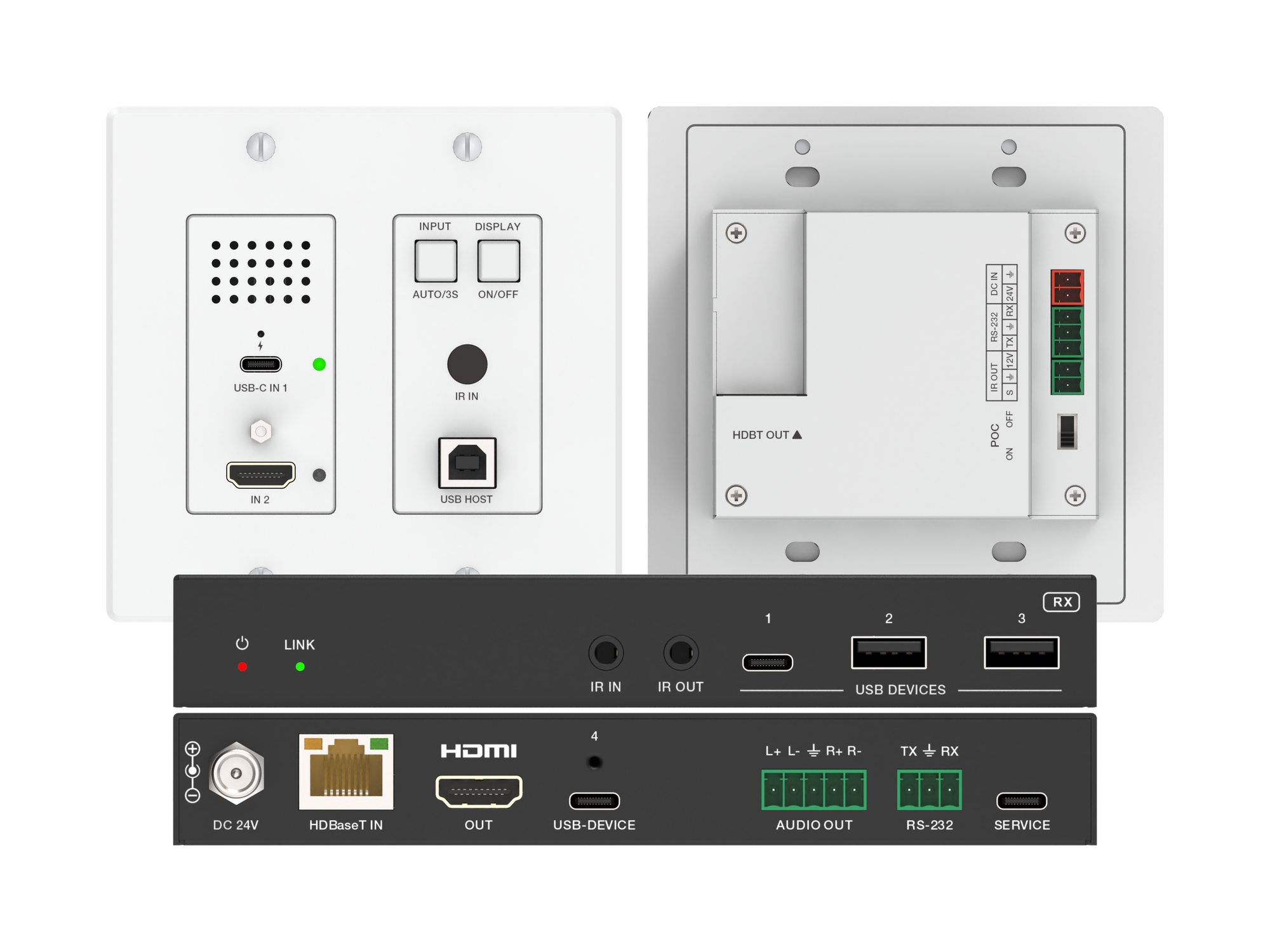
How one 2-gang wall-plate carries laptop video, USB camera and mic, and 60W charging to a distant display over a single CAT6/6A run.
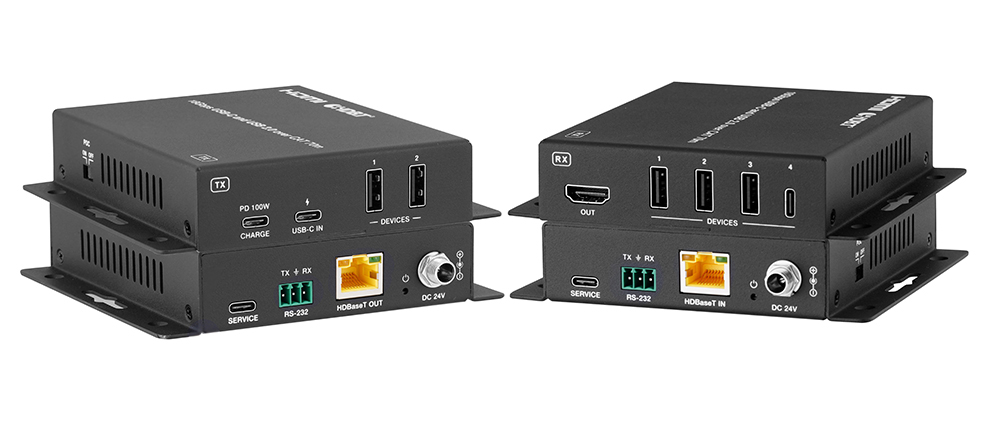
A BYOD room gets designed around the display, the room camera, and the network — and then the actual connection between the laptop and all of it is…
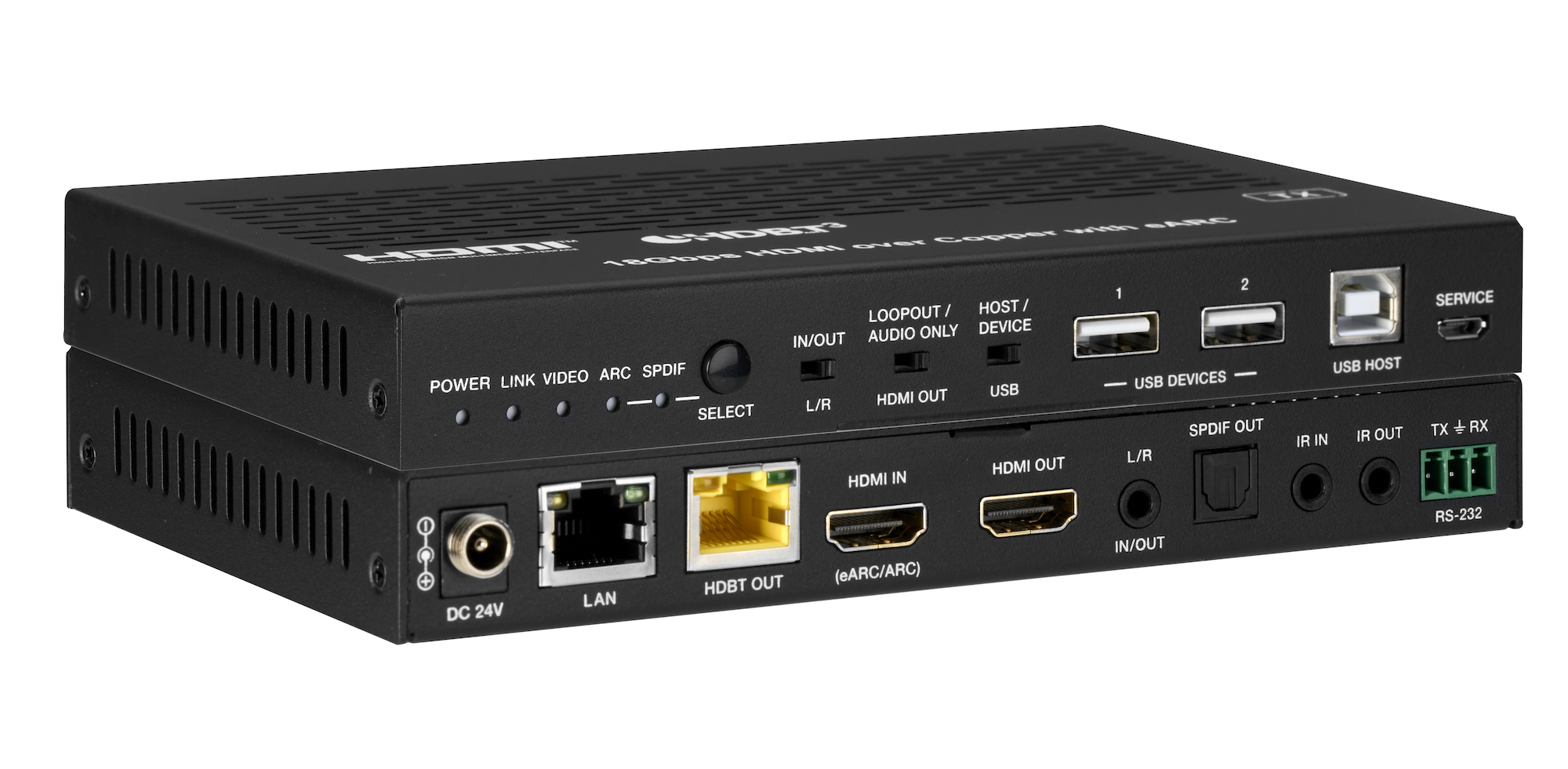
How the EXT-HDBT3ARC-TX carries 4K60 video out to the display and brings eARC audio back down the same CAT6A cable, with USB 2.0, Gigabit Ethernet…
KanexPro sells direct to dealers, resellers, installers and integrators, and through distribution. Whichever way you buy, the same engineers answer the phone.
The trade store: your own account, live stock, reordering, and a first look at new products.
Go to the trade store →Distribution and authorised resellers across the US and beyond.
See where to buy →Design help on extenders, matrix and AV over IP before you spec it.
Ask an engineer →