One USB-C Cable at the Table for Video, USB Devices and 60W Charging
How one 2-gang wall-plate carries laptop video, USB camera and mic, and 60W charging to a distant display over a single CAT6/6A run.


In today's digitally connected world, audio-visual systems have become an essential part of homes, offices, conference rooms, and entertainment setups. But as our demand for high-resolution displays and longer cable runs increases, so do the challenges of maintaining signal quality. This is where an HDMI extender becomes incredibly useful.
If you are dealing with signal loss or need to connect your devices over longer distances, understanding what an HDMI extender is and how it works can be a game-changer. In this comprehensive guide, we will explain everything you need to know about HDMI extenders, their types, use cases, and how to choose the right one for your AV setup.
What Is an HDMI Extender?
An HDMI extender is a device designed to transmit HDMI signals over long distances without compromising on video or audio quality. Standard HDMI cables work well for short runs (up to about 50 feet), but over longer distances, signal degradation can occur. HDMI extenders solve this problem by using other types of cables, such as Cat5e/6 Ethernet, Fiber Optic, or even wireless technology, to transmit signals much farther.

These extenders usually come in pairs: a transmitter connected to the source (like a Blu-ray player, PC, or gaming console) and a receiver connected to the display (like a TV or projector). The two are connected via a medium that can carry the HDMI signal over long distances.
Why Use an HDMI Extender?
Here are the top reasons to use an HDMI extender:
Long-Distance Transmission: Easily transmit HDMI signals up to 100m (328 ft) or more.
Preserve 4K Quality: Ideal for 4K UHD content with zero signal loss.
Flexible Installation: Perfect for wall-mounted TVs, ceiling projectors, or multi-room AV setups.
Clean Cable Management: Use slim Ethernet or fiber cables instead of thick HDMI cables.
Types of HDMI Extenders
Understanding the different types of HDMI extenders helps you choose the one that suits your setup best.
1. Ethernet HDMI Extender (Cat5e/Cat6)
This type of extender transmits HDMI over Cat5e or Cat6 Ethernet cables. It's cost-effective and easy to install, making it ideal for residential and office use. They typically support distances up to 100m.

Best for: Short to medium range with good quality.
Pros: Affordable, easy to install, widely available.
Cons: Not ideal for very long runs or 4K at high frame rates.
2. Fiber HDMI Extender
A Fiber HDMI Extender transmits signals over fiber optic cables. It's the best option for long-distance transmission (up to 10 km in some cases) while maintaining ultra-high-definition (UHD) signal quality.
Best for: Professional AV installations, stadiums, control rooms.
Pros: Superior quality, no interference, massive distances.
Cons: Higher cost, complex installation.
3. HDMI over Coaxial Extender
Less common, these extenders send HDMI signals over a coaxial cable. They're typically used in legacy setups or where coaxial wiring already exists.
4. Wireless HDMI Extender
Perfect for temporary setups or places where running cables is not possible. These can transmit HDMI signals wirelessly up to 30m (100 ft), depending on the model.
Best for: Home theatres, rental setups, and small conference rooms.
Pros: No cabling required, plug and play.
Cons: Prone to interference, limited distance.
How to Set Up an HDMI Extender
Setting up an HDMI to Extender system is usually simple. Here's a basic step-by-step guide:
1. Connect the transmitter to your HDMI source device (e.g., PC or Blu-ray player).
2. Connect the receiver to your HDMI display (e.g., TV or monitor).
3. Link the transmitter and receiver using your chosen cable (Ethernet, fiber, or coax).
4. Power both devices using the included adapters or PoE (Power over Ethernet), if supported.
5. Switch on the devices, and you should see your source mirrored on the extended display.
Key Features to Look for in an HDMI Extender
When choosing the best HDMI extender for your needs, consider the following features:
When Should You Use a Fiber HDMI Extender?
A Fiber HDMI Extender is particularly suitable in the following situations:
1. You need zero signal loss over extremely long distances.
2. Your setup involves high electromagnetic interference (like industrial environments).
3. You're managing mission-critical AV content (like medical or broadcast applications).
Although fiber HDMI extenders have a higher cost, they provide superior performance and reliability
HDMI Extender vs. HDMI Splitter: What's the Difference?
It's easy to confuse these two devices, but they serve different purposes:
HDMI Extender: Used to extend HDMI signals over longer distances.
HDMI Splitter: Used to send the same HDMI signal to multiple displays simultaneously.
If you are trying to reach a single display far away, use an extender. Choose a splitter if you are mirroring a single source to several TVs, or combine both if necessary!
Final Thoughts
An HDMI extender is a must-have tool for anyone looking to transmit high-quality audio-video signals over long distances without compromise. Whether you are setting up a home theater, a digital signage network, or a multi-room AV system, using the right HDMI extender, be it a fiber HDMI extender or a basic Cat6 solution, ensures that your setup remains clean, effective, and future-ready.
If you are planning to upgrade your AV infrastructure, do not overlook the importance of the right extender. Your 4K content, seamless presentations, and cable management depend on it! Contact us today to find the perfect HDMI extender solution tailored to your needs.
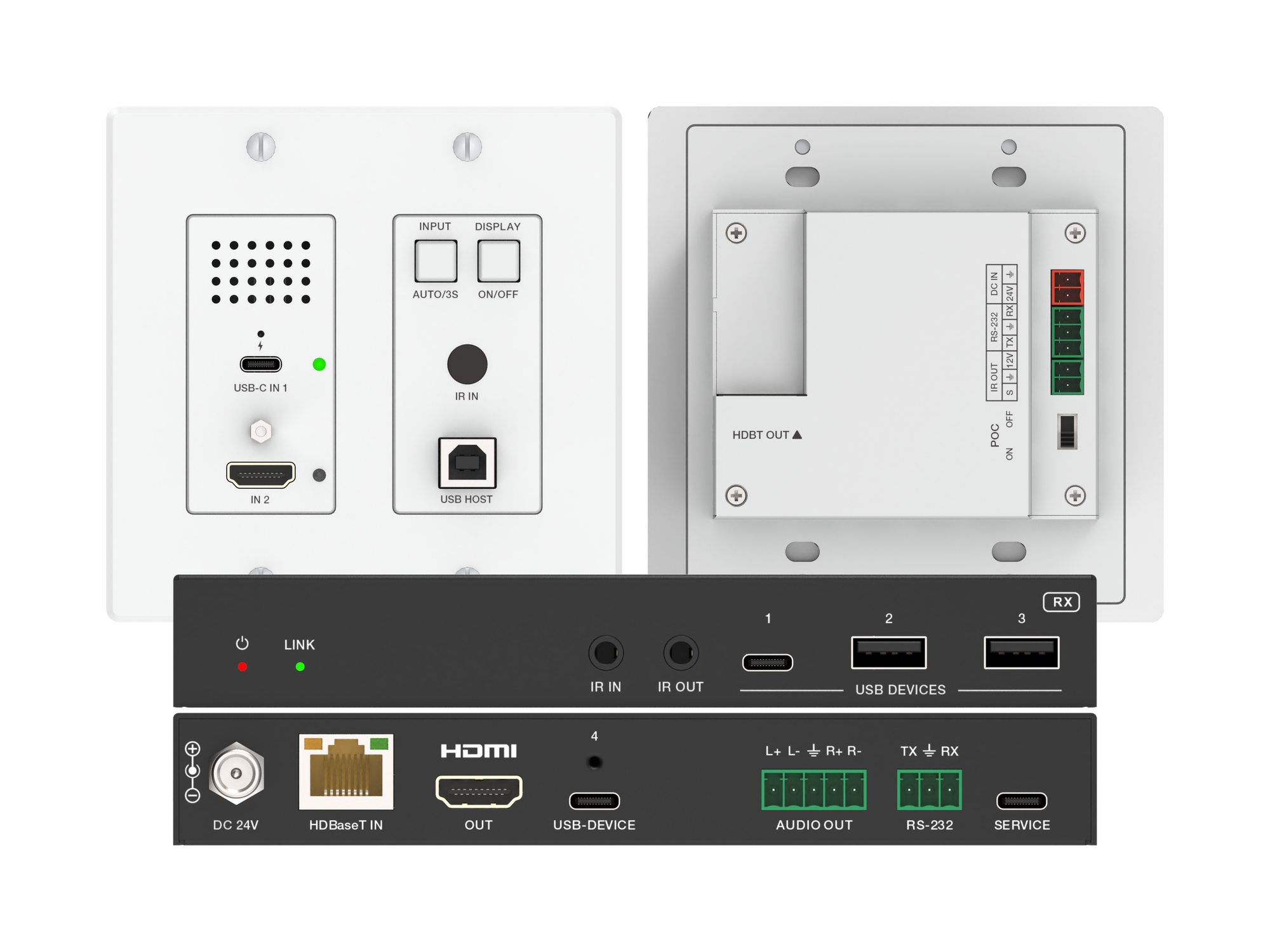
How one 2-gang wall-plate carries laptop video, USB camera and mic, and 60W charging to a distant display over a single CAT6/6A run.
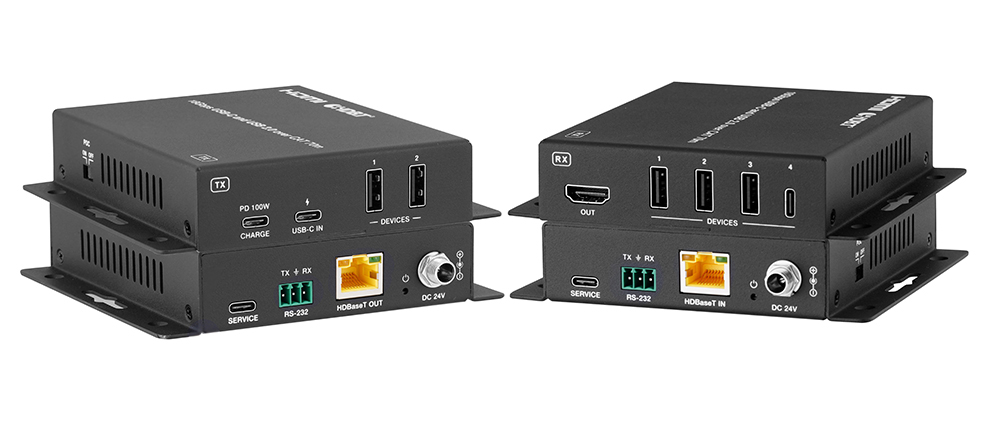
A BYOD room gets designed around the display, the room camera, and the network — and then the actual connection between the laptop and all of it is…
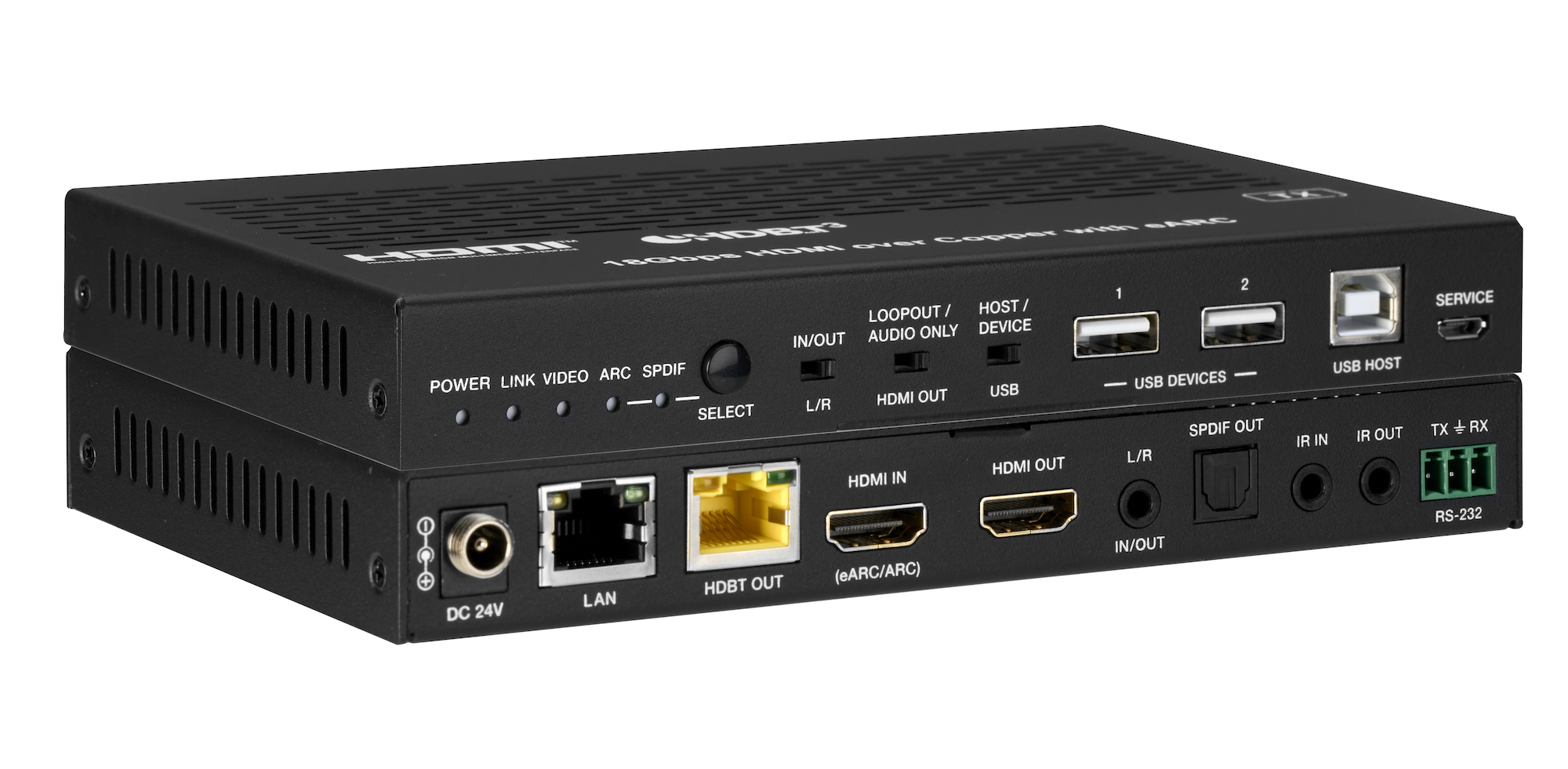
How the EXT-HDBT3ARC-TX carries 4K60 video out to the display and brings eARC audio back down the same CAT6A cable, with USB 2.0, Gigabit Ethernet…
KanexPro sells direct to dealers, resellers, installers and integrators, and through distribution. Whichever way you buy, the same engineers answer the phone.
The trade store: your own account, live stock, reordering, and a first look at new products.
Go to the trade store →Distribution and authorised resellers across the US and beyond.
See where to buy →Design help on extenders, matrix and AV over IP before you spec it.
Ask an engineer →