HDMI Converters & Splitters Guide: From Legacy Equipment to Modern Displays
Bridging analog video to HDMI displays? Expanding one source to multiple screens? Kanex Pro's guide covers component, composite, and DVI converters…


Do you want to share a single HDMI source between two screens without compromising the quality of the video? A 1x2 HDMI splitter is the best solution. Whether you're setting up a home theatre, gaming station, or office presentation system, you can quickly duplicate your display with an HDMI Splitter 1x2. This guide will cover everything you need to know, from features and benefits to installation tips.
What is a 1x2 HDMI Splitter?
A 1x2 HDMI Splitter is a device that takes one HDMI input (like a laptop, gaming console, or Blu-ray player) and outputs it to two separate displays simultaneously. This is perfect for situations where you want to display duplicate content on multiple screens without the need for additional devices.
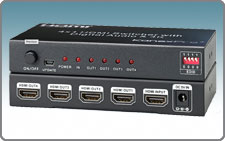
Key Features
Most modern HDMI splitters support HD resolutions, including Full HD (1080p) and Ultra HD (4K).
The Plug & Play Setup feature makes installation simple and eliminates the need for complicated software.
The device is broadly compatible, working with TVs, projectors, monitors, and AV receivers.
Here are the top benefits of using an HDMI Splitter 1x2:
1. Dual Display Convenience – Mirror your content on two screens at once.
2. Perfect for Business & Home – Great for presentations, sports bars, and home theaters.
3. Cost-Effective Solution – You do not need multiple media players or streaming devices.
To connect your 1x2 HDMI splitter, simply follow these steps:
1. Attach the input device:Connect your HDMI source (such as a laptop, game console, etc.) to the input port on the splitter.
2. Join Two Screens: Connect your TVs or monitors to the two HDMI output ports on the splitter.
3. Turn the splitter on: If necessary, use the power adapter that is supplied.
4. Savor a Smooth Display: Now, there should be no lag or loss of quality when the duplicate content appears on both of your screens.
No Signal on Second Screen: Verify the quality and length of the cable.
Resolution Mismatch: For optimal performance, set both screens to the exact resolution.
To avoid a black screen or flickering, ensure that, ensure that, ensure that your connections are secure and use high-speed HDMI cables.
Use HDMI 2.0 or later for 4K compatibility.
Cables should not be longer than 50 feet for optimal signal strength.
Always use a powered HDMI splitter for reliable performance.
A 1x2 HDMI splitter is a reliable and affordable way to share one HDMI source between two displays. An HDMI splitter 1x2 makes it easy to copy high-quality video for work or play.
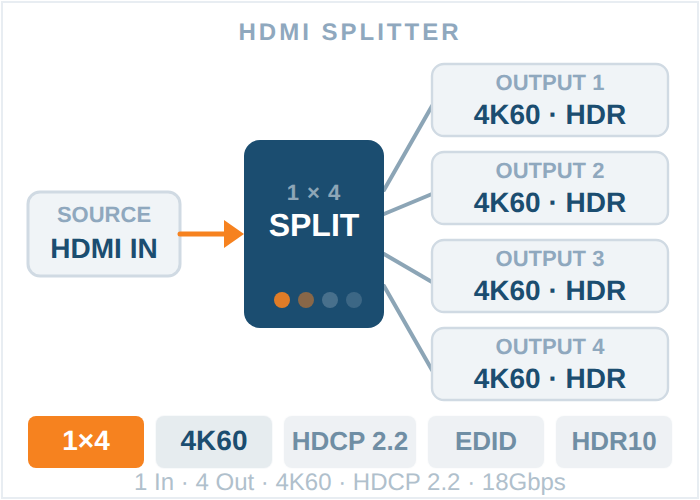
Bridging analog video to HDMI displays? Expanding one source to multiple screens? Kanex Pro's guide covers component, composite, and DVI converters…
If your source device outputs through a red, green and blue RCA trio, you need a component to HDMI converter. A single yellow RCA means a composite…
An HDMI distribution system moves video from sources to displays. Which topology you need comes down to three numbers: how many sources, how many…
KanexPro sells direct to dealers, resellers, installers and integrators, and through distribution. Whichever way you buy, the same engineers answer the phone.
The trade store: your own account, live stock, reordering, and a first look at new products.
Go to the trade store →Distribution and authorised resellers across the US and beyond.
See where to buy →Design help on extenders, matrix and AV over IP before you spec it.
Ask an engineer →