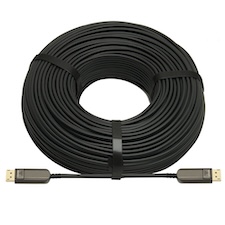
Compatibility: Displays, Cables & Control Systems
RS-232 differs by product: most KanexPro Collaboration models default to 115200 baud on a 3-pin Phoenix; only the VW-SP1X44K has a 9-pin D-sub.


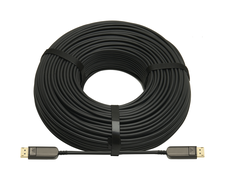 CBL-AOCDP8K-30M
8K DisplayPort 2.0 Active Optical Cable - 30M
40Gbps UHBR10 | 8K@60Hz | 4K@144Hz | AMD FreeSync® 2.0 | 3-Year Warranty
Product page →
The CBL-AOCDP8K-30M is a DisplayPort 2.0 UHBR10 active optical cable. It carries 40Gbps of uncompressed DisplayPort, with resolutions up to 8K@60Hz (7680×4320) and 4K@144Hz at 48-bit colour. Integrators use it in professional AV environments that need EMI immunity and a clean signal over longer runs than copper cable can handle. It draws its power from the DisplayPort source, so there are no wall adapters or repeaters to fit.
Applies to: CBL-AOCDP8K-30M, DisplayPort 2.0 active optical cable.
The cable follows the DisplayPort 2.0 UHBR10 standard, with 10Gbps per lane and 40Gbps in total. It supports a pixel clock of 810 MHz. It also carries:
8K@60Hz needs the full UHBR10 link, so the source and the display must both be DisplayPort 2.0 UHBR10 devices. The cable cannot add bandwidth that either end does not support. If one device is not UHBR10, the link will not reach 8K@60Hz. Check both devices' specifications before you promise 8K@60Hz to a customer.
No. The cable takes 3.3V from the DisplayPort source and uses less than 0.5W per end. Neither end needs an external supply. That means no power outlet is needed at the display, and there is no adapter to lose or unplug.
The cable is directional. Each connector is labelled SOURCE or DISPLAY. The SOURCE end must connect to the source and the DISPLAY end to the display. If the cable is reversed, it will not link. Mark this on the drawings for whoever pulls the cable, because the connector has to go in the right direction before the run is closed up.
The cable is a hybrid of four optical fibres and eight copper conductors. Four 850nm multi-mode VCSEL transmitters send the signal and four GaAs PIN receivers pick it up. The optical path is immune to EMI and RFI, which helps in ceilings and risers shared with power and other cabling. The outside diameter is 4.8mm. Keep the bend radius at 48mm or more and the pull below 300N. Both ends have a 20-pin DisplayPort male connector.
Operating temperature is 0°C to 50°C and storage temperature is -20°C to 80°C. Humidity must be between 5% and 85%, non-condensing. The cable has a 3-year KanexPro warranty.
| Standards | DisplayPort 2.0 / UHBR10 · HDCP 1.4 / 2.2 |
| Bandwidth | 10Gbps per lane · 40Gbps total |
| Max Resolution | 8K @ 60Hz (7680×4320) |
| Max Refresh (4K) | 4K @ 144Hz |
| Color Depth | 48-bit |
| Pixel Clock | 810 MHz |
| Power Source | Bus-powered from DisplayPort source (3.3V) |
| Power Consumption | <0.5W per end · No external supply required |
| Connector | 20-pin DisplayPort Male (both ends, directional) |
| Optical Technology | 4× 850nm Multi-mode VCSEL Tx · 4× GaAs PIN Rx |
| Cable Type | Hybrid: 4× optical fiber + 8× copper conductor |
| Cable OD | 4.8mm |
| Min Bend Radius | 48mm |
| Max Tensile Load | 300N |
| Operating Temperature | 0°C to 50°C |
| Length | 30 meters (98 ft.) |
KanexPro sells direct to dealers, resellers, installers and integrators, and through distribution. Whichever way you buy, the same engineers answer the phone.
The trade store: your own account, live stock, reordering, and a first look at new products.
Go to the trade store →Distribution and authorised resellers across the US and beyond.
See where to buy →Design help on extenders, matrix and AV over IP before you spec it.
Ask an engineer →