Downloading KanexPro software and firmware safely
How KanexPro checks firmware and software downloads, how to verify a file's SHA-256 fingerprint, what the Windows SmartScreen warning means, and…


KanexPro video wall controllers distribute a single source image across multiple displays, with each display rendering its assigned tile. This article covers display mode selection, bezel correction, and output rotation across all three video wall SKUs.
Select layout using the included IR remote or RS-232 commands. Available modes:
8 display modes selectable via front panel button or RS-232 SET VW_MODE x command (x = 1–8):
Switch between matrix mode and video wall mode via web GUI or RS-232. In video wall mode, choose 2×2 or 4×1 layout. Input source selection and layout are independently configurable.
Bezel correction compensates for the physical bezel of each display so the tiled image appears seamless across panels.
Tip: Use a test pattern (full-grid image or color gradient) across all outputs to verify bezel alignment before final installation.
The VW-HDUSBC1X4 supports 90° and 270° output rotation per port — useful for portrait-mounted displays in signage or command center walls.
All three controllers manage EDID (Extended Display Identification Data) internally. The controller presents a single EDID to the source that matches the target output resolution, preventing resolution mismatches when outputs have different display capabilities.
How KanexPro checks firmware and software downloads, how to verify a file's SHA-256 fingerprint, what the Windows SmartScreen warning means, and…
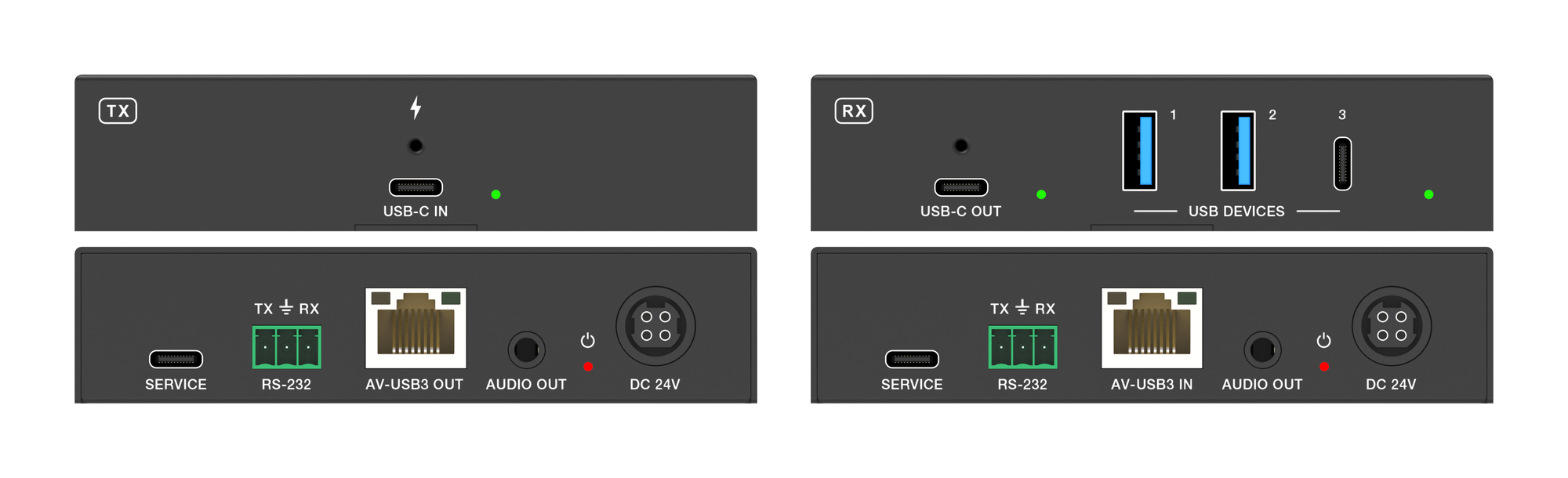
The EXT-USBC2C4K-40M carries USB-C video, USB 3.2 data, touch return and 100W charging up to 40m over one CAT6a cable at 4K.
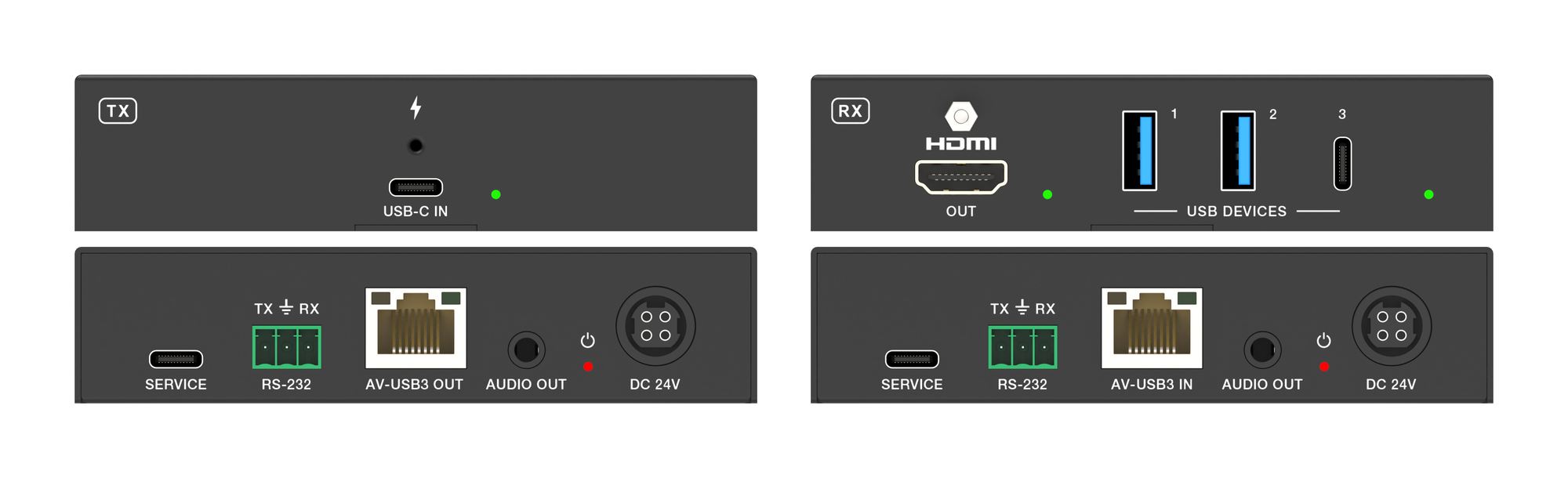
It carries 4K60 video, USB 3.2 data and up to 100W laptop charging from one USB-C port over a single CAT6a run, up to 40m at 4K.
KanexPro sells direct to dealers, resellers, installers and integrators, and through distribution. Whichever way you buy, the same engineers answer the phone.
The trade store: your own account, live stock, reordering, and a first look at new products.
Go to the trade store →Distribution and authorised resellers across the US and beyond.
See where to buy →Design help on extenders, matrix and AV over IP before you spec it.
Ask an engineer →