SW-5X1PS-70M Audio: Dante, Line Levels and the 3×3 Matrix
SW-5X1PS-70M mixes analog and Dante 2×2 audio in a 3×3 matrix with a 31-band EQ, 0–50ms delay and level on every output, as LPCM 2.0 at 48kHz.


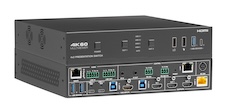 SW-4X2PS-70M
4×2 HDMI/USB-C 4K60 Seamless Presentation Switch with HDBaseT 3.0 Out (4K60 40m…
4K60 4:4:4 Multiview Switcher with USB-C 60W PD, USB 3.2 KVM, Dante® Audio & HDBaseT 3.0
Product page →
SW-4X2PS-70M
4×2 HDMI/USB-C 4K60 Seamless Presentation Switch with HDBaseT 3.0 Out (4K60 40m…
4K60 4:4:4 Multiview Switcher with USB-C 60W PD, USB 3.2 KVM, Dante® Audio & HDBaseT 3.0
Product page →
The SW-4X2PS-70M product page has a Demo button, next to Buy Direct. It opens a simulated SW-4X2PS-70M in your browser: the same box page and remote that RelayAV, KanexPro's control app, shows for a real switch. There is nothing to install and no sign-in. Nothing you do there reaches a real box, and Reset puts it back to the start. This article lists what to try and how each part maps to the real switch.
Applies to: SW-4X2PS-70M · Open the demo

The controls people use every day sit in one row: On / Standby for the switch, Screen On / Off for the display, and a volume slider with Mute. Put the switch in standby and the page shows one card to turn it back on, as a real room would.
The SW-4X2PS-70M has two outputs, HDMI out 1 and HDMI/HDBT out 2, and each has its own layout. Pick the output first, then a layout: Auto, Single, Dual side by side or top and bottom, picture-in-picture in any of the four corners, the Triple and Quad arrangements, and more under More layouts. Then tap a source for each window. The four sources are USB-C 1, USB-C 2, HDMI 3 and HDMI 4. With Live sources only on, a layout fills its windows with sources that have a picture.
A preset stores the whole setup: the layouts, the sources and the sound. Set the room up, tap Save current setup, then tap a numbered preset at any time to bring it all back. Rename / clear names or empties one.
Each output has Blank, which turns that screen's picture and sound off, and Freeze, which holds the picture while the presenter changes what is on the laptop. The receiver at the screen can show what the switch sends over HDBaseT (HDBT in) or a source plugged into the receiver itself (HDMI in).
The orange Remote button opens the same controls laid out like a handheld remote: screen and sound on top, then the output, the presets, the source buttons and the layouts, with Freeze and Blank at the bottom. It is sized for a phone.

Yes. Amy, the built-in Product Expert, answers questions about this switch: its specifications and wiring, the right setup for a classroom, huddle room or meeting room, and what to check when something is wrong. If you ask her to change something, she offers a Do it button, and nothing changes until you press it.
The controls come from the same command set RelayAV uses to run a real SW-4X2PS-70M, so the outputs, layouts, presets and picture controls behave the way they do on the box. The pictures are simulated. Installer settings such as EDID, HDCP and network setup are left out of the demo; on a real switch they are set once, on the switch's own setup page.
Use the Feedback button at the top of the demo. It goes straight to the KanexPro team, and you can leave an email address or phone number if you would like a reply.
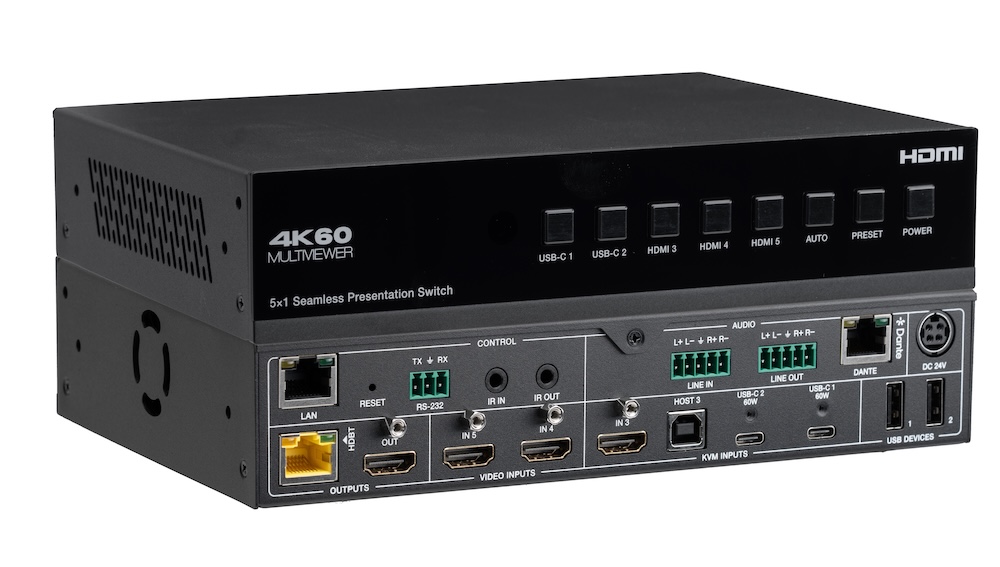
SW-5X1PS-70M mixes analog and Dante 2×2 audio in a 3×3 matrix with a 31-band EQ, 0–50ms delay and level on every output, as LPCM 2.0 at 48kHz.

The SW-5X1PS-70M product page has a Demo button: a simulated switch in your browser. What to try, from layouts and presets to auto switching, the…
A 5×1 switch for USB-C and HDMI sources with seamless switching, multiview, USB 2.0 KVM, Dante 2×2 audio and a mirrored HDBaseT 3.0 output.
KanexPro sells direct to dealers, resellers, installers and integrators, and through distribution. Whichever way you buy, the same engineers answer the phone.
The trade store: your own account, live stock, reordering, and a first look at new products.
Go to the trade store →Distribution and authorised resellers across the US and beyond.
See where to buy →Design help on extenders, matrix and AV over IP before you spec it.
Ask an engineer →