AUD-EXT-EARC100M: PoC Power, Cabling and CEC Control
One 12V/1A adapter at either end powers both units over Cat6/6a/7 up to 100m/328ft. CEC passes in eARC mode only, and there is no RS-232 or IP…

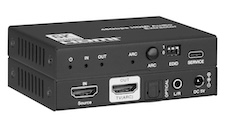 AUD-DEBED-8K
8K HDMI Audio De-Embedder with ARC
Extract Audio from Any 8K HDMI Source or ARC TV to Optical and Analog Outputs
Product page →
The AUD-DEBED-8K sits between an HDMI 2.1 source and a display. It passes video through and sends a copy of the audio to two outputs at once: S/PDIF optical and a 3.5mm L/R analog jack. The optical output carries PCM 2.0CH, Dolby or DTS 5.1CH. The L/R output carries PCM 2.0CH analog stereo only. Use the EDID DIP switch to make the source send a format the amplifier, DSP or mixer on those outputs can play.
Applies to: AUD-DEBED-8K 8K HDMI Audio De-Embedder with ARC
Connect the source to HDMI IN and the display to TV(ARC) OUT. Video passes through at up to 48Gbps FRL, at 8K@60Hz 4:2:0 12-bit or 4K@120Hz 4:4:4 12-bit, with HDCP 2.3. It also passes VRR, ALLM, QMS, QFT and SBTM, and HDR, HDR10, HDR10+, Dolby Vision and HLG. At the same time the unit sends audio to the OPTICAL and L/R outputs, so an amplifier, DSP or mixer with no HDMI input can take it. The manual confirms both outputs work at the same time. For example, you can feed an AV receiver over optical and speakers from L/R together.
The HDMI path to the display passes LPCM, Dolby Digital/Plus/EX, Dolby TrueHD, Dolby Atmos, DTS, DTS-HD Master Audio, DTS:X and DSD. The de-embedded outputs carry less. Optical carries PCM 2.0CH, Dolby or DTS 5.1CH. L/R carries PCM 2.0CH analog stereo. Dolby TrueHD, Dolby Atmos, DTS-HD Master Audio and DTS:X do not come out of the optical or analog outputs. They go to the display over HDMI only.
The specification lists the optical output as PCM 2.0CH. It does not give a maximum sample rate or bit depth for PCM on optical or L/R, and the manual does not say whether the unit converts sample rates. We cannot confirm from published data that a high-sample-rate stereo PCM stream leaves the optical port unchanged. If this matters for a design, ask KanexPro support to confirm before you specify the unit. What the facts do cover: set the EDID DIP switch to a 2.0CH mode so the source sends 2-channel PCM to the unit.
Read the three switches in the order SW3, SW2, SW1. For a stereo-only amplifier or receiver, choose a 2.0CH mode. For one that decodes 5.1-channel Dolby or DTS, choose a 5.1CH mode. The three copy modes follow the capabilities of the display on TV(ARC) OUT:
For an 8K TV with a stereo-only amplifier, the manual recommends 110. For an 8K TV with a 5.1 receiver, it recommends 101.
Yes. Press the front-panel ARC button to turn ARC on. The unit then takes the audio an ARC-enabled TV returns on the TV(ARC) OUT port. ARC uses CEC, so turn on HDMI-CEC in the TV's settings. When the ARC LED stays on, ARC is enabled and CEC is working. When it flashes, ARC is enabled but there is a CEC error. When it is off, ARC is disabled.
Check that the EDID DIP switch mode matches what the amplifier can play. Make sure the optical cable is fully seated at both ends. Then confirm the source is actually sending audio over HDMI. If no 8K signal passes through, use Ultra High Speed HDMI 2.1 cables rated for 48Gbps, and confirm both the source and the display are HDMI 2.1 compatible.
| Video Bandwidth | 48Gbps FRL and 18Gbps TMDS |
| Video Resolution | Up to 8K@60Hz 4:2:0 12-bit; 4K@120Hz 4:4:4 12-bit |
| HDMI Audio (Pass-through) | LPCM, Dolby Digital/Plus/EX, Dolby TrueHD, Dolby Atmos, DTS, DTS-HD Master Audio, DTS:X, DSD |
| Optical Out | PCM 2.0CH, Dolby, DTS 5.1CH |
| L/R Out | PCM 2.0CH Analog Stereo |
| Power Supply | Input: AC 100–240V 50/60Hz; Output: DC 5V/1A |
| Power Consumption | 4W (Max) |
| Dimensions | 95mm [W] × 68mm [D] × 18mm [H] |
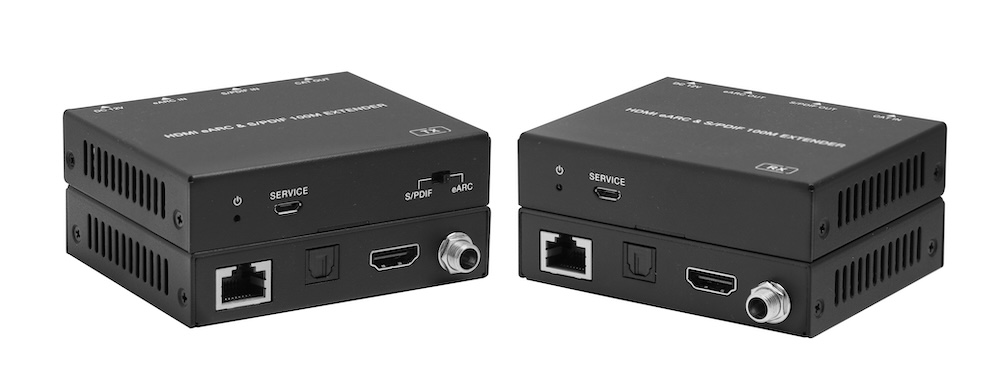
One 12V/1A adapter at either end powers both units over Cat6/6a/7 up to 100m/328ft. CEC passes in eARC mode only, and there is no RS-232 or IP…
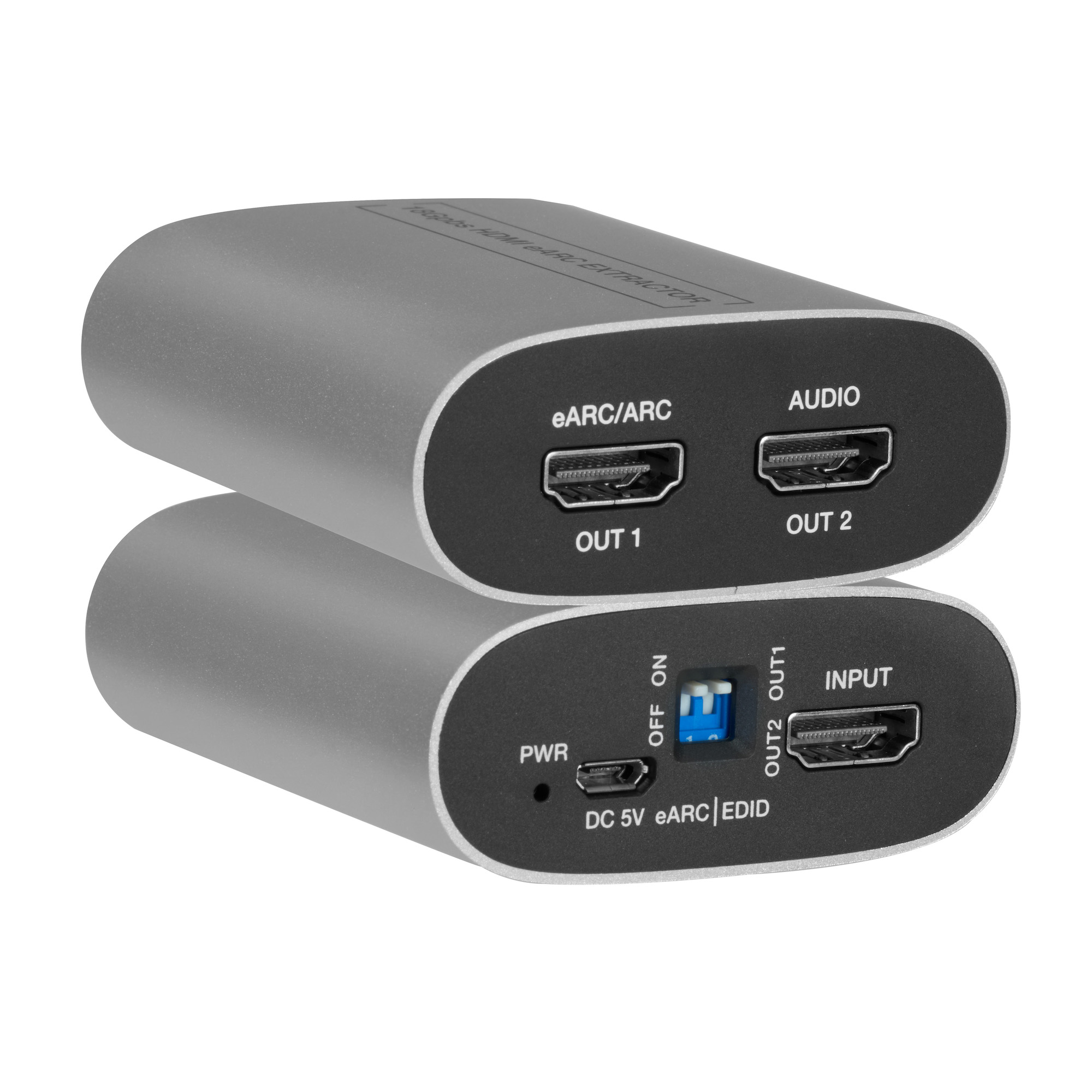
It takes a TV's eARC/ARC audio, including Dolby Atmos and DTS:X, to an AVR's ordinary HDMI input while 4K60 video and HDR pass through to the TV.
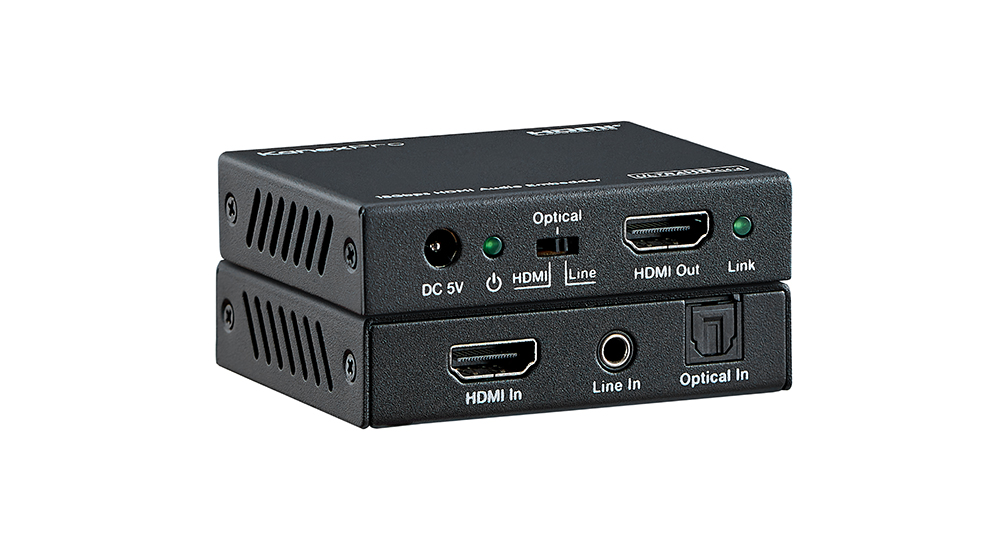
The HAECOAX4 embeds optical or analog stereo audio into an incoming HDMI 2.0b signal at 18Gbps, in place of the source's audio, set by a rear-panel…
KanexPro sells direct to dealers, resellers, installers and integrators, and through distribution. Whichever way you buy, the same engineers answer the phone.
The trade store: your own account, live stock, reordering, and a first look at new products.
Go to the trade store →Distribution and authorised resellers across the US and beyond.
See where to buy →Design help on extenders, matrix and AV over IP before you spec it.
Ask an engineer →