Atmos on HDMI, Stereo on RCA: Using All Three Outputs
All three outputs run at once: HDMI OUT passes Dolby Atmos and DTS:X, while RCA L/R carries Dolby/DTS decoded to stereo in 2CH mode.

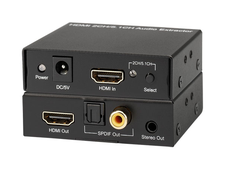 HAECOAX
HDMI Audio De-Embedder 1080p - HDMI to Optical, Coaxial S/PDIF and 3.5mm Stereo…
Extract Stereo and Surround Audio from Any HDMI Source to Optical, Coaxial, and Analog
Product page →
The HAECOAX sits between an HDMI source and a display. It passes the HDMI signal through to the display and, at the same time, sends the audio to Toslink optical, coaxial S/PDIF and 3.5mm stereo analog outputs. Integrators use it when a soundbar, amplifier or AV receiver in the room has no HDMI input. It carries stereo as 2-channel LPCM and 5.1 surround as encoded Dolby Digital or DTS Digital Surround.
Applies to: HAECOAX HDMI Audio De-Embedder, HDMI to Optical, Coaxial S/PDIF and 3.5mm Stereo, 2.0/5.1CH.
Connect the source to HDMI In and the display to HDMI Out. The video and audio continue to the display, and the unit sends the same audio to all three audio outputs at once. The optical and coaxial outputs carry S/PDIF to an amplifier or AV receiver. The 3.5mm output is analog stereo for an amplifier, a receiver or powered speakers. The display keeps its picture, and the audio system gets a connection it can accept.
The supported formats are LPCM (uncompressed), Dolby Digital and DTS Digital Surround. The unit carries LPCM as 2-channel audio. Surround reaches the S/PDIF outputs only as an encoded Dolby Digital or DTS bitstream, so for 5.1 the receiver on the Toslink optical or coaxial output must decode Dolby Digital or DTS. The 3.5mm output is always analog stereo and never carries surround. These are the only formats in the published specification, and it lists no maximum sample rate for the S/PDIF outputs. If a design depends on a particular sample rate or high-resolution stereo PCM, confirm it with KanexPro support before you specify the unit.
The front-panel button only has an effect when the source sends 5.1CH audio. The unit starts in 5.1CH with the channel LED on. Press the button to switch to 2CH output, and the LED goes off. If the source sends only 2CH audio, the button does nothing and the unit outputs 2CH. If pressing it changes nothing, set the source to output 5.1 (bitstream) audio over HDMI.
The HAECOAX is HDMI 1.3 with Deep Color, at up to 6.75Gbps (2.25Gbps / 225MHz per channel). It passes 480i, 576i and 1080i, and 480p, 576p, 720p and 1080p, all at 50/60Hz. It also passes PC resolutions up to 1920×1200, with colour depth up to 12-bit per channel (36-bit all channels). 3D and CEC pass through, and the unit is HDCP compliant, so it works with HDCP-protected sources. If protected content will not play, check that every device in the chain is also HDCP compliant.
No. Input cable equalization is automatic. It compensates for weak source signals and for signal loss on long input cables, and there is nothing to set.
The power/active LED is red when the unit has power and turns purple when it is working normally, with power and signal both present. If it stays red, the unit is not receiving an active HDMI signal: check that the source is on and that its cable is fully seated in HDMI In. The separate 2.0CH / 5.1CH LED is on for 5.1CH and off for 2.0CH.
The unit runs from the included external DC 5V @ 2A supply and uses 2.5W at most. The manual recommends surge protection, because electrical spikes, surges or lightning strikes can damage the unit's components.
| Specification | Value |
|---|---|
| HDMI Compliance | HDMI 1.3 (Deep Color) |
| Video Bandwidth | Up to 6.75Gbps (2.25Gbps / 225MHz per channel) |
| Video Resolution | Up to 1080p (50/60Hz); PC up to 1920×1200 |
| Color Depth | Up to 12-bit per channel (36-bit all channels) |
| Audio Formats | LPCM (uncompressed), Dolby Digital, DTS Digital Surround |
| Channel Selection | 2.0CH / 5.1CH (front-panel button) |
| Outputs | 1× HDMI Female, 1× Toslink Optical (S/PDIF), 1× Coaxial S/PDIF (RCA), 1× 3.5mm Stereo Analog |
| Power Supply | External DC 5V @ 2A |
| Power Consumption | 2.5W (Max) |
| Operating Temperature | 0°C – 70°C |
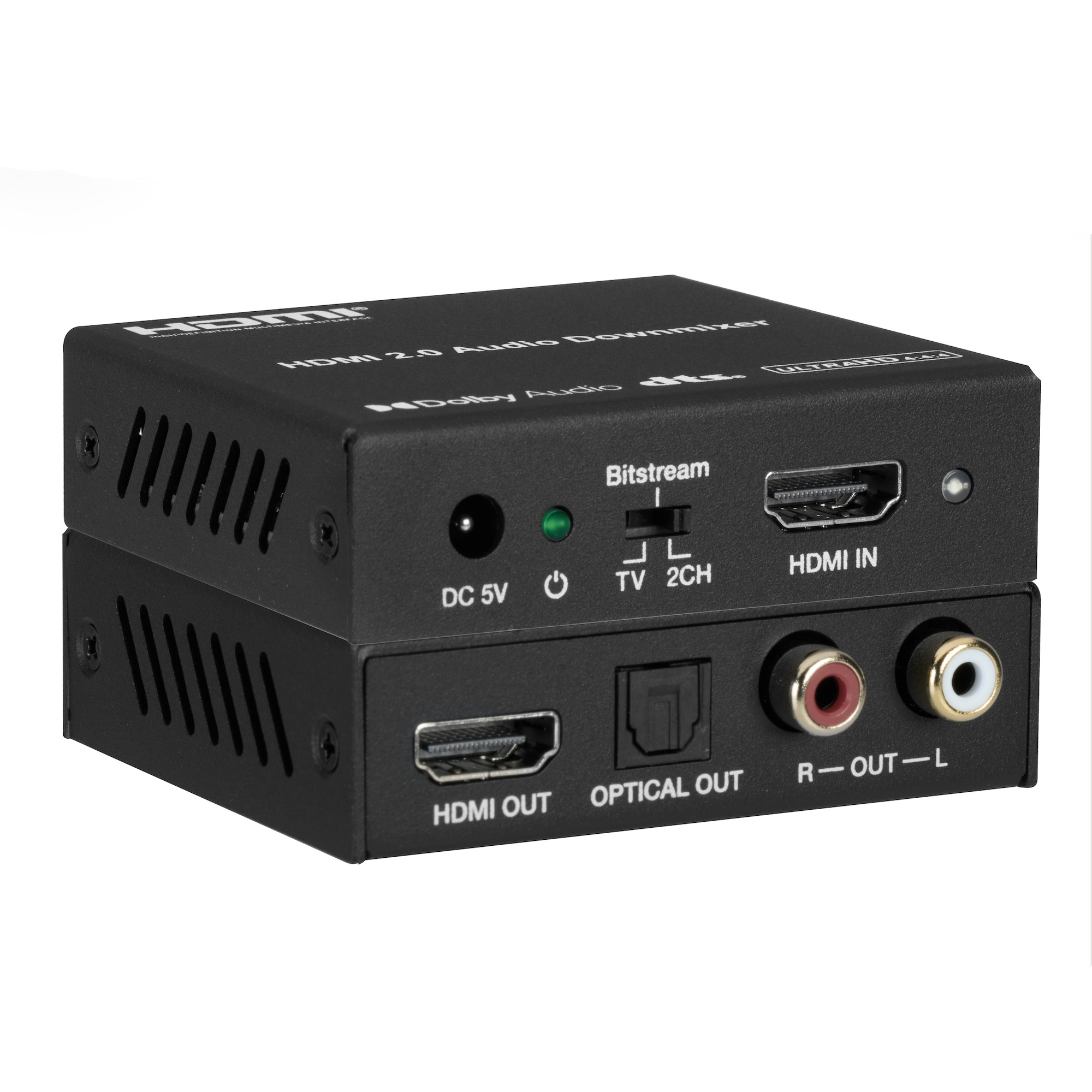
All three outputs run at once: HDMI OUT passes Dolby Atmos and DTS:X, while RCA L/R carries Dolby/DTS decoded to stereo in 2CH mode.
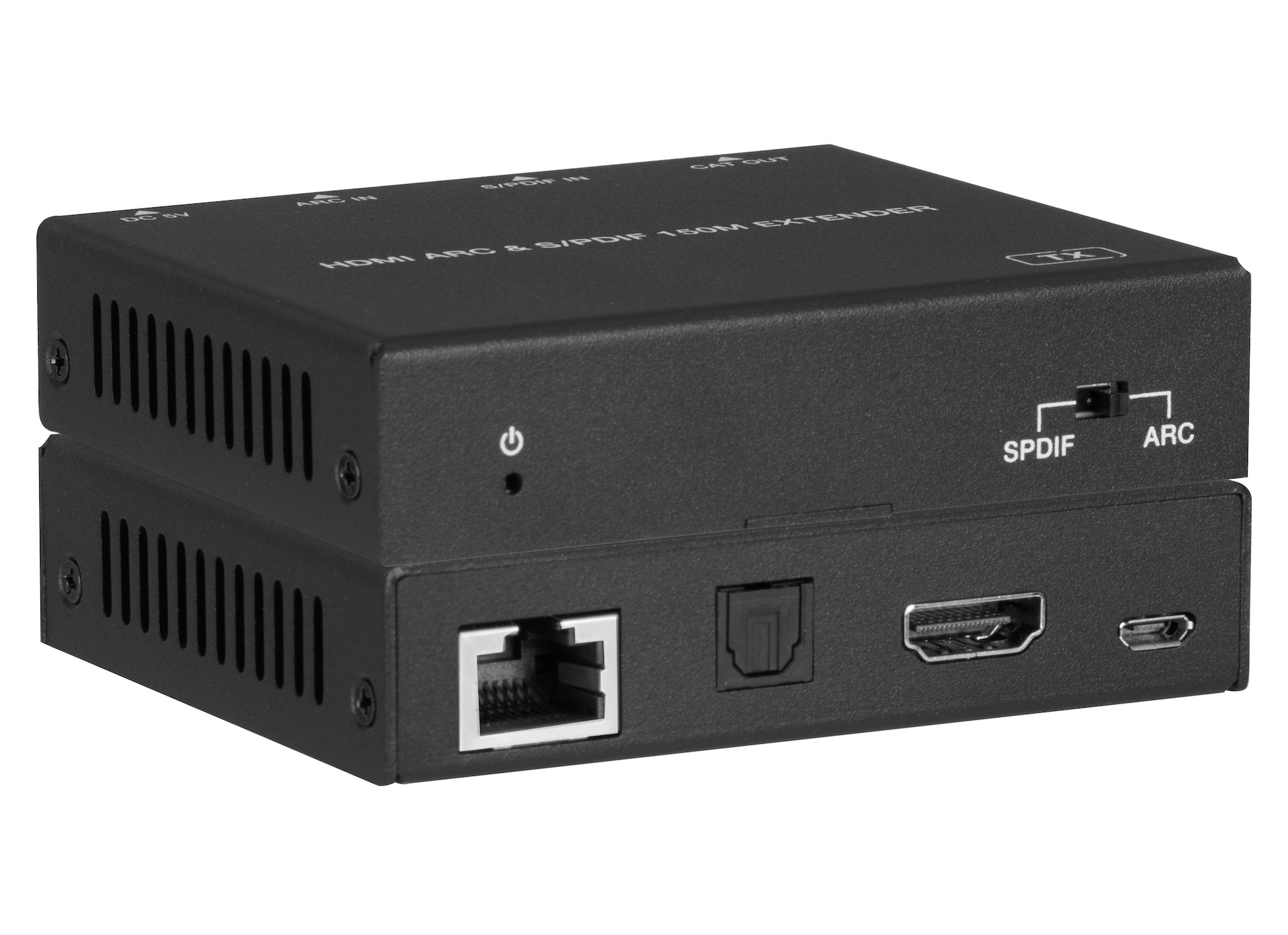
ARC and S/PDIF both reach 150m / 495ft at 96kHz. Only ARC carries 192kHz, and at that rate the CAT run is limited to 90m / 295ft.
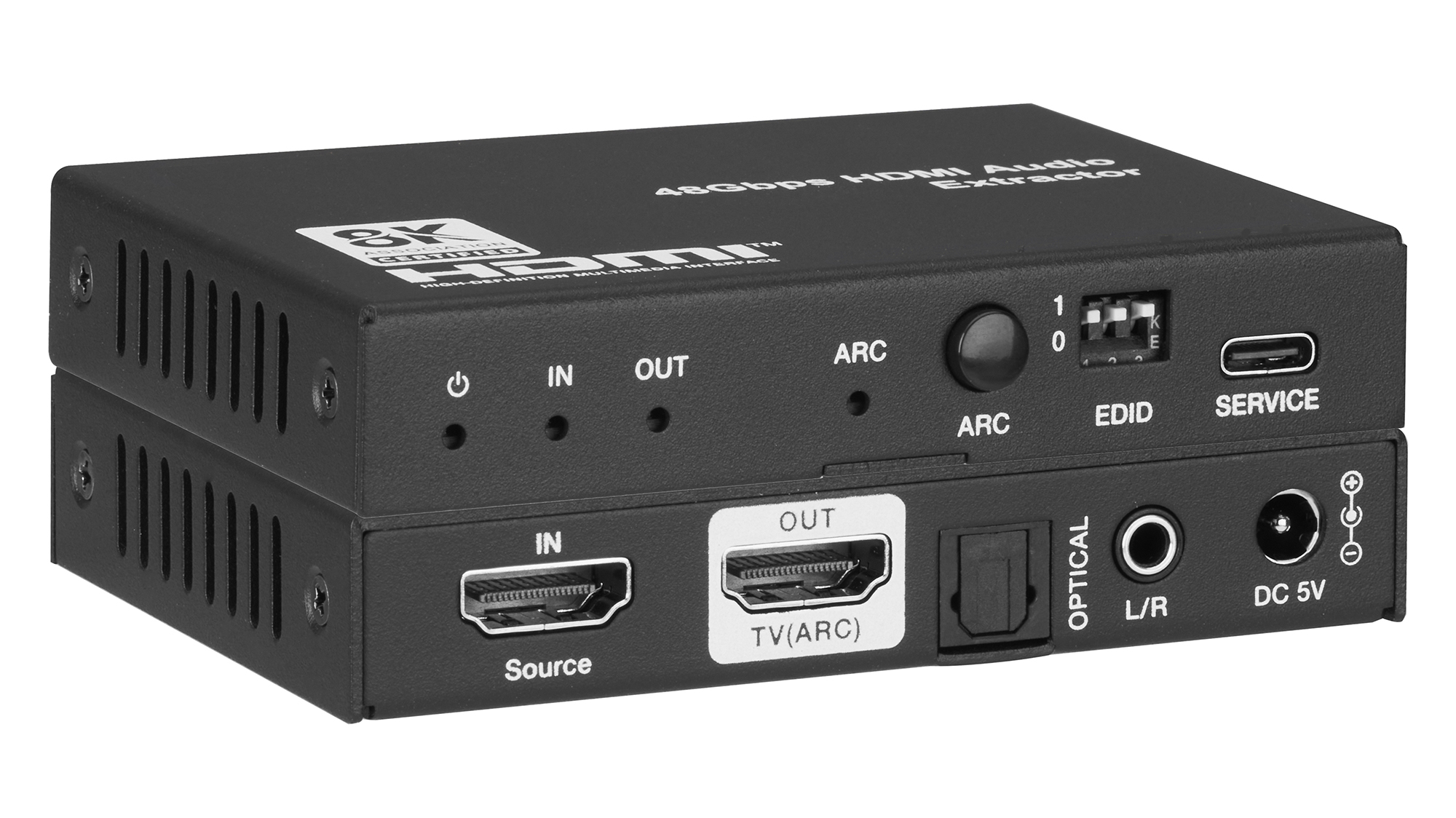
Optical carries PCM 2.0CH or Dolby/DTS 5.1CH; L/R carries PCM 2.0CH stereo. Atmos, TrueHD, DTS-HD MA and DTS:X pass to the display over HDMI only.
KanexPro sells direct to dealers, resellers, installers and integrators, and through distribution. Whichever way you buy, the same engineers answer the phone.
The trade store: your own account, live stock, reordering, and a first look at new products.
Go to the trade store →Distribution and authorised resellers across the US and beyond.
See where to buy →Design help on extenders, matrix and AV over IP before you spec it.
Ask an engineer →