Installation Guide: Hardware Setup and Connections — AV Over IP
Install KanexPro AV over IP endpoints: rated cable within 100 m, PoE or DC 12V power, LED checks, and the AVO-IPJP2KWPM 2-gang wall plate.


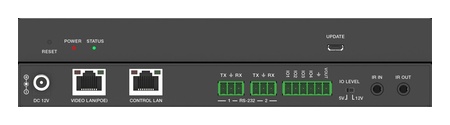 AVO-IPCTL-JP2K
4K60 JPEG2000 AV over IP System Controller
Centralized Matrix Switching, 9×9 Video Wall & KVM Roaming for JPEG2000 AV over IP Systems —…
Product page →
AVO-IPCTL-JP2K
4K60 JPEG2000 AV over IP System Controller
Centralized Matrix Switching, 9×9 Video Wall & KVM Roaming for JPEG2000 AV over IP Systems —…
Product page →
Video wall mode distributes a single source image across multiple displays arranged in a grid, with each decoder rendering its assigned portion of the image. This is a feature exclusive to the JPEG2000 codec family and the AVO-IPCTL-JP2K controller.
Bezel compensation crops the image behind each display’s physical bezel, so the image appears continuous across all panels. Measure the inner bezel width (the black border between panel content areas) in millimeters — not the outer frame.
To change the content displayed on the video wall without reconfiguring the layout, use the controller GUI or REST API to route a different encoder to the wall group.
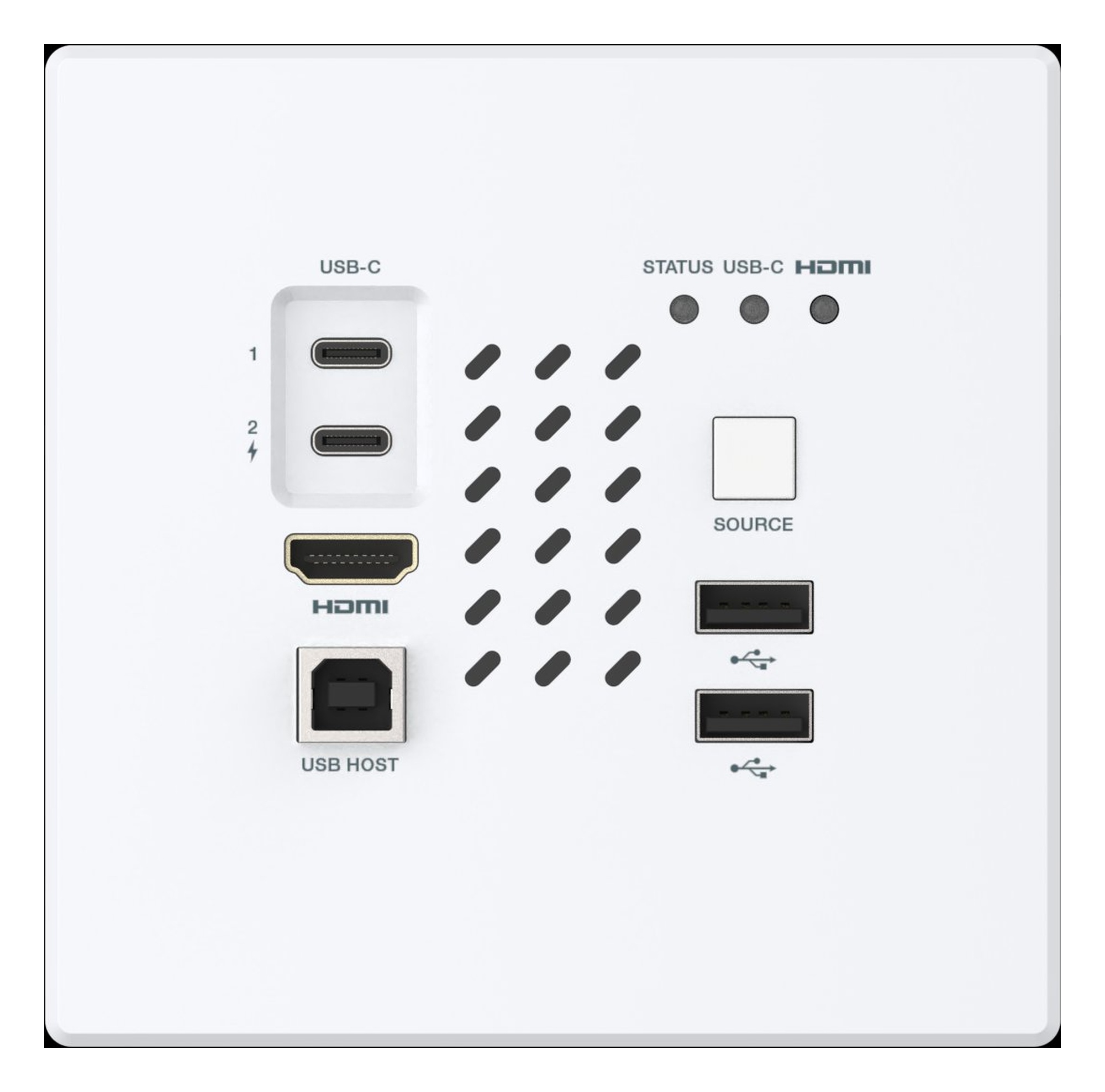
Install KanexPro AV over IP endpoints: rated cable within 100 m, PoE or DC 12V power, LED checks, and the AVO-IPJP2KWPM 2-gang wall plate.
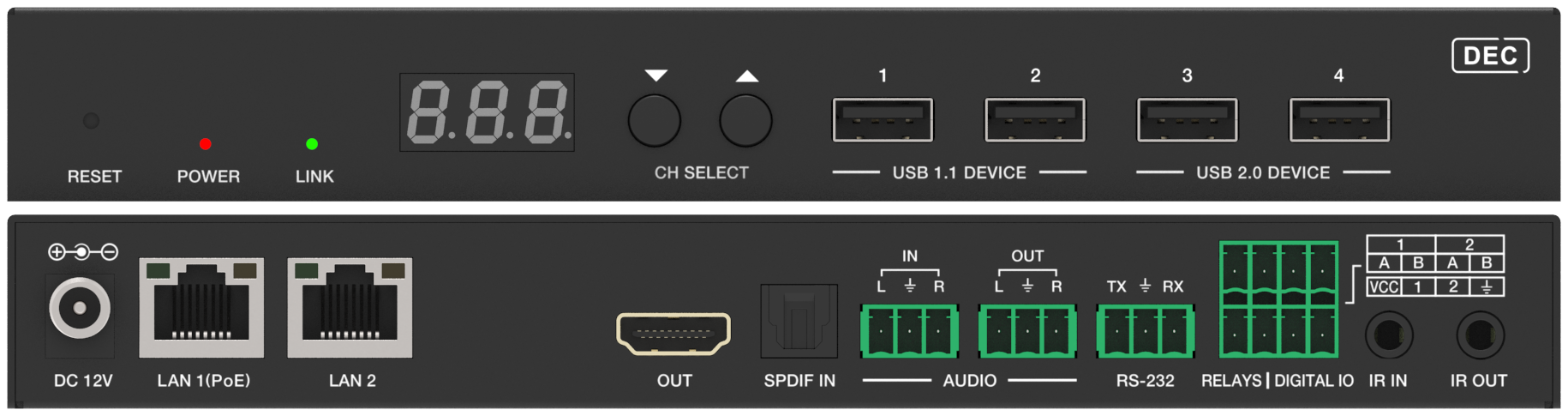
AV over IP scales by adding endpoints and switch ports; a traditional matrix is deterministic but fixed. Architecture, latency and network compared.
Part 2 compares AV over IP with matrix switching on distance, control integration and expansion, with a decision table by venue and scale.
KanexPro sells direct to dealers, resellers, installers and integrators, and through distribution. Whichever way you buy, the same engineers answer the phone.
The trade store: your own account, live stock, reordering, and a first look at new products.
Go to the trade store →Distribution and authorised resellers across the US and beyond.
See where to buy →Design help on extenders, matrix and AV over IP before you spec it.
Ask an engineer →