HDMI Distribution System Design: Splitters, Matrices, Scalers and Dante
Specifying an HDMI Distribution System: Splitters, Matrices, Scaling Switchers and Dante Audio Short answer: Choose the device by the shape of the…


Display connectivity technology is still changing quickly in 2026. Choosing the right interface HDMI, DisplayPort, or USB-C is essential for getting the maximum performance and compatibility out of your devices, whether they are for home theaters, gaming, or professional work.
Each interface has its pros and cons when it comes to speed, resolution, and connection length. If you know what your alternatives are, you'll be able to choose the proper one whether you connect a 4K monitor, a VR headset, or a long-distance display using 100 Ft HDMI Cables.
HDMI (High-Definition Multimedia Interface) is still the most common way to connect TVs, monitors, projectors, and game consoles. The most recent HDMI 2.1 standard, which came out in 2026, enables resolutions up to 10K, faster refresh rates, and advanced audio formats like DTS:X and Dolby Atmos.
If you want to connect devices over a long distance or build up a large home theater, 100-foot HDMI cables are a great option. Modern active HDMI connections keep the signal strong even over long distances; thus, 4K or 8K transmission is always lossless.
HDMI has these benefits:
• Works with a lot of TVs, computers, and gaming consoles
• It can send both audio and video over one wire.
• Available in long-distance versions that can reach 100 feet or more
• Works well with 4K, 8K, and high dynamic range (HDR) videos.
• Best for: home theaters, game consoles, conference screens, and multimedia systems
DisplayPort is made for high-performance displays; thus, it's great for gaming monitors, professional editing sets, and workstations. The newest DisplayPort 2.1 standard can handle up to 16K resolution, very rapid refresh rates, and daisy-chaining to connect more than one monitor.
DisplayPort is more widespread in PCs and high-end graphics cards than in TVs, unlike HDMI. It also has lower latency and better bandwidth, which are both very important for making content and playing games competitively.
DisplayPort has the following benefits:
• More bandwidth than HDMI
• Allows you to connect many monitors in a daisy chain.
• Better refresh rates (up to 240Hz @ 4K)
• Compatible with Adaptive Sync and G-Sync
USB-C has become a universal connector that lets you connect video, data, and power all through one port. With DisplayPort Alt Mode and Thunderbolt 4 built in, USB-C can now send 8K video, transfer data at lightning speed, and charge up to 100W all at the same time.
It is the most common way for modern laptops, tablets, and smartphones to connect to other devices. It has a single, reversible connector that makes it easy to connect.
Benefits of USB-C:
• Power, video, and data all in one
• Small and may be turned around
• Works with Thunderbolt and DisplayPort
• Great for portable installations and docking stations
Best for: laptops, tablets, and places where people work together.
Signal quality and cable length are two crucial factors to think about when picking an interface. HDMI cables, especially HDMI Cables 100 Ft, can keep high-quality signals over extended distances if they are active cables with built-in signal boosters.
If you need to connect devices that are far away from your workstation, such as cameras, printers, or VR sensors, a USB CAT6 Extender or USB Active Extension Cable can help. These add-ons enable you to connect to more devices without slowing down your computer.
Some examples of how to use it:
• Use a USB CAT6 Extender to connect USB devices that are in different rooms or that are part of a large configuration.
• If you want to expand USB power and data for webcams, hubs, or docking stations, use a USB Active Extension Cable.
• Use 100-foot HDMI cables for large conference rooms, auditoriums, or home theaters.
Feature | HDMI (2.1) | DisplayPort (2.1) | USB-C (Thunderbolt 4) |
Max Resolution | Up to 10K | Up to 16K | Up to 8K |
Audio Support | Yes | Yes | Yes |
Power Delivery | No | Limited | Up to 100W |
Cable Length | Up to 100 ft (active) | 10–15 ft typical | 3–6 ft typical |
Best For | TVs, Home Theaters | PCs, Gaming Monitors | Laptops, Docking Stations |
Choose HDMI if you’re connecting TVs, gaming consoles, or projectors. Long-distance HDMI cables that are 100 feet long are ideal for big rooms. If you have a high-end PC, multiple monitors, or a professional editing workstation, choose DisplayPort. If you want something that can do many things, is portable, and can charge your devices, choose USB-C. If you need further reach, use a USB Active Extension Cable with it.
As technology evolves, HDMI, DisplayPort, and USB-C each serve different yet overlapping tasks. In 2026, the best option for you will depend on what you need, whether it's ultra-high resolution, many monitors, or just the ease of plug-and-play.
For most people, HDMI is still the best and most commonly supported option, especially with 100-foot HDMI cables that keep 4K or 8K resolutions even when they are far away. At the same time, USB CAT6 Extenders and USB Active Extension Cables make sure that USB-powered devices may connect without any problems, providing you a full solution that will work in the future.
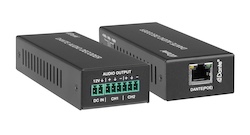
Specifying an HDMI Distribution System: Splitters, Matrices, Scaling Switchers and Dante Audio Short answer: Choose the device by the shape of the…
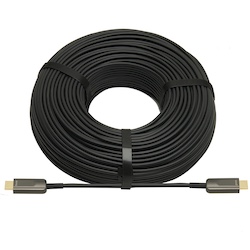
If your source is component video (the red, green, and blue RCA connectors), you need a component to HDMI converter. If it is composite video (a…
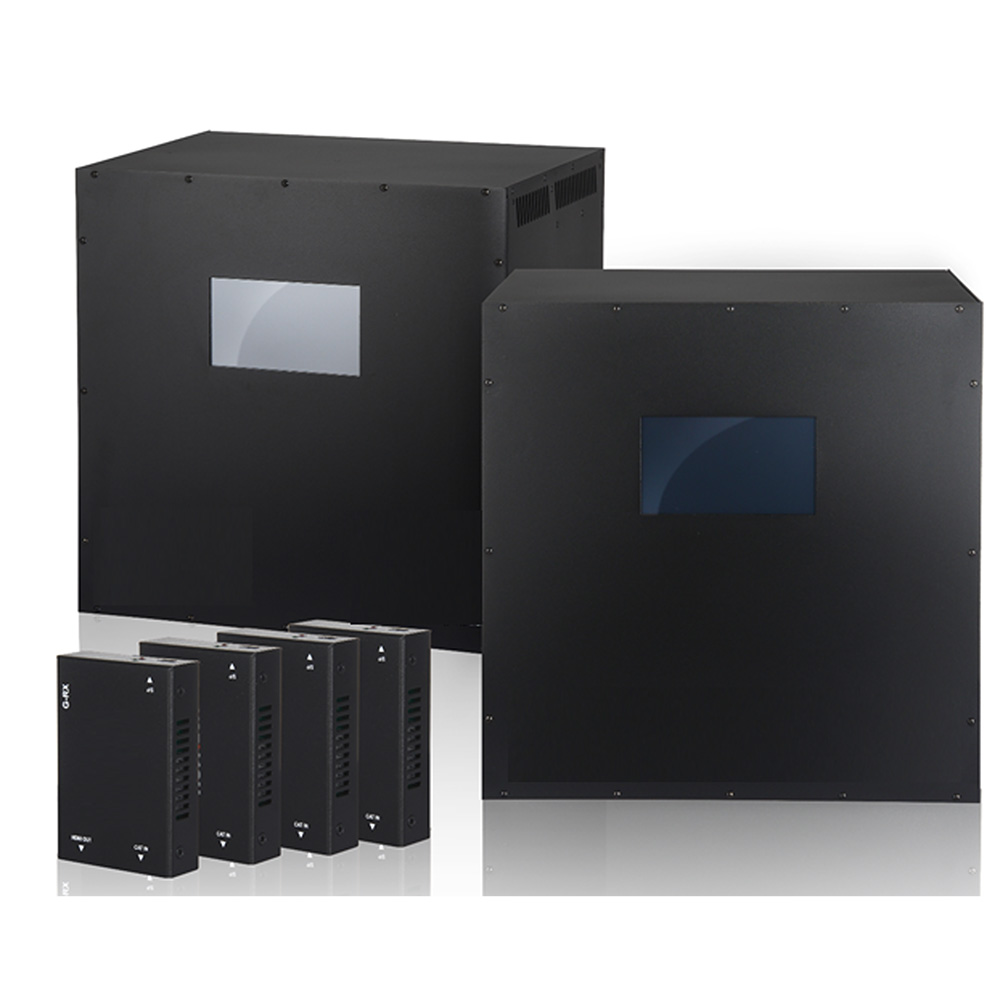
Modern AV environments demand more than simple point-to-point switching. Enterprises, universities, hospitality venues, government facilities, sports…
KanexPro sells direct to dealers, resellers, installers and integrators, and through distribution. Whichever way you buy, the same engineers answer the phone.
The trade store: your own account, live stock, reordering, and a first look at new products.
Go to the trade store →Distribution and authorised resellers across the US and beyond.
See where to buy →Design help on extenders, matrix and AV over IP before you spec it.
Ask an engineer →