Installation Guide: Hardware Setup and Connections — AV Over IP
Install KanexPro AV over IP endpoints: rated cable within 100 m, PoE or DC 12V power, LED checks, and the AVO-IPJP2KWPM 2-gang wall plate.


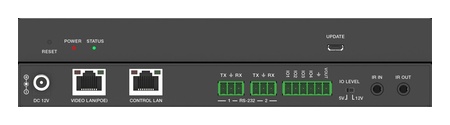 AVO-IPCTL-JP2K
4K60 JPEG2000 AV over IP System Controller
Centralized Matrix Switching, 9×9 Video Wall & KVM Roaming for JPEG2000 AV over IP Systems —…
Product page →
AVO-IPCTL-JP2K
4K60 JPEG2000 AV over IP System Controller
Centralized Matrix Switching, 9×9 Video Wall & KVM Roaming for JPEG2000 AV over IP Systems —…
Product page →
JPEG2000 endpoints such as the AVO-IPJP2K-ENC carry visually lossless 4K60 4:4:4 over standard managed 1G switches. H.265/H.264 also runs on 1G. The 4K AVO-IP265-4K lists 16 ms latency in text mode and 33 ms in video mode, and one of its decoders can show up to 36 streams at once. SDVoE (AVO-IPSDV-4K) sends uncompressed 4K60 4:4:4 with a zero-frame latency mode, but it needs a 10G network switch.
No. Each family has its own controller: AVO-IPCTL-JP2K for JPEG2000, AVO-IPCTL-265 or AVO-IPCTL-265HD for H.265, and AVO-IPCTL-SDV for SDVoE. The AVO-IPCTL-JP2K manages JPEG2000 endpoints only, but it can run Gen 1 and Gen 2 JPEG2000 units in one system. SDVoE and H.265 endpoints cannot work as encoder/decoder pairs, and SDVoE needs its own 10G switch.
The AVO-IPCTL-JP2K supports up to 762 encoder IDs and 762 decoder IDs in a single system. The AVO-IPCTL-265 and AVO-IPCTL-SDV assign device IDs in the same 1–762 range. The 9×9 figure is the video wall limit, not a limit on the system: one JPEG2000 system can hold up to 9 video walls, each up to 9×9.
Not for point-to-point. Unicast between one encoder and one decoder works without a controller. JPEG2000 decoders with a front panel, such as the AVO-IPJP2K-DEC, can select an encoder ID locally. The controller is required for matrix switching, video walls and KVM roaming. It also gives you one web GUI for the whole system, plus RS-232, TCP/IP, IR and GPIO control. The AVO-IPCTL-JP2K's control methods are Web GUI, TCP/IP, RS-232, IR, SSH, SFTP and HTTPS.
No. The JPEG2000 endpoints call for a Layer-3 managed gigabit switch with IGMP snooping and 8K jumbo frames. The 1080p H.265 endpoints need a Layer-3 managed gigabit switch with multicast and IGMP snooping enabled and unregistered multicast filtered. SDVoE needs a 10G managed switch with IGMP snooping. The AVO-IP265-4K does not support unmanaged switches.
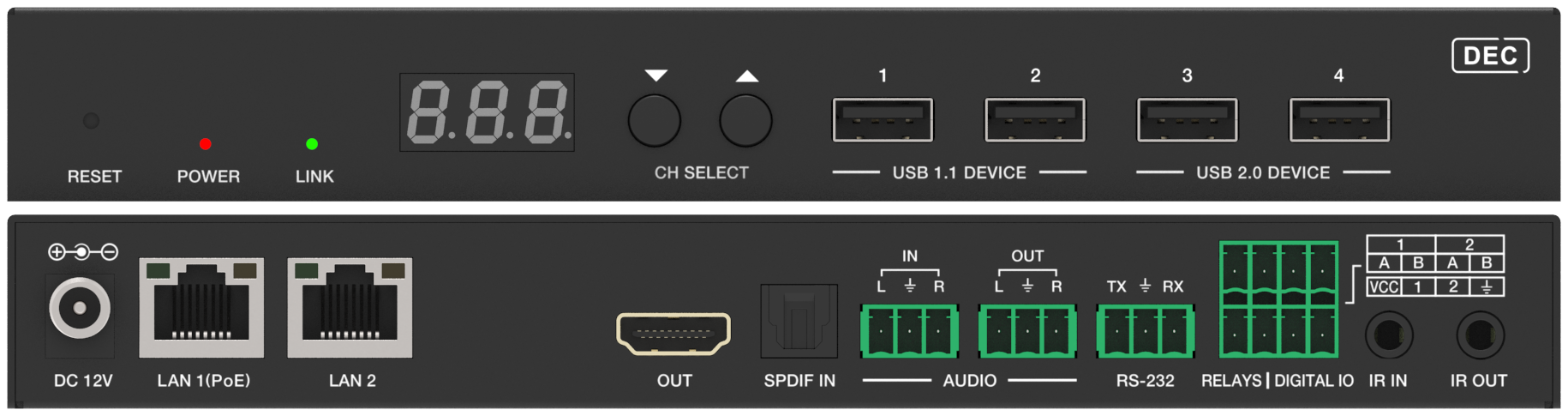
Start with the switch: IGMP snooping must be on, and for JPEG2000 so must jumbo frames. Then check the green LINK LED on the decoder. Off means it is not linked. Flashing means it is linked but receiving no video, so check the source and the encoder. See Troubleshooting: No Signal Between Encoder and Decoder for the full checklist.
For JPEG2000, yes. The endpoint manuals require a switch with 8KB jumbo frame support, and the AVO-IPCTL-JP2K troubleshooting says to enable 8K jumbo frames. For SDVoE, jumbo frames are recommended, and the AVO-IPCTL-SDV troubleshooting checks that they are enabled. For H.265, the AVO-IP265-4K recommends jumbo frames for video wall and multiview deployments. The 1080p AVO-IP265HD-ENC documentation asks only for IGMP snooping and multicast.
Keep AV multicast off the IT LAN. The AVO-IPCTL-JP2K, AVO-IPCTL-265, AVO-IPCTL-265HD and AVO-IPCTL-SDV each have a separate VIDEO LAN port and CONTROL LAN port. Endpoints and the VIDEO LAN port go on the AV switch, and the CONTROL LAN connects to the IT network, which isolates the AV multicast traffic. A single-switch setup is supported but gives up that isolation. Where AV traffic has to share infrastructure, put it on its own properly configured VLAN with IGMP snooping.
All three. JPEG2000 endpoints support video walls up to 9×9 through the AVO-IPCTL-JP2K. The 1080p H.265 endpoints, such as the AVO-IP265HD-ENC, list walls up to 9×9 with the AVO-IPCTL-265HD. The AVO-IPCTL-265 adds window roaming across walls built from 4K AVO-IP265-4K endpoints. The AVO-IPSDV-4K lists walls up to 9×9 with the AVO-IPCTL-SDV.
With JPEG2000 and the AVO-IPCTL-JP2K, 9×9 (81 displays) per wall. The controller manages up to 9 walls per system, each between 1×2 and 9×9, and each decoder can belong to only one wall.
On the AVO-IPCTL-JP2K, open the Video Wall page and use Border Adjustment. Set Base Width, Image Width, Base Height and Image Height for each decoder, then click Apply or Apply All. A Base value cannot exceed twice its Image value.
Dante AV-A is license-activated on the JPEG2000 endpoints, including AVO-IPJP2K-ENC, AVO-IPJP2K-DEC, AVO-IPJP2KS-ENC, AVO-IPJP2KS-DEC and the AVO-IPJP2KWPM wall plate. The AVO-IPJP2KD-ENC and AVO-IPJP2KD-DEC add a second LAN port. In their default LAN Mode 2, video runs on LAN 1 (PoE) and Dante audio on LAN 2; LAN Mode 1 carries both on LAN 1. Unlicensed units do not appear on the controller's Dante page.
ARC/eARC return is supported on the AVO-IPJP2K-ENC, AVO-IPJP2K-DEC, AVO-IPJP2KD-ENC, AVO-IPJP2KD-DEC and AVO-IPJP2KUC-ENC, together with S/PDIF and analog return. The AVO-IPJP2KWPM returns analog audio only. For the slim AVO-IPJP2KS-ENC and AVO-IPJP2KS-DEC, confirm audio return with KanexPro technical support before you design around it. On the AVO-IPJP2K-ENC and AVO-IPJP2K-DEC, encoder and decoder must be set to the same return mode, digital (C2C) or analog (A2A), and analog return works in unicast only.
Copper runs reach up to 100 m (328 ft), and the rated cable depends on the model:
For longer runs, the AVO-IPJP2K-ENC and AVO-IPJP2K-DEC have an SFP fiber slot, the AVO-IP265-4K has a 1G SFP port and the AVO-IPSDV-4K has a 10G SFP+ port.
Keep them on one. With the AVO-IPCTL-JP2K in Static mode, encoders and decoders must be in the Video LAN subnet; in Auto mode the controller assigns their addresses. Without a controller, the JPEG2000 endpoint manuals' first check for missing video is that the encoder and its decoders are on the same network segment.
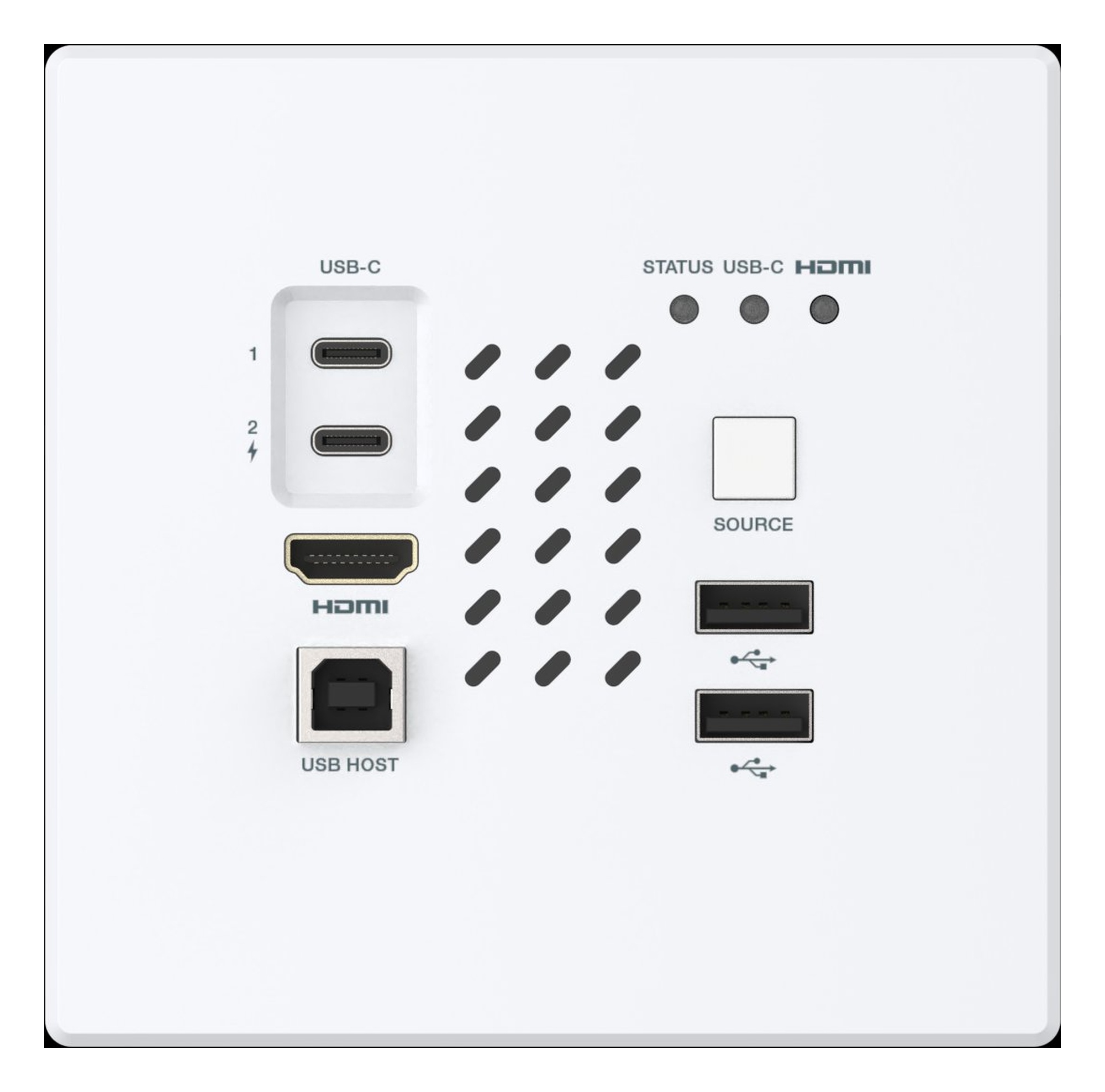
Install KanexPro AV over IP endpoints: rated cable within 100 m, PoE or DC 12V power, LED checks, and the AVO-IPJP2KWPM 2-gang wall plate.
AV over IP scales by adding endpoints and switch ports; a traditional matrix is deterministic but fixed. Architecture, latency and network compared.
Part 2 compares AV over IP with matrix switching on distance, control integration and expansion, with a decision table by venue and scale.
KanexPro sells direct to dealers, resellers, installers and integrators, and through distribution. Whichever way you buy, the same engineers answer the phone.
The trade store: your own account, live stock, reordering, and a first look at new products.
Go to the trade store →Distribution and authorised resellers across the US and beyond.
See where to buy →Design help on extenders, matrix and AV over IP before you spec it.
Ask an engineer →